EasyManua.ls Logo

BrainBee multigas 8500 - User Manual

BrainBee multigas 8500
78 pages
Print Icon
To Next Page IconTo Next Page
Loading...
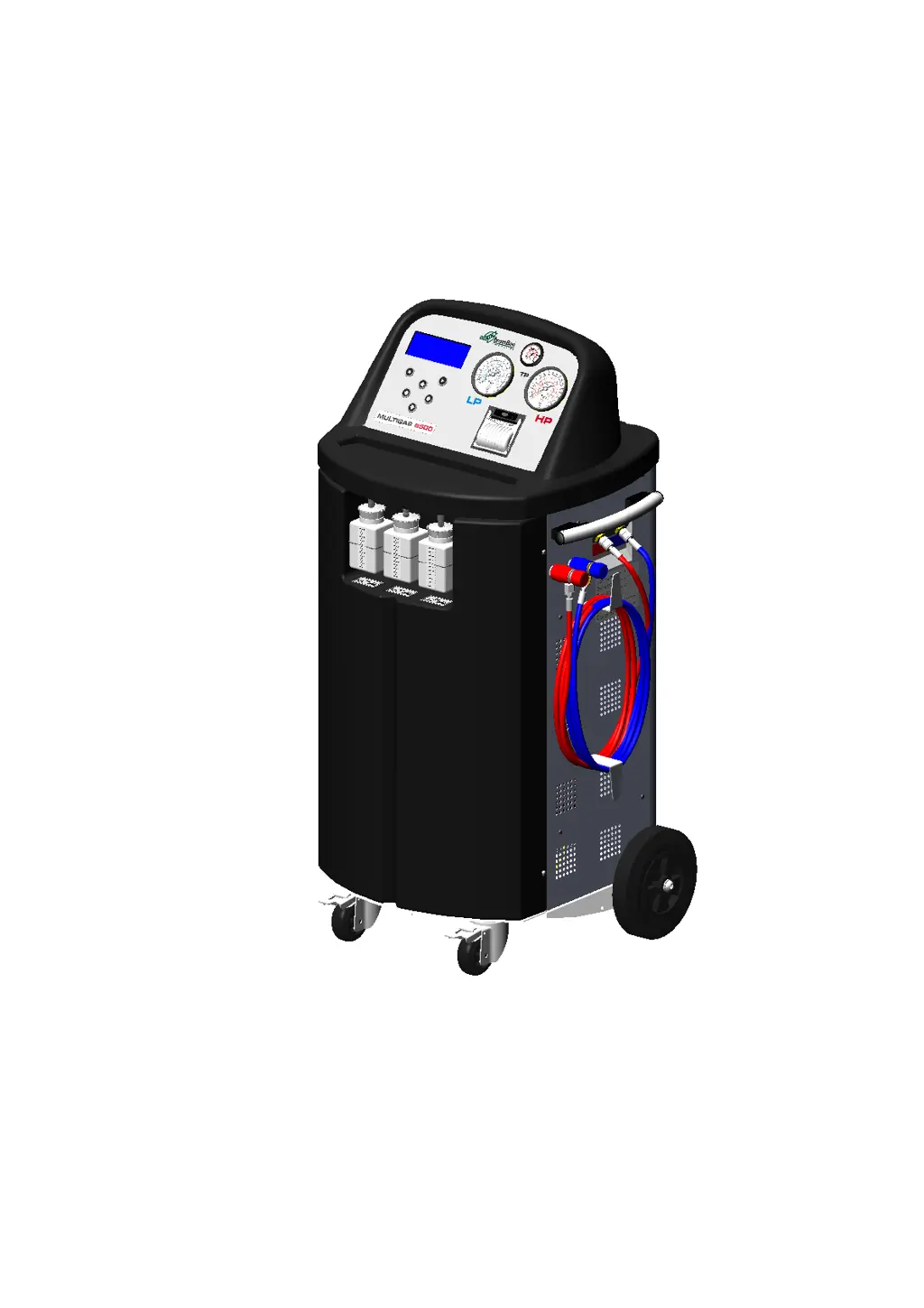
MULTIGAS 8500
Equipment for recharge of air conditioning systems of
vehicles with refrigerant gas R-134a/R-1234yf.
Service Manual
Ver. 1.0

Table of Contents

Questions and Answers

  • J
    John OrtizAug 19, 2025
    Why is there difficulty in the recovery and recharge phase of my BrainBee multigas 8500?
    • G
      ginagarzaSep 12, 2025
      If you're experiencing difficulty during the recovery and recharge phase with your BrainBee Air Conditioner, ensure that the refrigerant tank valve is open by unscrewing it counter-clockwise. Also, restore the normal seal conditions of the HP-LP taps gaskets and the HP-LP couplers, both internal and external. If yellow pipes are present, inspect and replace the seal gaskets inside the pipe connecting the solenoid valves group to the tank.
  • A
    Andrew SmithAug 21, 2025
    Why is refrigerant injection slow or not possible in my BrainBee multigas 8500 Air Conditioner?
    • S
      Steven BurtonAug 21, 2025
      If refrigerant injection is slow or impossible in your BrainBee Air Conditioner, it may be due to cut joint seal gaskets from excessive tightening, causing pipe clogging and operational block. Locate and replace the defective rubber components or remove any dirt residue. Empty the gas, and if yellow pipes are present, inspect and replace the seal gaskets inside the pipe that connects the solenoid valves group to the tank.
  • C
    candicebrownAug 23, 2025
    What to do if the leak test has a negative result after the vacuum phase on my BrainBee Air Conditioner?
    • S
      Stephanie OwenAug 23, 2025
      If the leak test result is negative after the vacuum phase on your BrainBee Air Conditioner, it might be because the vacuum time was too short (4-5 minutes). When a vacuum time less than 20 minutes is set, the following message appears: “Less than 20 minutes of vacuum do not guarantee the execution of a correct procedure. Continue?”
  • N
    nathan57Aug 26, 2025
    What to do if there is a refrigerant leak from the exhausted oil container during recovery phase of my BrainBee Air Conditioner?
    • K
      kelsey86Aug 26, 2025
      If you notice a refrigerant leak from the exhausted oil container during the recovery phase, but the leak test is negative on your BrainBee Air Conditioner, it could be due to dirt inside the Oil discharge solenoid valve. Try cleaning the solenoid valve OUT – S, check the gasket efficiency, and calibrate the pressure sensor.
  • D
    Dr. Spencer WilsonAug 28, 2025
    What causes the inability to inject and recover oil during the automatic cycle of my BrainBee Air Conditioner?
    • C
      Christie MayAug 28, 2025
      If oil injection and recovery are not possible during the automatic cycle of your BrainBee Air Conditioner, the oil loading cell may be out of calibration or defective. Calibrate the exhausted and new oil scales, and replace them if necessary.
  • L
    Lisa DiazAug 30, 2025
    How to fix the gas scale if it appears blocked on a certain value on BrainBee multigas 8500?
    • D
      Denise BrockAug 30, 2025
      If the gas scale appears blocked on a certain value on your BrainBee Air Conditioner, the loading cell locking screw may not be sufficiently unscrewed. Unscrew the locking screw further, ensuring it doesn't touch the cell during use.
  • W
    wliuSep 1, 2025
    What to do if HP pressure gauge has the same pressure as the internal vessel gauge on BrainBee multigas 8500?
    • C
      caitlynhortonSep 1, 2025
      If the HP pressure gauge shows the same pressure as the internal vessel gauge on your BrainBee Air Conditioner, it could be due to dirt inside the OUT “R” solenoid valve, failure of the OUT “R” solenoid valve, or manifold defects. Close the refrigerant internal vessel, then in Menu Service – Manual Activation open OUT “R” OUT “I” OUT “A” OUT “C” (compressor), close all valves once a pressure of 0 bar is reached. You can try to clean OUT “R”, substitute of OUT “R” or substitute the manifold.
  • B
    brad45Sep 3, 2025
    What to do if the “SD card not present” message is shown on BrainBee Air Conditioner?
    • J
      Jeremy QuinnSep 3, 2025
      If your BrainBee Air Conditioner displays the message “SD card not present” during switch on or after downloading a software update, the SD card may be absent or not properly inserted. Insert the SD card or check its insertion and reprogram the recharge station.
  • J
    jonesryanSep 5, 2025
    What to do if hoses emptying is not completed with system under pressure on BrainBee Air Conditioner?
    • J
      James WardSep 5, 2025
      If hoses emptying is not completed with the system under pressure in your BrainBee Air Conditioner, it indicates a compressor fault. First, check for leaks from OUT “R” and replace the compressor.
  • O
    owilliamsSep 7, 2025
    Why does the vacuum pump emit disturbing vibrations in my BrainBee multigas 8500 Air Conditioner?
    • J
      Jennifer WalkerSep 8, 2025
      If the vacuum pump in your BrainBee Air Conditioner emits disturbing vibrations, it indicates a defective vacuum pump. The solution is to replace the vacuum pump.

Summary

CAP. 2 - INTRODUCTION

2.1 GENERAL INFORMATION

General information about the manual and product.

2.2 SUMMARY

Overview of the manual's content and purpose.

CAP. 3 - SAFETY CONDITIONS

3.1 IMPORTANT SAFETY INFORMATION

Crucial safety instructions for operation and maintenance.

3.2 ENVIRONMENTAL PRECAUTIONS

Guidelines for safe handling of refrigerants and waste.

CAP. 4 - LAYOUT AND USE OF THE MANUAL

4.1 USE OF THE MANUAL

Guidance on how to use the service manual effectively.

4.2 SYMBOLS

Explanation of safety and marking symbols used in the manual and on equipment.

CAP. 5 - INSTALLATION

5.1 EQUIPMENT INSTALLATION

Step-by-step procedure for installing the MULTIGAS 8500 equipment.

CAP. 6 - MAINTENANCE

6.1 EQUIPMENT MAINTENANCE

General overview of periodical and preventive maintenance tasks.

6.2 VACUUM PUMP OIL CHANGE

Detailed procedure for vacuum pump oil maintenance.

6.3 DRYER FILTER CHANGE

Procedure for replacing the dryer filter.

6.4 HOSES AND COUPLERS WEAR CHECK

Procedure for checking hoses and quick couplers for wear.

CAP. 7 - CALIBRATION

7.1 SERVICE KITS

Details of service kits for R134A and R1234YF gas stations.

7.3 PRESSURE CALIBRATION

Step-by-step guide for pressure calibration using the service kit.

7.4 GAS WEIGHT CALIBRATION

Procedure for calibrating the gas weight scale.

7.5 OIL WEIGHT CALIBRATION

Procedure for calibrating the oil weight scales.

CAP. 8 - GAS TYPE SWITCHING

8.1 GAS TYPE SWITCHING FROM R134 TO R1234 YF

Procedure for converting the station from R134a to R1234yf.

CAP. 9 - UPDATE

9.1 SOFTWARE UPDATE

Instructions for updating the equipment software and database.

9.2 NEW DATABASE PURCHASE AND ACTIVATION

Steps for purchasing and activating new database versions.

CAP. 10 - EQUIPMENT AND SIMULATORS

Required Equipment and Software

Lists necessary service kits and software for operation.

CAP. 11 - REFRIGERANT FLUID CIRCUIT

11.1 REFRIGERANT FLUID CIRCUIT

Diagram and explanation of the refrigerant fluid circuit.

11.2 OPERATIONAL CYCLES

Explanation of the equipment's operational cycles.

11.3 RECEIVING TANK

Details about the receiving tank and its safety features.

11.4 MANIFOLD CHART

Identification and function of manifold valves.

CAP. 12 - NON-PERMANENT JUNCTIONS

Instructions on Loctite 577 Use

Guidance on using Loctite 577 for non-permanent junctions.

CAP. 13 - ELECTRICAL CONNECTIONS

Electric Connection Diagram

Diagram showing electrical connections between components.

CAP. 14 - SPARE PARTS

Necessary Components for Maintenance

Lists components for routine and extraordinary maintenance.

CAP. 15 - REPLACEMENT INTERVENTIONS

15.1 EXTRAORDINARY MAINTENANCE LIST

Comprehensive list of parts for extraordinary maintenance.

15.2 EXTRAORDINARY MAINTENANCE

Details on extraordinary maintenance procedures.

CAP. 16 - TROUBLE SHOOTING

Troubleshooting Table

Lists malfunctions, causes, and solutions for common issues.

CAP. 17 - DIAGNOSTICS

FAILURES LIST

List of error messages, their causes, and recommended actions.

BrainBee multigas 8500 Specifications

General IconGeneral
BrandBrainBee
Modelmultigas 8500
CategoryAir Conditioner
LanguageEnglish

Related product manuals