ENGLISH 33 / 78 CAP. 7 - CALIBRATION
7.5 OIL WEIGHT CALIBRATION (SERVICE KIT)
From the SERVICE menu, password “BRN”, select the OIL WEIGHT CALIBRATION menu.
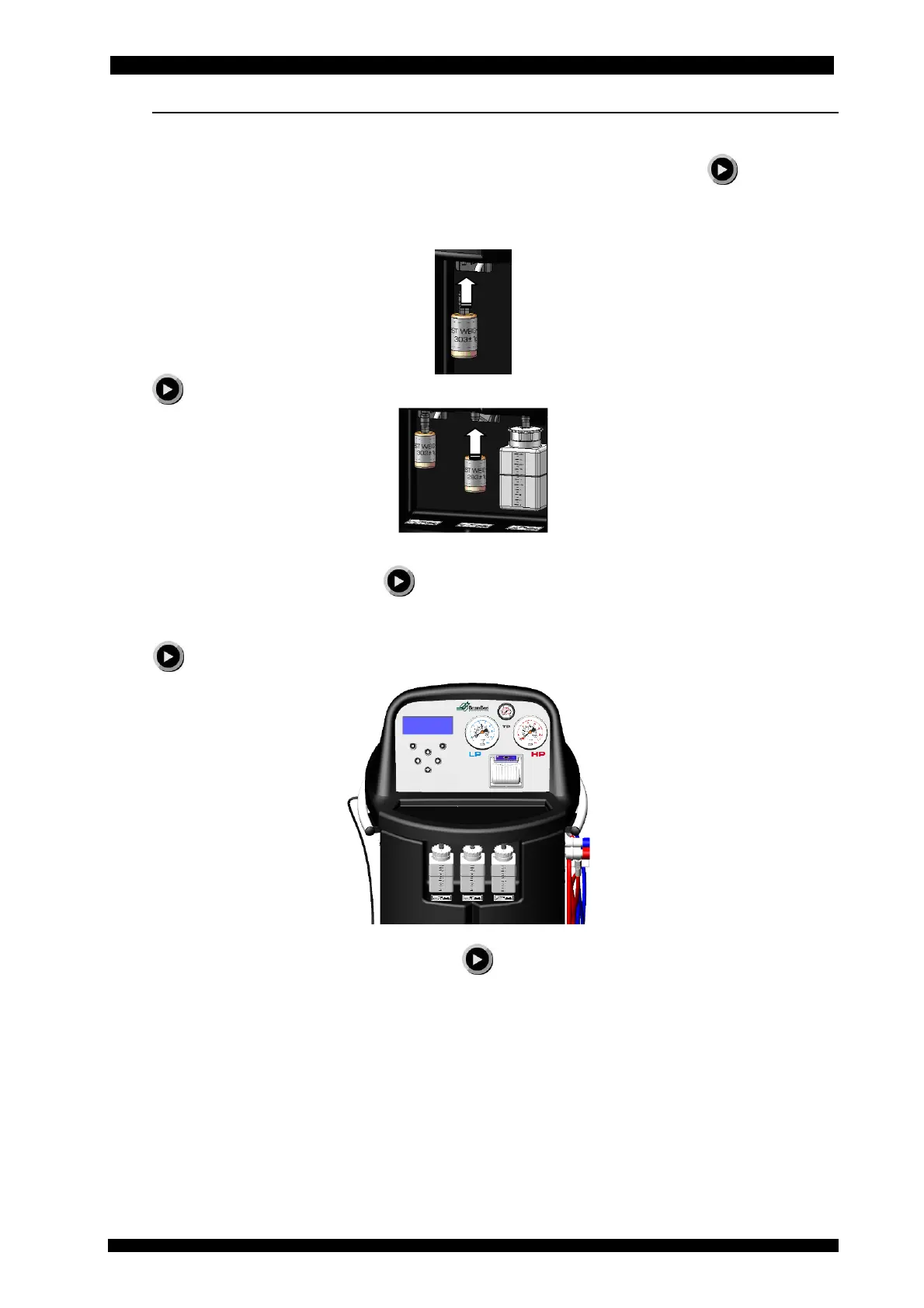
Remove the new oil and exhausted oil containers from the equipment and press
to acquire
the signals of the two loadless oil cells.
Insert the 303 g sample weight in the new oil attachment and, by means of the arrow keys, set its
value.
Press to acquire the signal of the load cell with the sample weight.
Insert the 293 g sample weight in the exhausted oil attachment and, by means of the arrow keys,
set its value on the equipment. Press to acquire the signal of the load cell with the sample
weight.
Remove the oil sample weights and insert the empty new oil and exhausted oil containers and
press
.
When required by the guided procedure, press to confirm the calibration.



 To Next Page