ENGLISH 53 / 77 CAP. 13 - MAINTENANCE
M
ULTIGAS
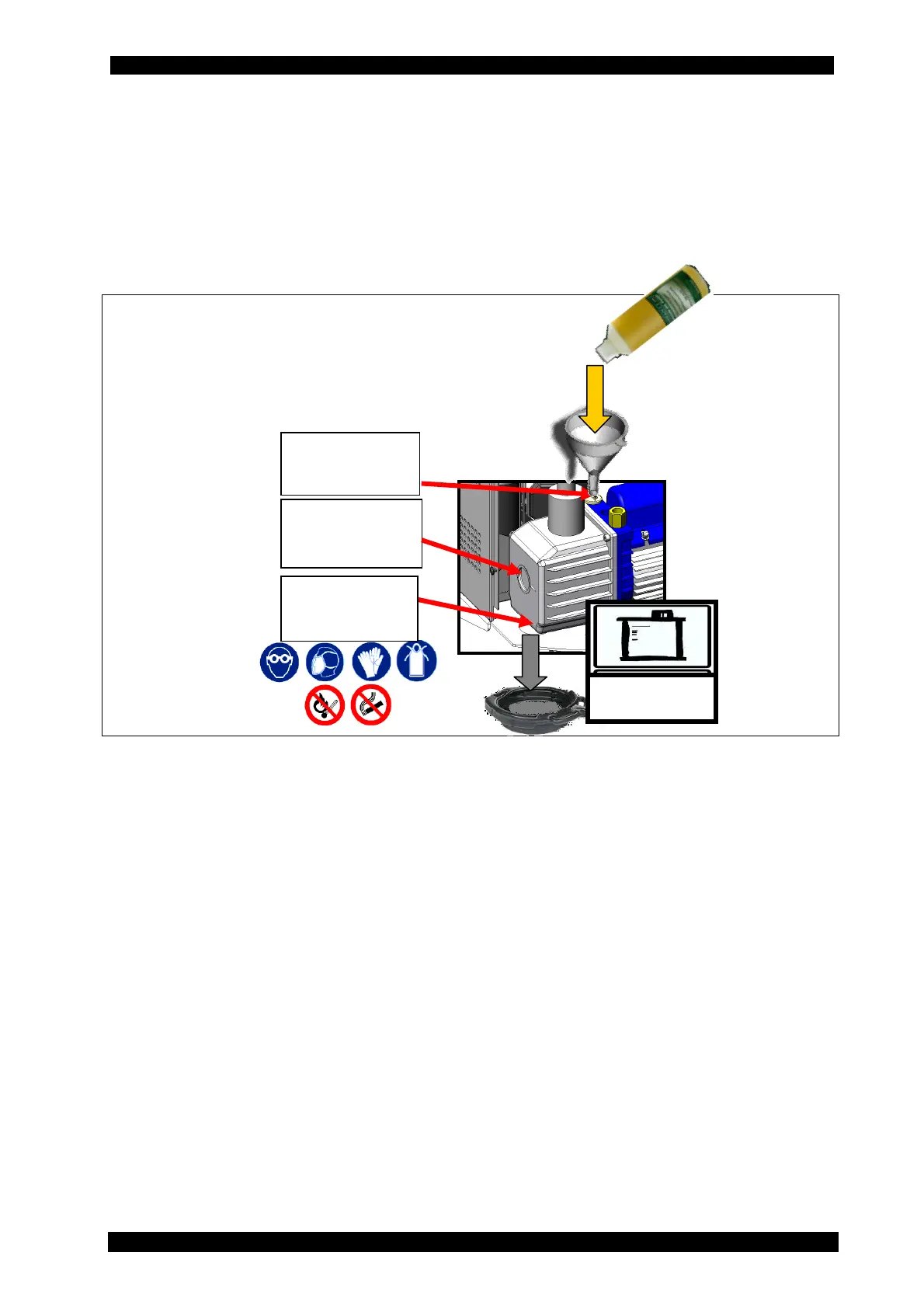
1 Disconnect the unit from the mains.
2 Remove the screws that fix the front door of the unit and remove it.
3 Place a bowl underneath the machine, right under the pump oil drain hole. Open the upper
plug and then the lower plug to drain the exhausted oil contained within the vacuum pump.
4 Once the pump has been emptied, screw the lower plug again.
5 Fill the pump with new oil through the upper opening, using a funnel if needed. Bring new oil
level halfway through the oil inspection window.
6 Once the pump has been filled, close the upper plug.
Once oil has been replaced, switch on the unit and from the MAINTENANCE menu select PUMP
OIL REPLACEMENT: press the “RESET” key to set the counter to zero.
window
Upper filling
plug
Lower
drain plug



 To Next Page