Laser Indication Explanation
Flashing red
Z-touch does not detect the camera. This indication can occur any time
the activation button is pressed, and may be caused by the following:
• Navigation software is not in registration mode. Z-touch detects the
camera and the navigation software is in registration mode.
• Someone or something is obstructing the communication between the
camera and Z-touch (i.e., infrared sensor is covered).
Solid red
Z-touch
After the visible laser lights up solid red for one second, the infrared laser
is activated.
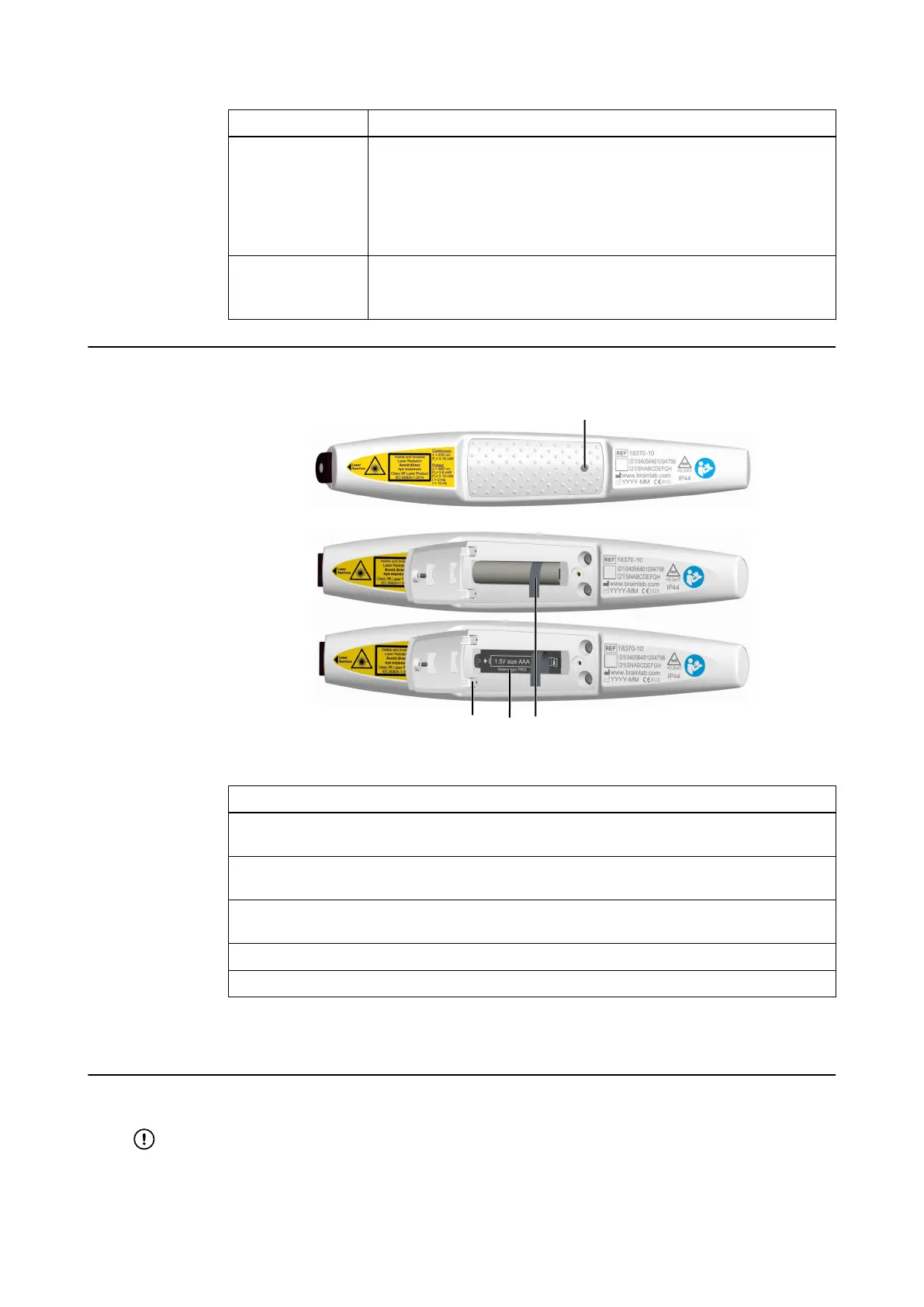
Battery Replacement
Figure 16
Step
1. Unscrew the battery cover ① using the Torx screwdriver (size TX6) provided in the stor-
age case.
2. Open the battery cover and remove the battery from the battery case by lifting the ribbon
②.
3. Insert the new battery on top of the ribbon, according to the orientation illustrated inside
the battery case ④.
4. Close the battery case cover, taking care not to damage the fixation joints ③.
5. Tighten the battery cover screw using the screwdriver.
NOTE: Do not throw batteries into the general garbage. Batteries should be disposed of
separately according to your organization’s rules and local legislation.
Correct Battery Use
Remove battery from battery case if Z-touch will not be used for more than 6 months.
Only use 1.5 V, Lithium Li/FeS2, FR03, size AAA batteries.
Control LED and Laser Indications
44 Instrument User Guide Rev. 2.6 Cranial/ENT Optical Tracking



 To Next Page