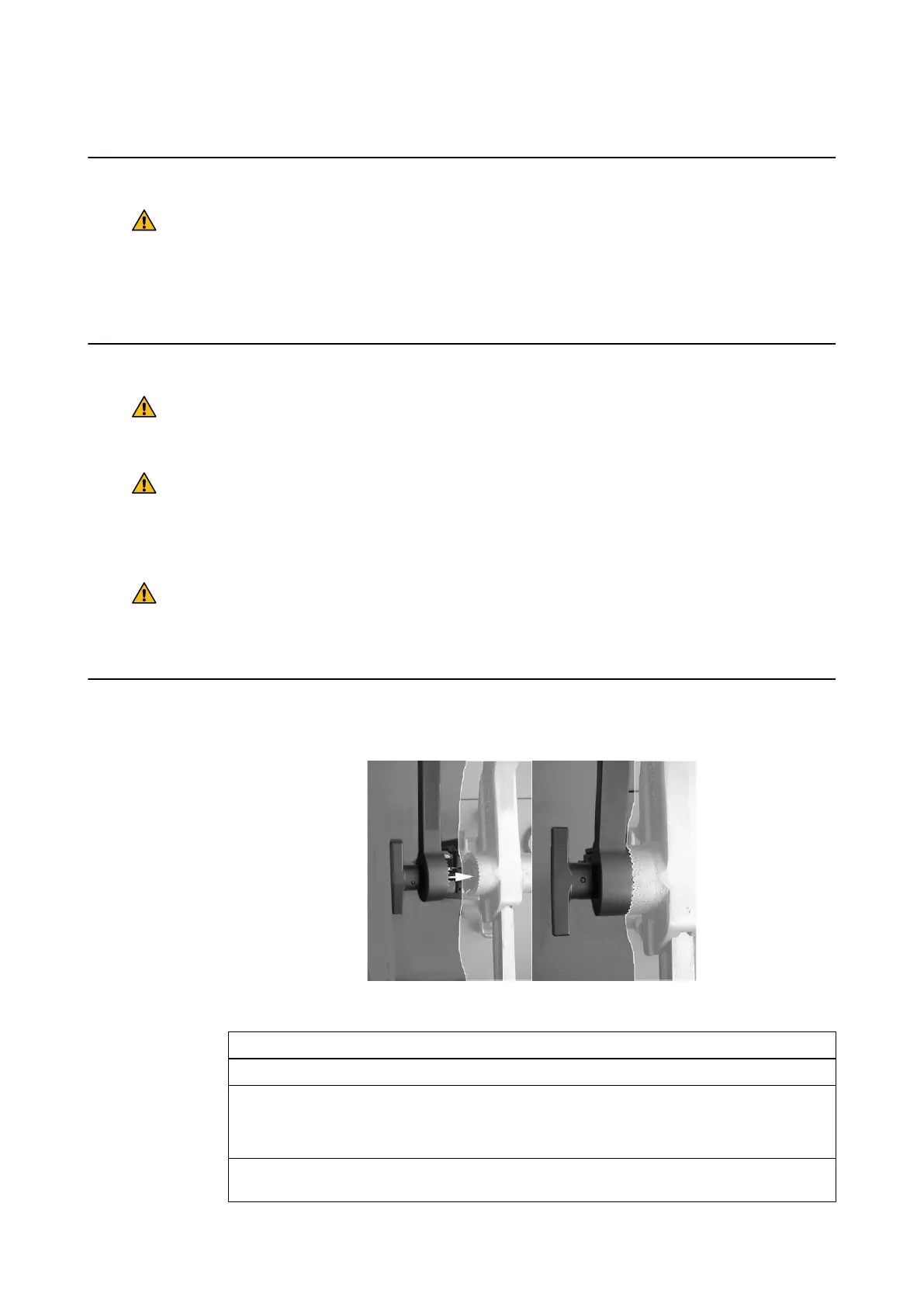
8.1.2 Attaching the VarioGuide to the Head Holder
Before Use
Warning
Before mounting the VarioGuide, make sure that the head holder has been properly
maintained, and that there are no signs of abrasion or wear. Only use undamaged head
holders with the VarioGuide.
To prevent damage and inadvertent contact with patient tissue, remove any instruments from the
VarioGuide before mounting it to the head holder.
Maximum Load
Warning
Ensure that the maximum load of the head holder permits mounting of the VarioGuide, V-
inset and the instruments to be used.
Warning
Do not place excessive weight on the VarioGuide (e.g., by either leaning on the device or
placing additional instrumentation on it). When drilling through the VarioGuide, make sure
that the weight of the drill is not carried by the VarioGuide arm. When exerting force on the
inserted instrument, ensure that the force does not change the VarioGuide’s trajectory.
Warning
Ensure that the head holder is properly mounted and that the total load does not exceed
the limits specified in the manufacturer’s manual. Excess load could loosen the clamp and
endanger the patient.
How to Attach the VarioGuide to the Head Holder
Figure 56
Step
1. Drape the patient as usual, ensuring that the head holder is also draped.
2. If attaching the VarioGuide to the Doro Radiolucent Skull Clamp, first attach the Inter-
face Skull Clamp for Biopsy Arm/Varioguide (19223-03) to the head holder interface.
NOTE: Also attach the Radiolucent Adapter for DORO Skull Clamp.
3. Place the “T” screw directly onto the head holder, V-inset, or interface, thereby puncturing
the drape ①.
Attaching the VarioGuide to the Head Holder
100 Instrument User Guide Rev. 2.6 Cranial/ENT Optical Tracking



 To Next Page