Step
3. Secure the adapter by hooking the buckle over the notch, making sure to lock the catch
④.
4. If applicable, drape the probe and adapter.
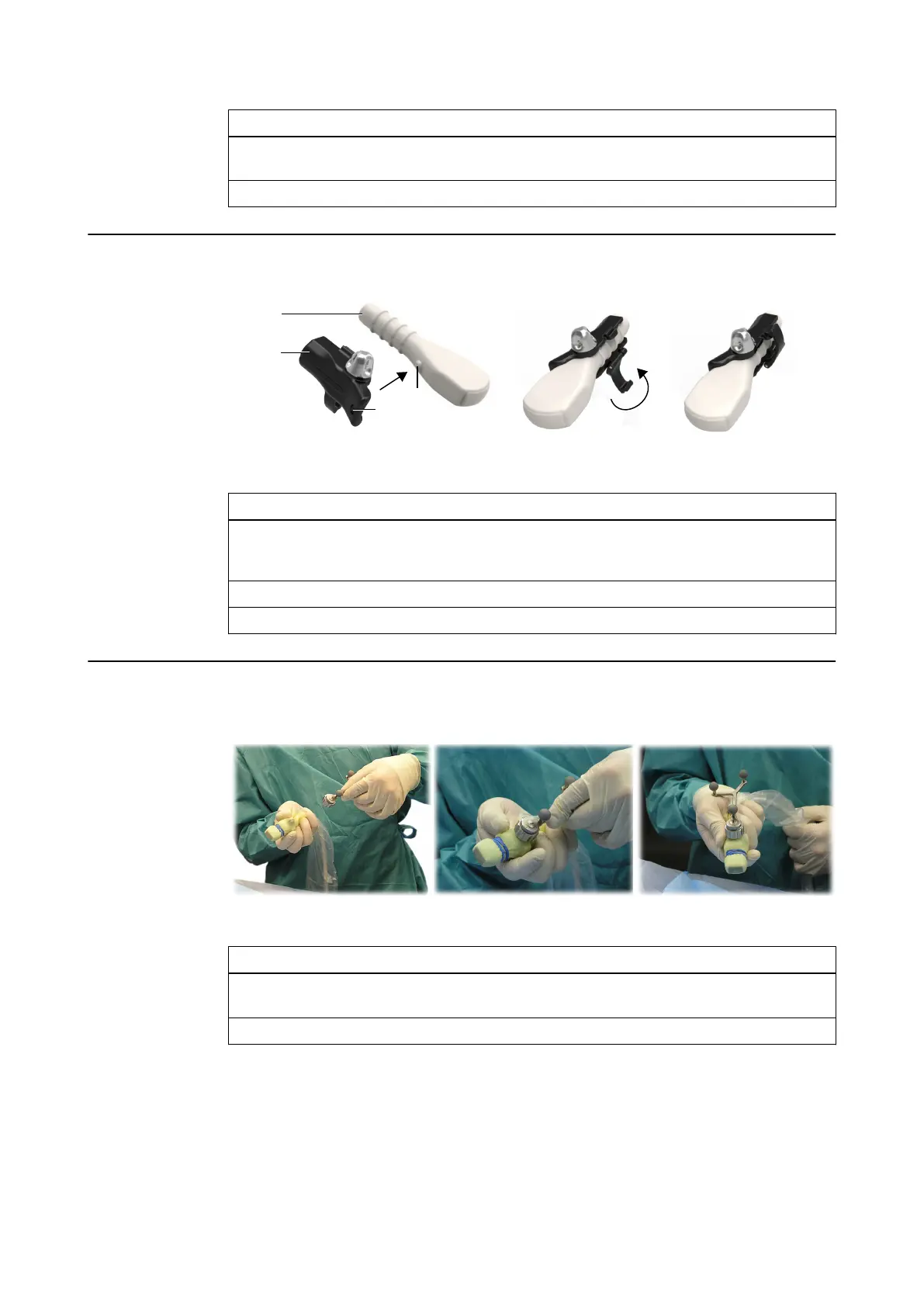
How to Attach the Unique Fit Aloka Adapter Base
Figure 47
Step
1. Slide either the Adapter Base for UST 987/9104/9120 (Aloka) or Ultrasound Integra-
tion Adapter Base (Aloka UST-9133) ① over the probe ②. Make sure that the ball on
the probe ③ fits in the hole on the base ④.
2. Secure the adapter by closing the clip ⑤, making sure to tightly lock the catch ⑥.
3. If applicable, drape the probe and adapter.
How to Attach the Adapter Array to the Adapter Base
Figure 48
Step
1. Place the sterile array onto the draped adapter base ①. Align the array so that the teeth
of the adapter array match the indentations of the adapter ②.
2. Securely tighten the fixation nut by turning it clockwise ③.
NOTE: If you remove the adapter array from the probe, the adapter array and the drape become
unsterile. To continue navigation, a new sterile drape and a new sterile adapter array must be
used.
NOTE: If the drape between the adapter base and the adapter array is wrinkled, smooth it by
hand before mounting the tracking array.
Attaching the Unique Fit Adapter Base to the Probe
90 Instrument User Guide Rev. 2.6 Cranial/ENT Optical Tracking



 To Next Page