34 Software User Guide Rev. 1.0 Kolibri cranial/ENT Ver. 2.7
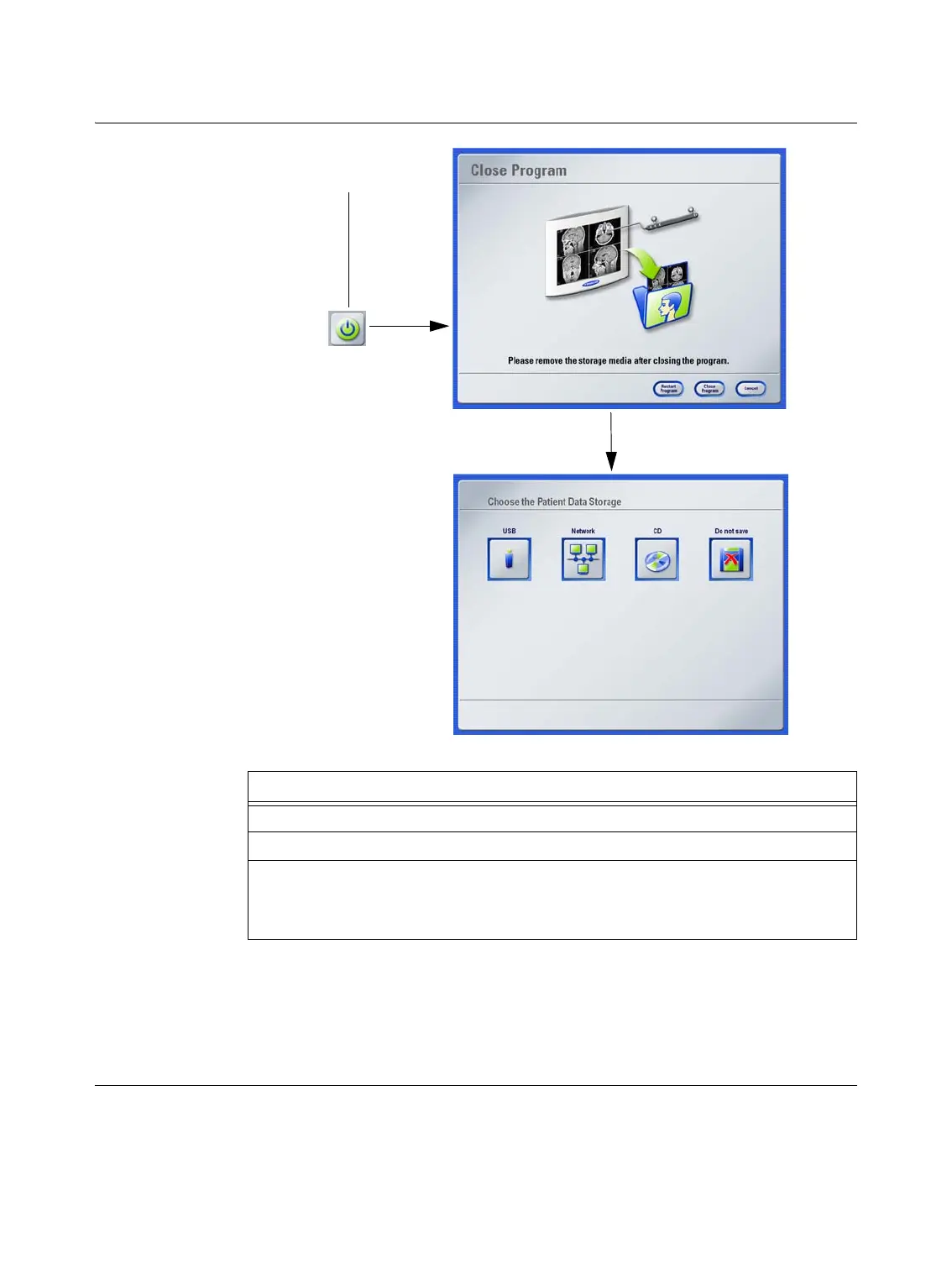
Shutting Down
How to Close the
Software
Figure 5
NOTE: If you select
CD
, it may take approximately 30 seconds for the CD burning process
to begin. Data stored to CD can be used for archive purposes only.
NOTE: Screenshots taken in
iPlan
are not exported to the navigation system. To store
screenshots created using
iPlan
, open the Windows Explorer, go to C:\brainlab\screenshots
and copy the screenshots to another storage medium.
Steps
1. Press the shutdown button a.
2. In the
Close Program
dialog, press
Close Program
.
3. In the
Choose the Patient Data Storage
dialog, select the relevant storage me-
dium.
NOTE: Availability of storage options depends on your system configuration.
a



 To Next Page