52 Software User Guide Rev. 1.0 Kolibri cranial/ENT Ver. 2.7
System Information and Configuration
Configuring a Live Video Connection
About Live Video/
Video Connections
Live Video
allows you to configure the settings for a real-time endoscope video connection.
When video connections are configured, you can adjust the screen to display a video view
in any navigation view (see page 124).
Before You Begin Connect the cable between the video source and the navigation system, following the in-
structions in the relevant BrainLAB System User Guide and the user manual for the video
source. Make sure that you have a signal in order to adjust the video settings.
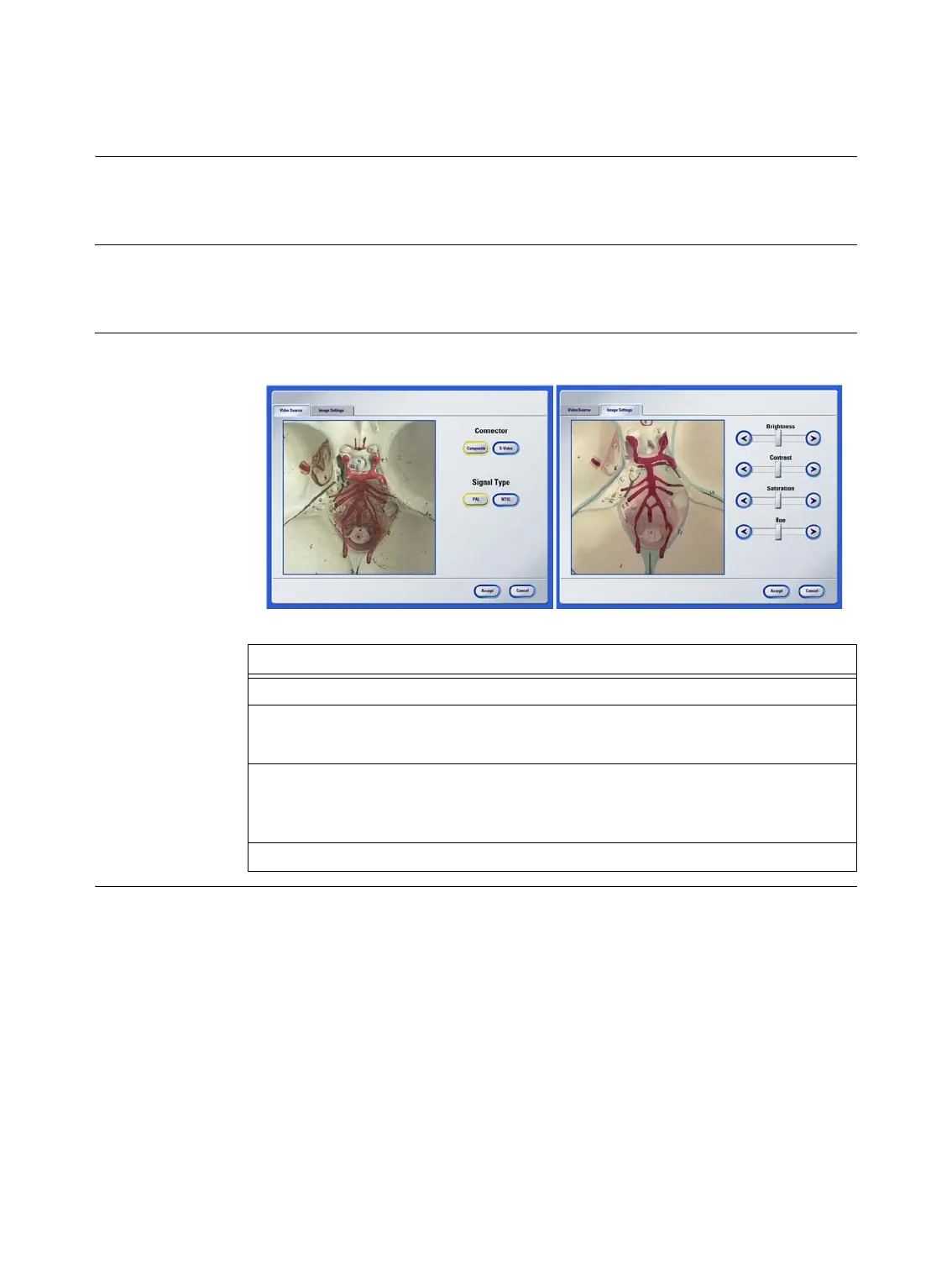
How to Configure a
Live Video View
Figure 12
Steps
1. Press
Live Video
in the
Tools
dialog.
2. In the
Video Source
tab a select signal type (
PAL
or
NTSC
).
NOTE:
Composite
is the standard BrainLAB connector.
3. In the
Image Settings
tab s, adjust image view settings as needed using the slid-
er bars.
NOTE: Video image settings are described on page 53.
4. Press
Accept
to confirm settings.
as



 To Next Page