50 Software User Guide Rev. 1.0 Kolibri cranial/ENT Ver. 2.7
System Information and Configuration
System Information and Configuration
Overview
About System
Configuration
A BrainLAB support specialist performs the initial system configuration. You can configure
additional settings in the
Tools
dialog.
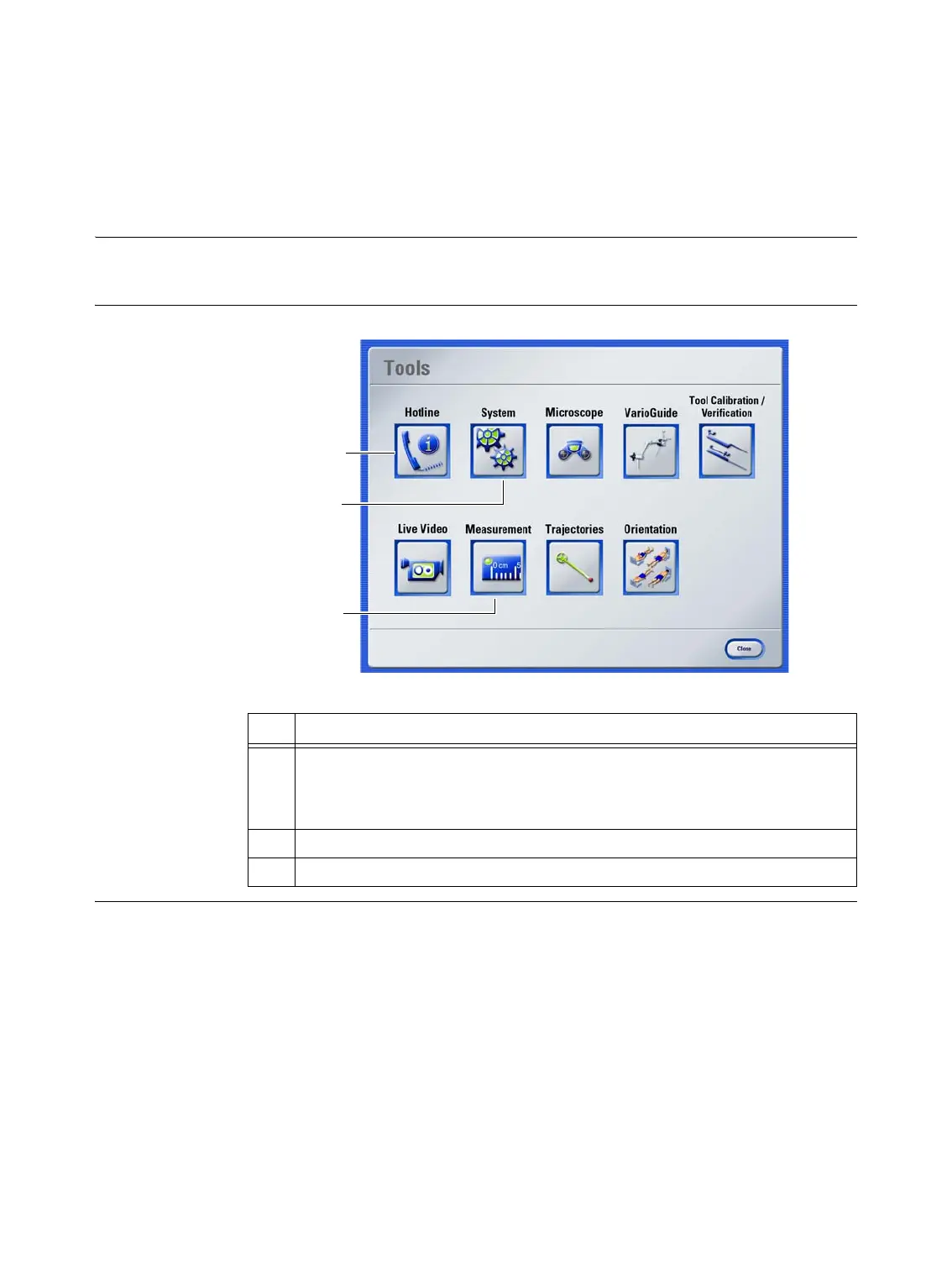
Tools Dialog
Figure 10
No. Function
a
Hotline
provides access to:
• BrainLAB support and hotline numbers
• Software version information
s Use
System
to adjust sound settings (see page 51)
d Use
Live Video
to configure video settings (see page 52)
d
a
s



 To Next Page