Software User Guide Rev. 1.0 Kolibri cranial/ENT Ver. 2.7 77
Standard Registration
Detailed Dialog
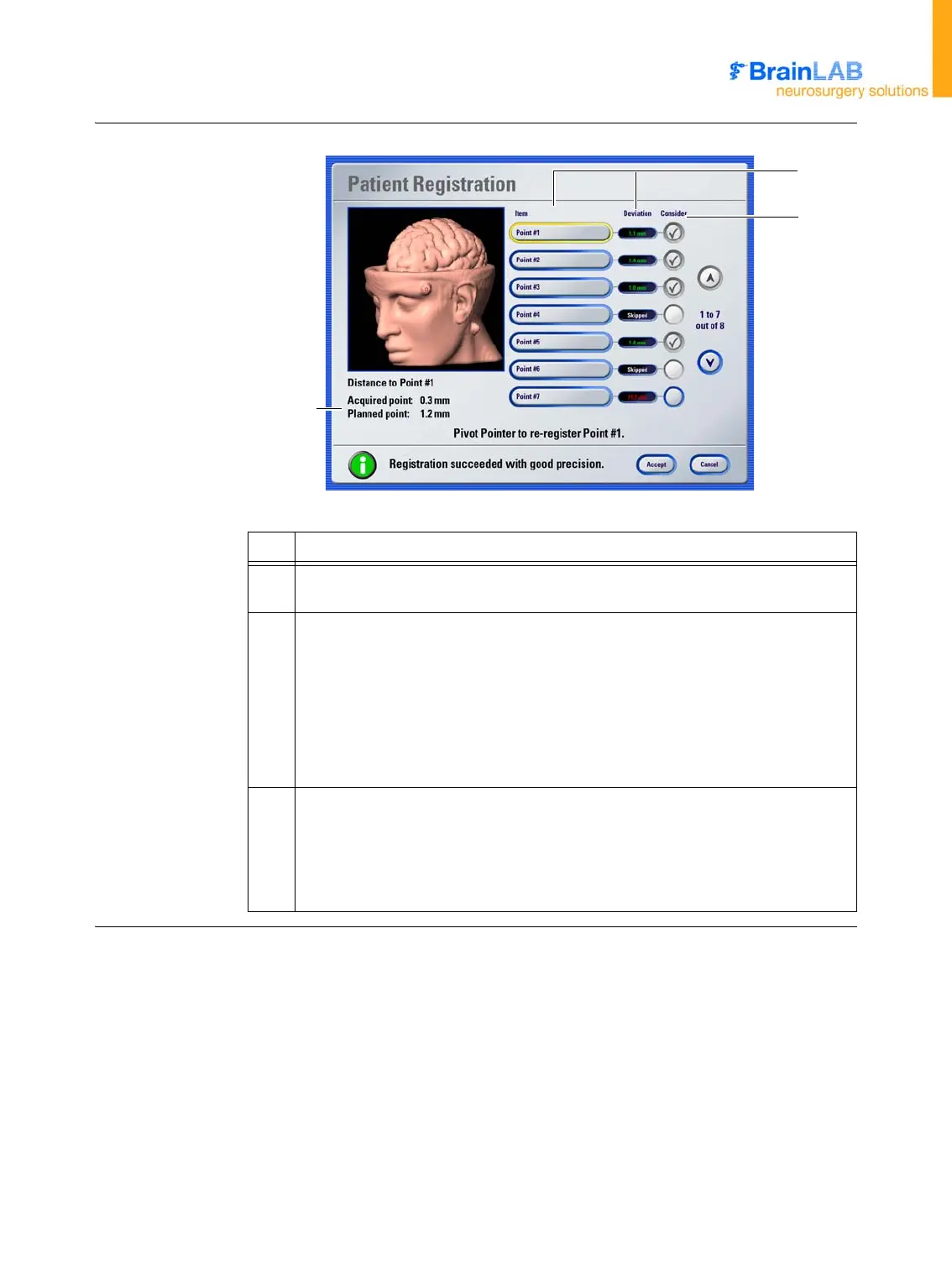
Figure 21
No. Explanation
a
List showing each registered point and the deviation between the registered point
and the actual position of the point in the image set
s
The
Consider
column shows which points the software took into account for the
overall accuracy calculation:
• If a checkmark is shown, the software used the corresponding point
• If no checkmark is shown, the software ignored the corresponding point as the
accuracy was insufficient
NOTE: If you skipped points during registration, this is indicated by
Skipped
in
the
Deviation
column.
d
When you place the pointer on the skull, the software displays:
• The deviation from the pointer tip to the point you acquired during registration
(
Acquired point
)
• The deviation from the pointer tip to the point planned in the data set (
Planned
point
)
a
s
d



 To Next Page