20
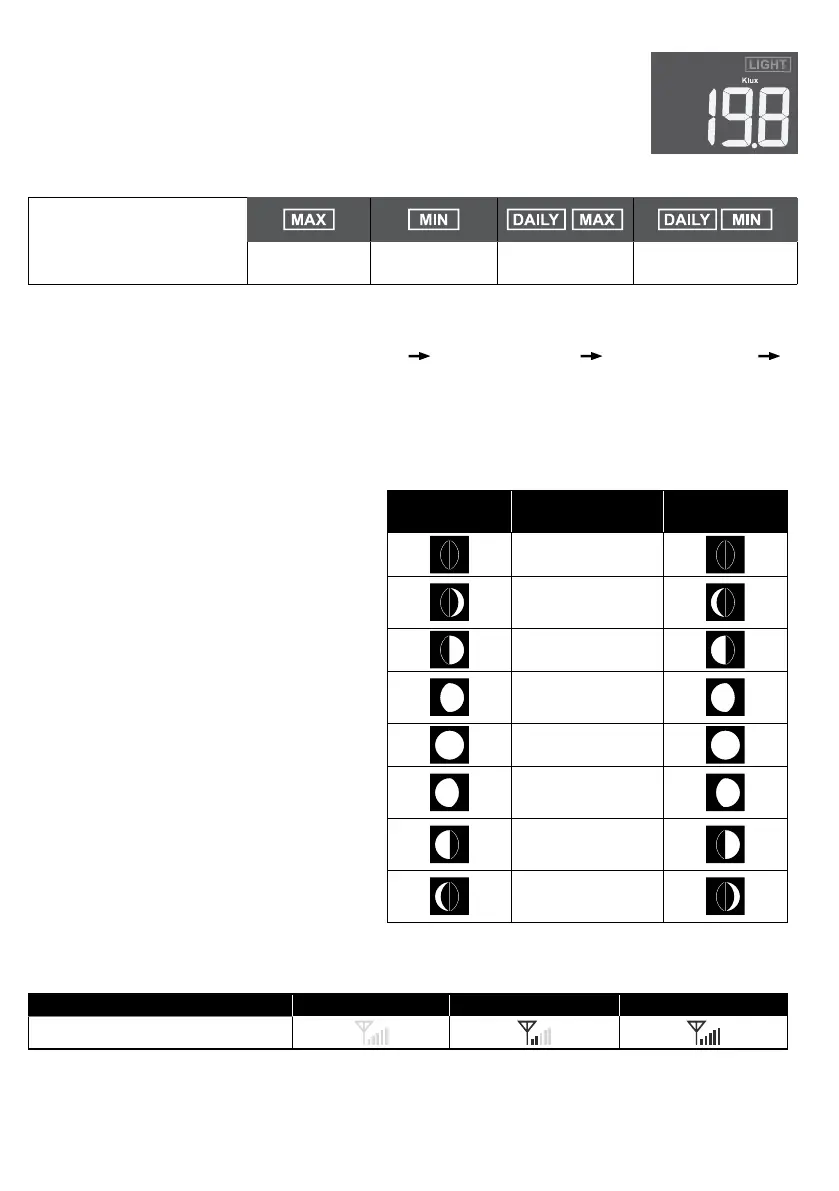
4.3.9 LIGHT INTENSITY
The LIGHT section shows the sunlight intensity.
4.3.10 MAXIMUM / MINIMUM RECORDS
The console can record
MAX / MIN readings since
last reset and on daily
basic.
MAX reading
since last reset
MIN reading
since last reset
Daily MAX
reading
Daily MIN reading
4.3.10.1 DAILY AND SINCE MAX / MIN RECORDS
In normal mode, press [ MEMORY ] key to check the records of the on screen reading in the
following display sequence: since MAX records
since MIN records daily MAX records
daily MIN records.
4.3.10.2 TO CLEAR THE MAX/MIN RECORDS
Press and hold [ MAX / MIN ] key for 2 seconds to reset all the MAX and MIN records.
4.3.11 MOON PHASE
The moon phase is determined by time
and date of the console. The following
table explains the moon phase icons of
the Northern and Southern Hemispheres.
Please refer to section 4.4.1 web
interface about how to setup for the
Southern Hemisphere.
Northern
Hemisphere
Moon Phase
Southern
Hemisphere
New Moon
Waxing Cre-
scent
First quarter
Waxing Gib-
bous
Full Moon
Waning Gib-
bous
Third quar-
ter
Waning Cre-
scent
4.3.12 WIRELESS SENSOR SIGNAL RECEIVING
1. The console display signal strength for the wireless sensor array, as per table below:
No signal Weak signal Good signal
7-in-1 wireless sensor array
2. If the signal has discontinued and does not recover within 15 minutes, the signal icon will
disappear. The temperature and humidity will display “Er” for the corresponding channel.
3. If the signal does not recover within 48 hours, the “Er” display will become permanent. You
need to replace the batteries and then press [ SENSOR / WI-FI ] key to pair up the sensor
again.



 To Next Page