22
[SET] Wind speed unit Press [ + / WIND ] or [ - / BARO ] key to select m/s, knots, mph or
km/h
[SET] Rain unit Press [ + / WIND ] or [ - / BARO ] key to select mm or in
[SET] Light unit Press [ + / WIND ] or [ - / BARO ] key to select Klux, Kfc or W/m
2
[SET] Exit setting
mode
NOTE:
- In normal mode, press [ SET ] key to switch between year and date display.
- During the setting, you can back to normal mode by press and hold [ SET ] key for 2 seconds.
4.4.2 SETTING ALARM TIME AND HIGH / LOW WEATHER ALERT
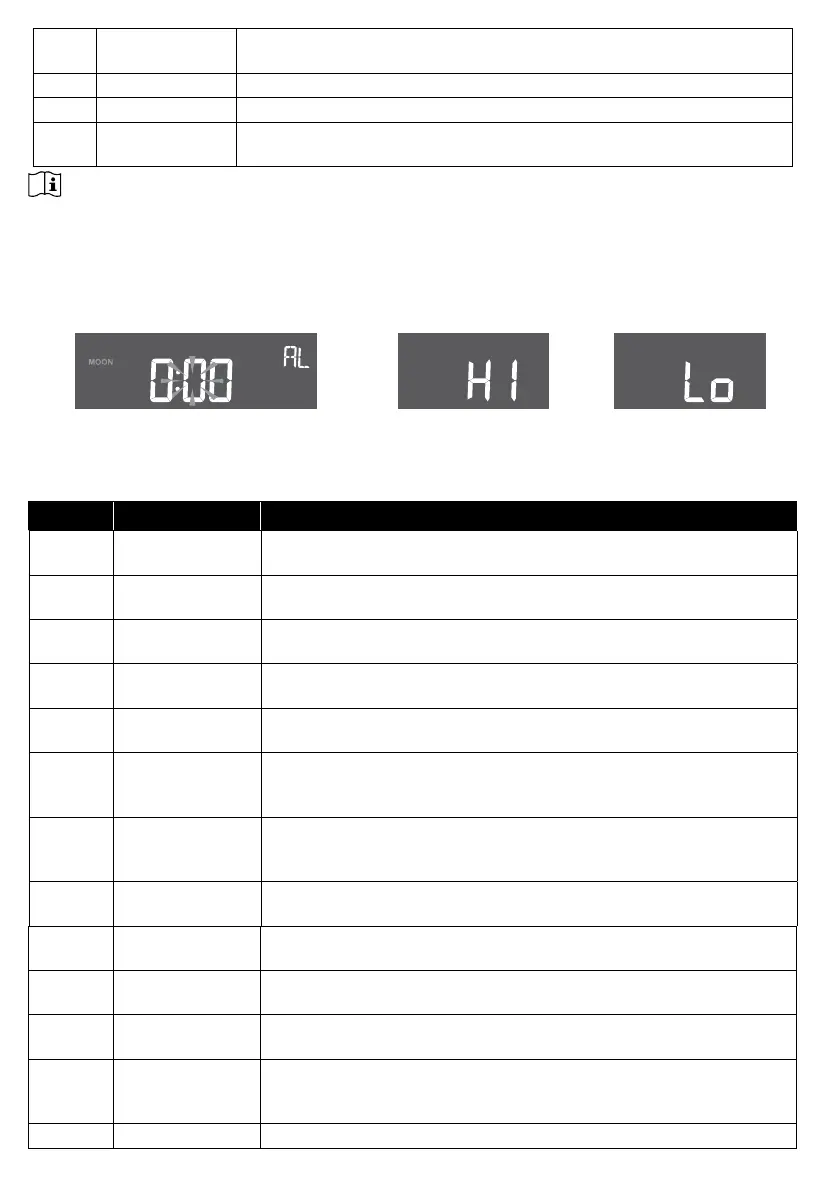
In normal time mode, press and hold [ ALARM ] key for 2 seconds to enter alarm / alert setting
mode.
Alarm time setting Hi alert setting
Lo alert setting
Then press [ SET ] key to proceed with next step of the setting. Please refer to the following
setting procedures.
Step Mode Setting procedure
[ALARM]
+2s
Time alarm Press [ + / WIND ] or [ - / BARO ] key to adjust the time.
Press [ ALARM ] key to toggle the alarm on /o.
[SET] IN temperature
high alert
Press [ + / WIND ] or [ - / BARO ] key to adjust the IN temperature
high alert value. Press [ ALARM ] key to toggle the alert on / o.
[SET] IN temperature
low alert
Press [ + / WIND ] or [ - / BARO ] key to adjust the IN temperature
low alert value. Press [ ALARM ] key to toggle the alert on / o.
[SET] IN humidity high
alert
Press [ + / WIND ] or [ - / BARO ] key to adjust the IN humidity
high alert value. Press [ ALARM ] key to toggle the alert on / o.
[SET] IN humidity low
alert
Press [ + / WIND ] or [ - / BARO ] key to adjust the IN humidity
low alert value. Press [ ALARM ] key to toggle the alert on / o.
[SET] OUT temperature
high alert
Press [ + / WIND ] or [ - / BARO ] key to adjust the OUT
temperature high alert value. Press [ ALARM ] key to toggle the
alert on / o.
[SET] OUT temperature
low alert
Press [ + / WIND ] or [ - / BARO ] key to adjust the OUT
temperature low alert value. Press [ ALARM ] key to toggle the
alert on / o.
[SET] OUT humidity
high alert
Press [ + / WIND ] or [ - / BARO ] key to adjust the OUT humidity
high alert value. Press [ ALARM ] key to toggle the alert on / o.
[SET] OUT humidity low
alert
Press [ + / WIND ] or [ - / BARO ] key to adjust the OUT humidity
low alert value. Press [ ALARM ] key to toggle the alert on / o.
[SET] Wind speed high
alert
Press [ + / WIND ] or [ - / BARO ] key to adjust the wind speed
high alert value. Press [ ALARM ] key to toggle the alert on / o.
[SET] Rain rate high
alert
Press [ + / WIND ] or [ - / BARO ] key to adjust the rain rate high
alert value. Press [ ALARM ] key to toggle the alert on / o.
[SET] Pressure drop
alert (drop within
30 minutes)
Press [ + / WIND ] or [ - / BARO ] key to adjust the Pressure drop
alert value. Press [ ALARM ] key to toggle the alert on / o.
[SET] Exit setting mode







 To Next Page