30
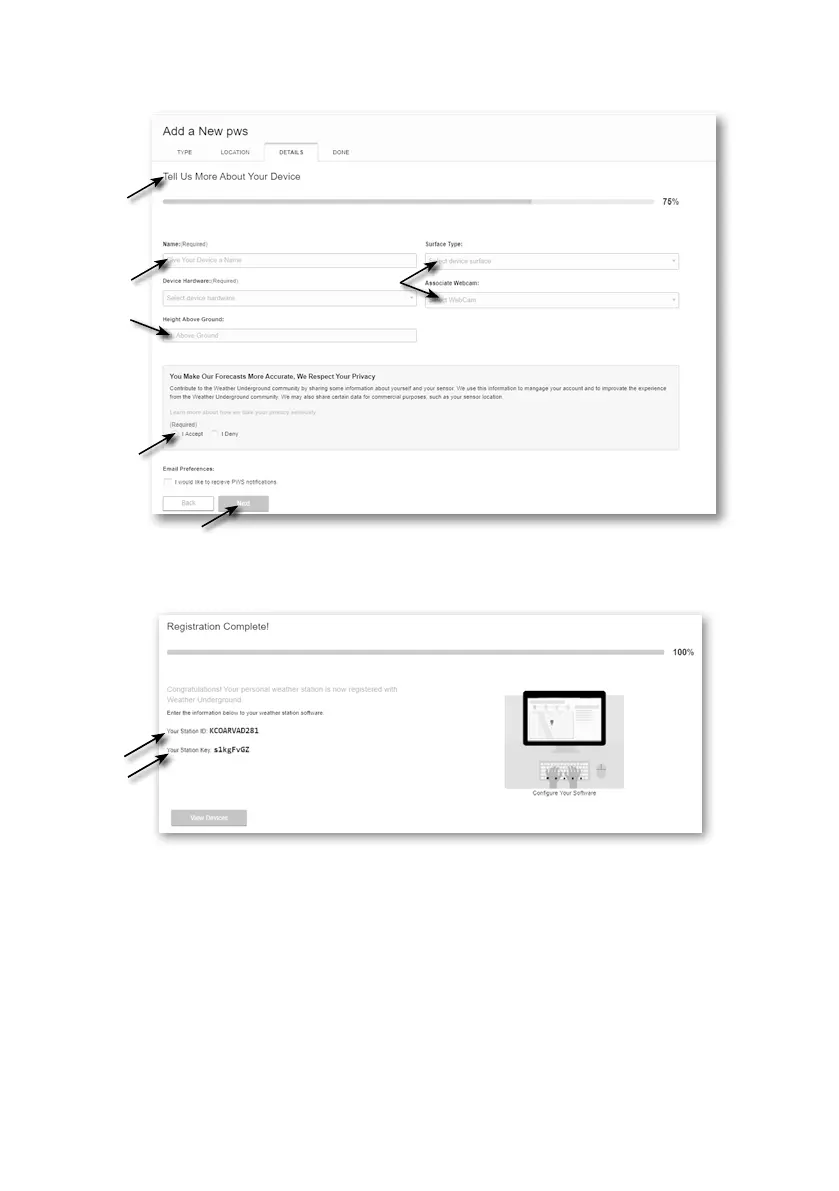
6. Follow their instruction to enter your station information, in the Step "Tell Us More About Your
Device", (1) enter a Name for your weather station. (2) ll in the other information (3) select
"I Accept" to accept Weather underground's privacy terms, (4) click “Next” to create your
station ID and key.
(2)
(2)
(3)
(4)
(1)
7. Jot down Your "Station ID" and "Station key" for the further setup step.
8. In the setup UI that mention in section 5.2, select the Weather underground in rst or second
row of the Weather server setup section then key-in the Station ID and key that assigned by
Weather underground.



 To Next Page