23
window. Once the desired value is entered, pressing the ENTER key will close the
numeric pad and return to the Spin Recipe Edit screen with the selected value updated.
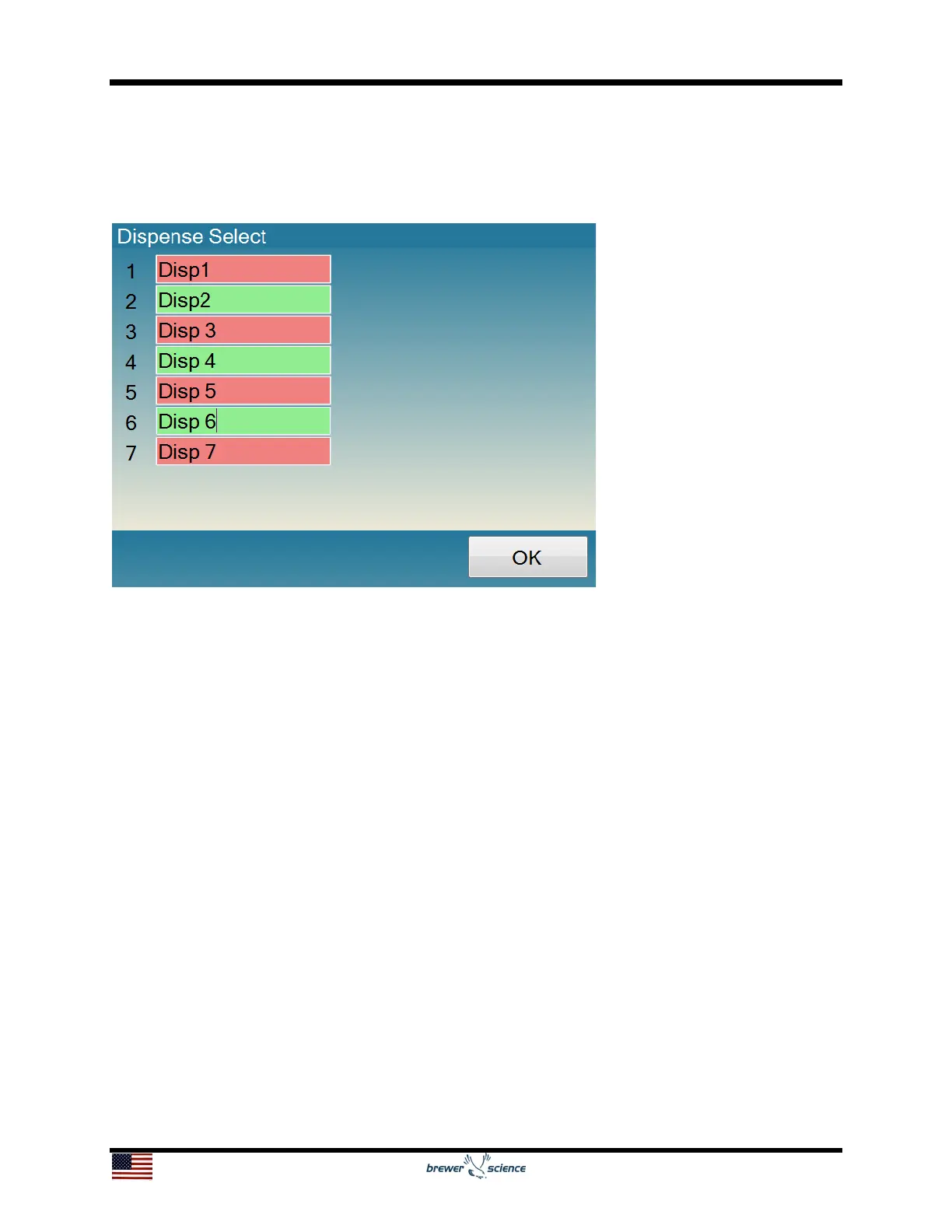
By clicking on the Dispenses box (8, shown above), a Dispense Select screen will
appear.
The Dispense Select screen will show all of the installed dispenses on the tool. The
user selects which dispenses to turn on by pressing on the dispense name; pressing
again will deselect the dispense. The dispense name can be configured on the User
Spinner Configuration Screen. Dispenses that will be turned on during the step will be
highlighted in green, and dispenses that will remain off will be highlighted in red. There
is no limit to the number of dispenses enabled per step. Clicking OK will return to the
Spin Recipe Edit screen, which will show the updated value in the Dispenses box.
Spin recipes have a limit of 100 steps. Steps that have values entered will be saved,
and steps with no values will not be saved. If only part of the step data is entered,
default values will be entered into the blank boxes. Recipes should be examined before
running processes to ensure the default values are acceptable. If recipe data are
entered in non-consecutive steps, values of all zeroes will be entered in steps between
the steps containing data.


 To Next Page