32
5.5.4 Password Configuration Screen
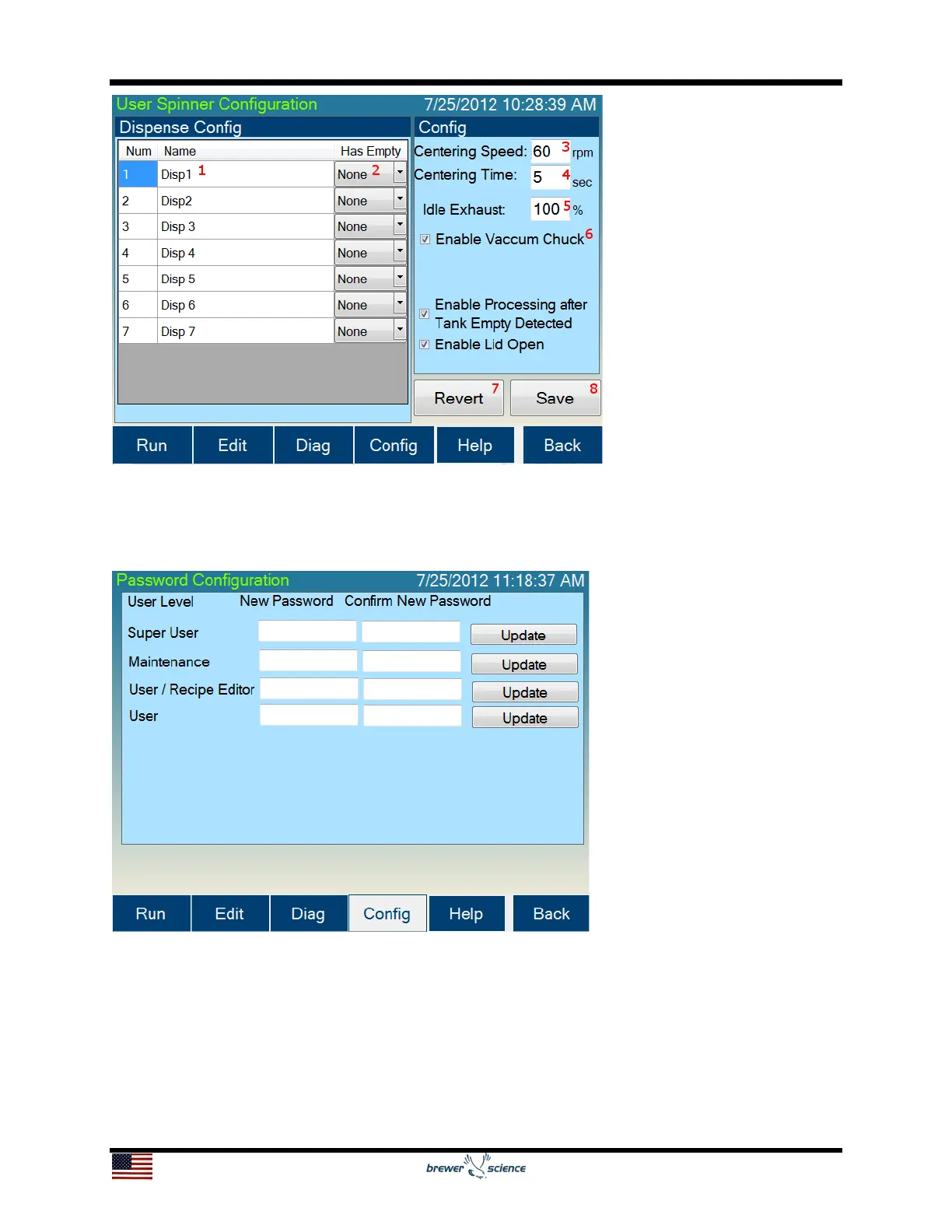
The Password Configuration screen allows the user to change passwords.
The default passwords for the Cee
®
200X tool are:
Super User Level: CEE
User Level: 200X
Maintenance: DIAG
To change a password, press the New Password box for the desired user level, and an
on-screen keyboard will appear which allows the user to enter a new password. The on-
screen keyboard will not display the password. Retype the new password in the Confirm


 To Next Page