24
5.3.4 Recipe Management
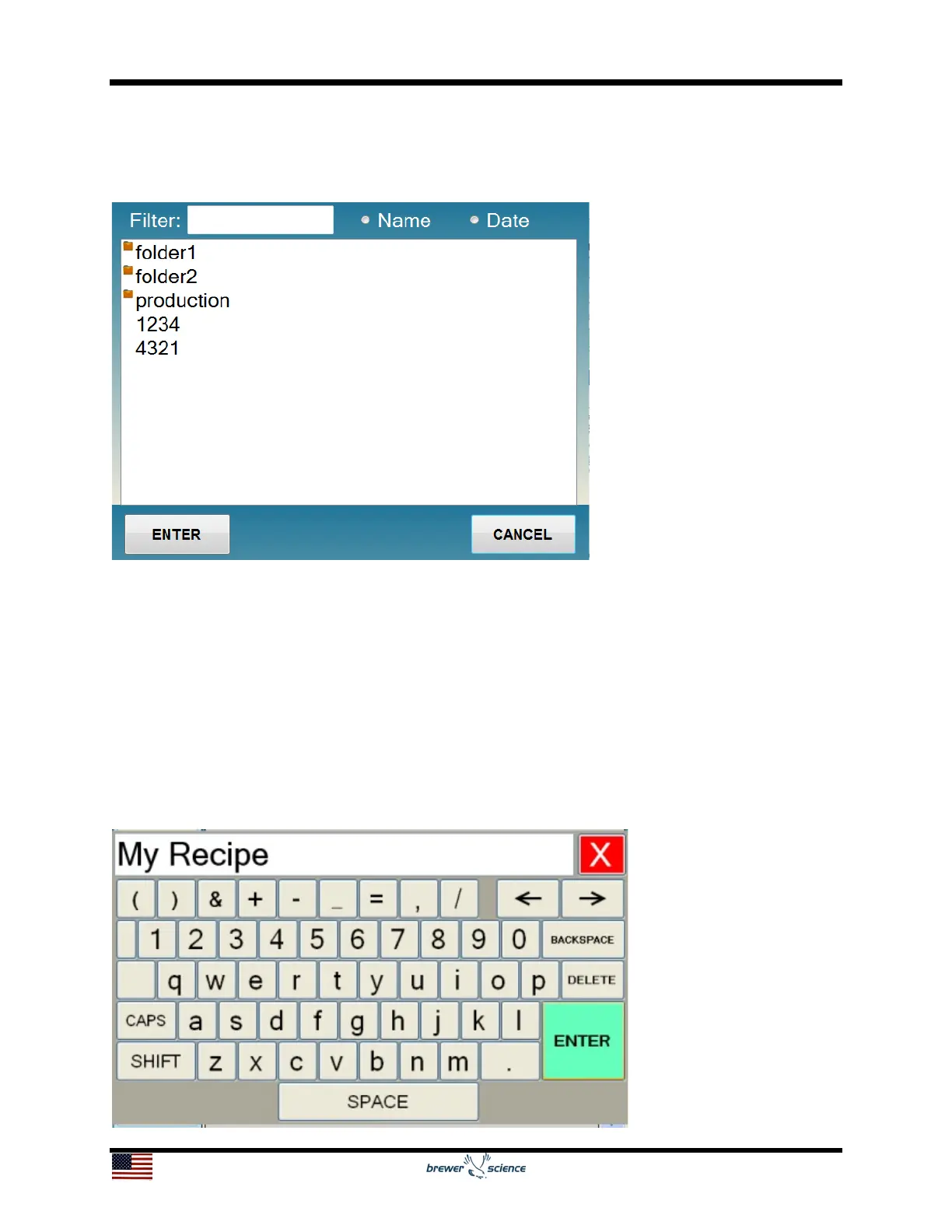
Recipes are managed by the Load (2), Save (3), and Delete (3) buttons. To load a
saved recipe, press the Load button, which will bring up the Recipe Select Screen.
The recipe can be loaded into the editor by pressing a recipe name and then pressing
Enter, or by double-pressing a recipe name.
To delete a saved recipe, press the Delete button, which will also bring up the Spin
Recipe screen. The recipe can be deleted by pressing a recipe name and then pressing
enter, or by double-pressing a recipe name.
To save a recipe, press the Save button, which will bring up an on-screen keyboard
(see below) for entering the recipe name. Enter the desired recipe name using the
keyboard, and then press the Enter key, which will save the recipe with the desired
name.


 To Next Page