6-5
SEE SECTION 8 - COOKING OIL CARE
AND FILTERING before starting the pump
motor.
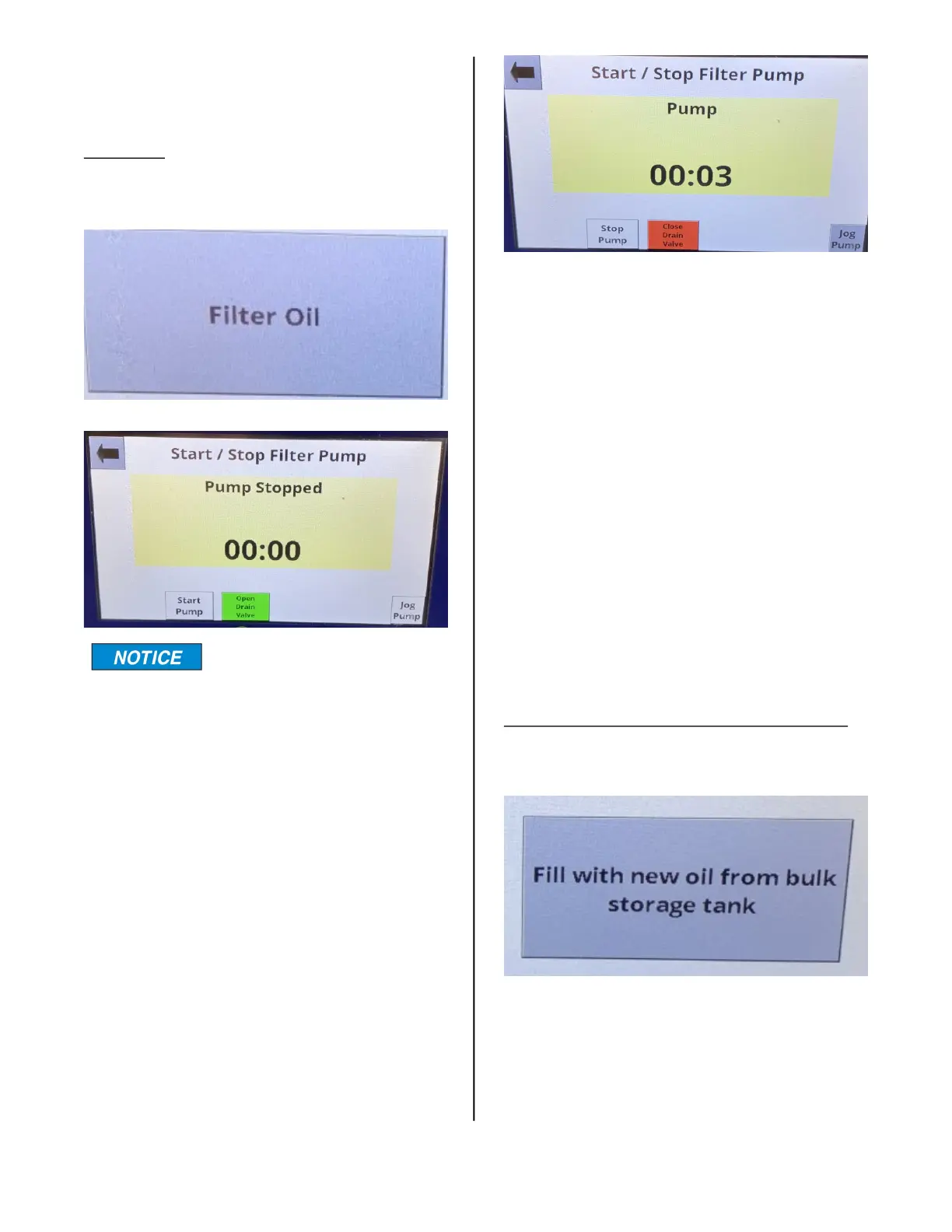
Filter Oil
When this area is pressed the Start/Stop
Filter Pump screen appears.
A CAUTION message will
appear whenever the filter
pan is not in place. For safety purposes, the
drain valve can only be opened by pressing
and holding the Open Drain Valve button for
3 seconds.
Press and hold the green Open Drain Valve
button to drain the cooking oil into the filter
pan. When the cooking oil is completely
drained from the cooking well, press the
Start Pump button.
When the Start Pump button is pressed the
filter running display appears as shown. The
Start Pump button changes to Stop Pump
and the Open Drain Valve button will
change from green to red and will say
Close Drain Valve.
The timer in the middle of the screen starts
counting up. When the timer reaches 5:00
minutes an alert sounds and a reminder
flashes. To silence the alert, press the but-
ton with the speaker on it.
Press the Close Drain Valve button to
return the filtered oil to the cooking well.
Allow the filter pump to run until it is pump-
ing bubbles into the cooking well for 20-30
seconds. Press the Stop Pump button to
stop the pump.
To return to the Cook Tab, press the back
arrow button in the upper left corner. The
Caution Display will appear advising the oil
level be checked. If the oil level is OK press
the green OK button.
Fill with new oil from bulk storage tank
1. Select “Fill with new oil from bulk
storage tank”
2. Screen will display “Initializing Fill Valve”
you will hear the Fill Valve moving.
3. Press and hold Start Pump, release when
a the desired oil level.
broaster.com Manual #21469 621 rev 11/23



 To Next Page