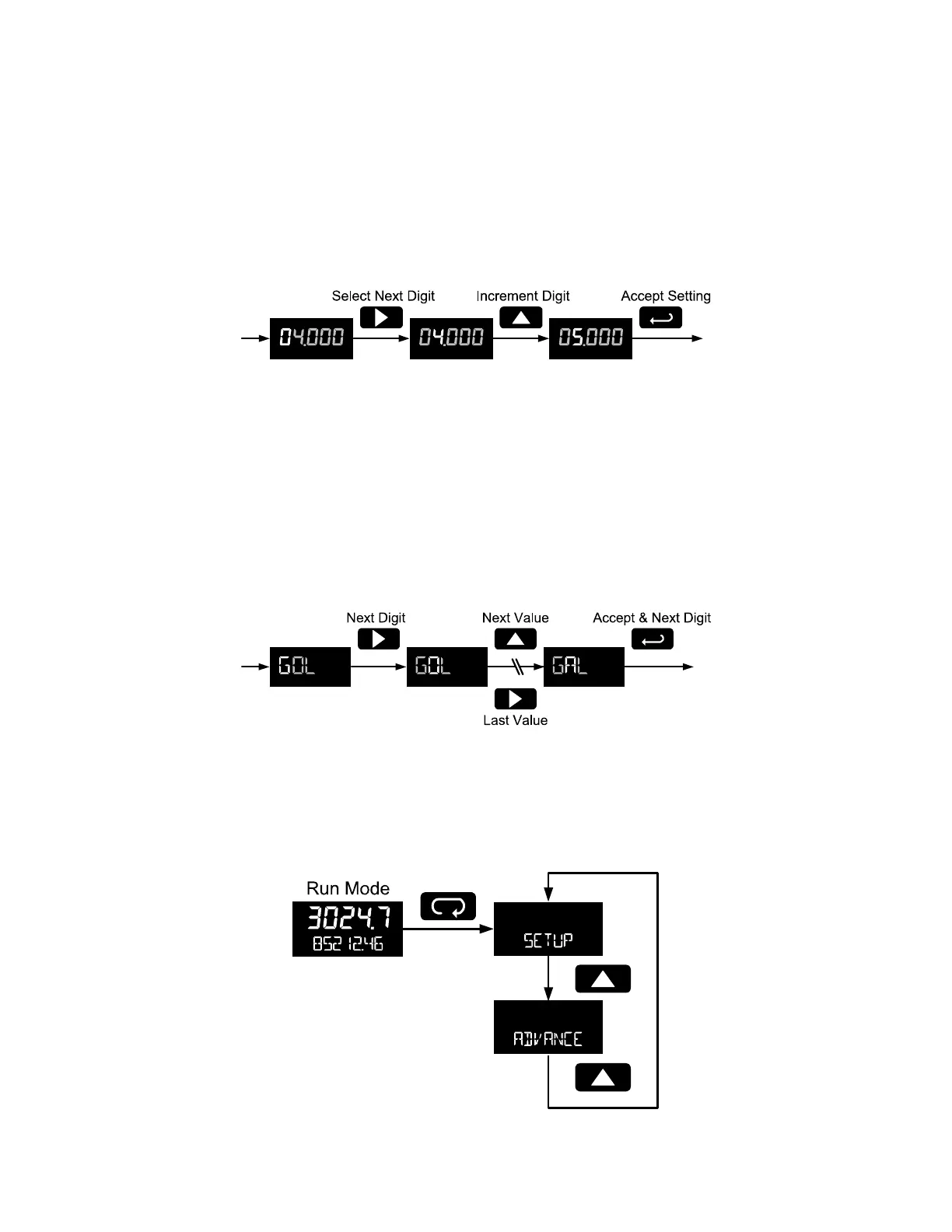
Setting Numeric Values
The numeric values are set using the Right and Up arrow buttons. Press Right arrow to select next digit
and Up arrow to increment digit.
The digit being changed blinks.
Press the Enter button, at any time, to accept a setting or Menu button to exit without saving changes.
The decimal point is set using the Right or Up arrow button in the Setup, Decimal Point menu.
Setting Alphanumeric Labels (LABEL)
Fully alphanumeric values are set using the Right button to select the digit, the Up and Right arrow
buttons to select the digit reading, and the Enter button to confirm and select the next digit.
Menus using this entering method will display LABEL in the upper display. After selecting the digit, and
using the Up and Right arrows to modify the digit, the display will read CHAR. Using Enter to confirm the
new digit will return the display to reading LABEL.
The digit being changed blinks.
Press the Menu button to exit without saving changes.
Main Menu
The main menu separates the most commonly used functions in the Setup menu, and more complex
features in the Advanced menu.
Press Menu button to enter Programming Mode then press the Up arrow button to scroll through the main
menu.



 To Next Page