Quick User Interface Reference
Pushbutton Function
Menu
Go to Programming mode, back out one level of programming.
Hold to enter Advanced Features mode. Leave grand
total/max/min mode.
Right Arrow
Move to next digit or decimal point position. Go to reset menu
Return to last programming menu.
Up Arrow
Move to next selection or increment digit.
Enter grand total/max/min display mode.
Ente
ccept selection/value and move to next selection.
cknowledge Alarm.
Cycle Rate, Total, Grand Total, and Max/Min on Lower Display
While in Run Mode, pressing Display will cycle the rate, total, grand total, and
max/min display. In this mode, the display will show the rate, total, grand total,
maximum, or minimum values since last reset when they are not selected as the
top or bottom display. The grand total, max, or min will display for 10 seconds.
Press Enter while displaying the rate, total, grand total, max, or min, to disable the
10 second time-out and continuously display the rate, total, grand total, max, or
min. Press Enter again to disable this display lock.
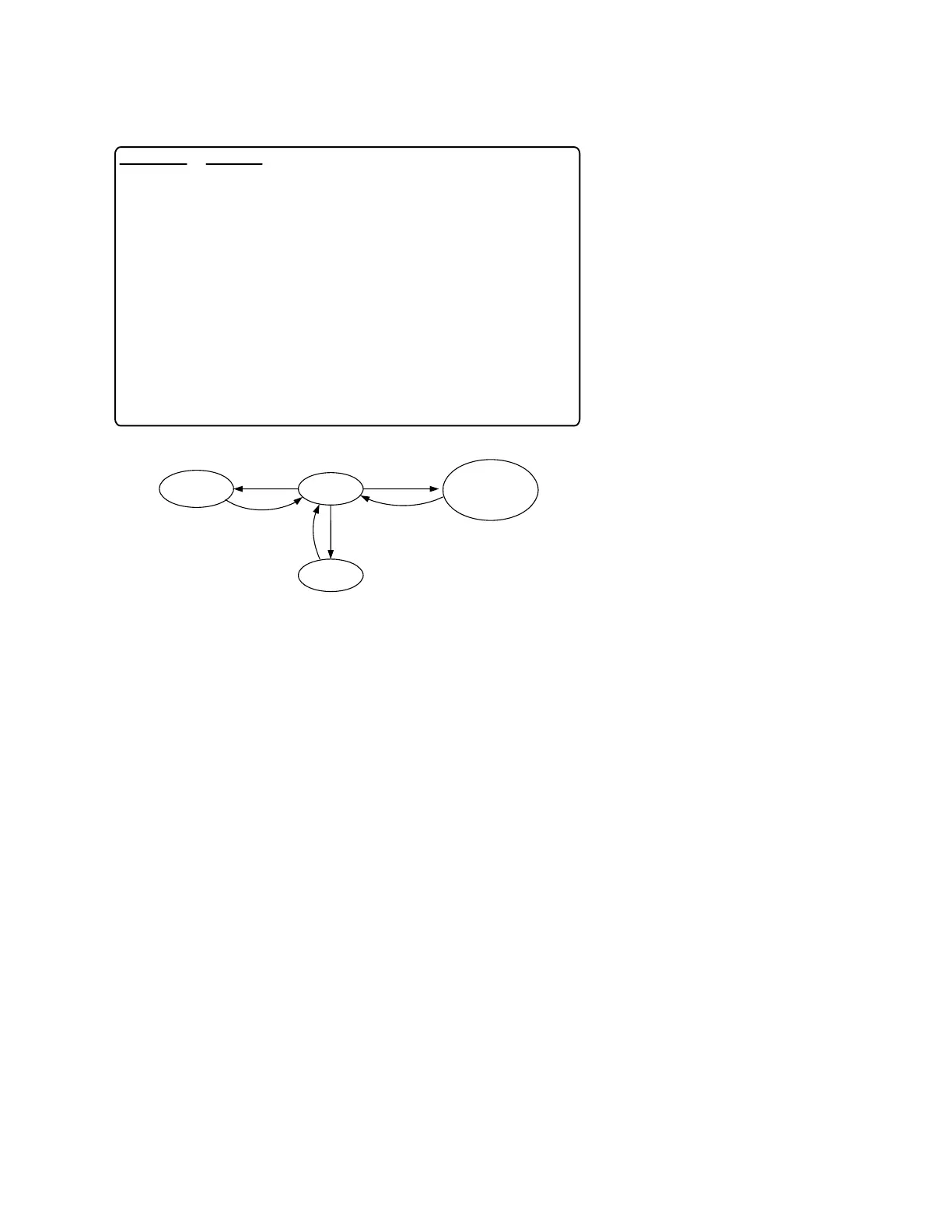
Menu for
3 seconds
Operational Modes
Menu
Hold
Menu
Displa
Rate, Total,
Grand Total,
Max & Min
Menu Hold
Program
Run
Advanced
Features



 To Next Page