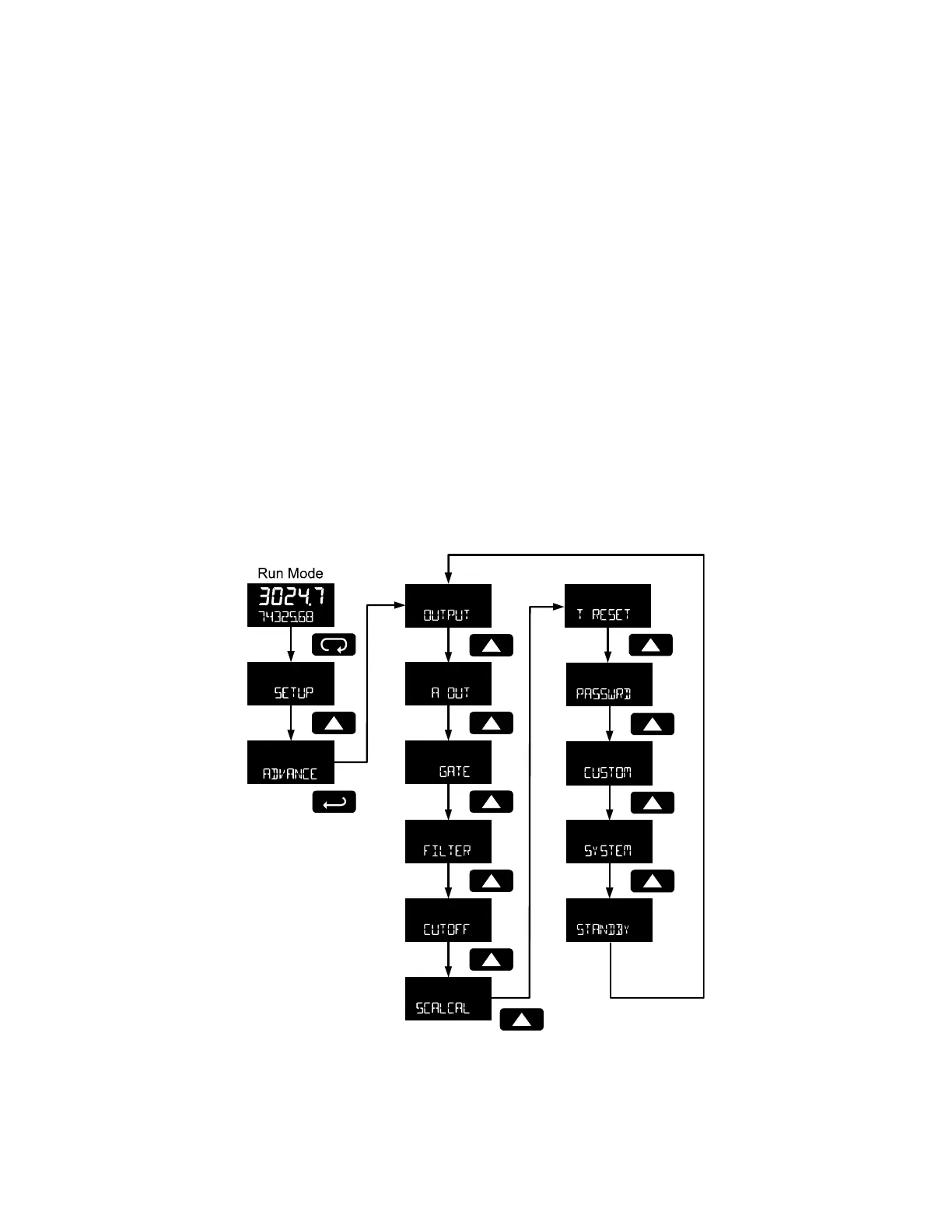
Advanced Features Menu
To simplify the setup process, functions not needed for most applications are located in the Advanced
features menu. Access the Advanced features menu by pressing Enter at the Advance menu in the Main
Menu defined on page 19.
The Advanced menu is used to select:
1. Open collector output configuration (OUTPUT)
2. Analog output configuration (A OUT)
3. Gate function for low speed inputs (GATE)
4. Set the input filter (FILTER)
5. Set low flow cutoff (CUTOFF)
6. Scale or live calibrate the meter and override k-factor (SCALCAL)
7. Select method of total and grand total reset (T RESET)
8. Set passwords (PASSWRD)
9. Reconfigure the Main menu structure (CUSTOM)
10. Enter the System menu for meter settings and data logging (SYSTEM)
11. Enter low-power Standby Mode (STANDBY) on battery powered models
Press the Enter button to access any menu or press Up arrow button to scroll through choices. Press the
Menu button to back out of a menu, or hold the Menu button to exit at any time.



 To Next Page