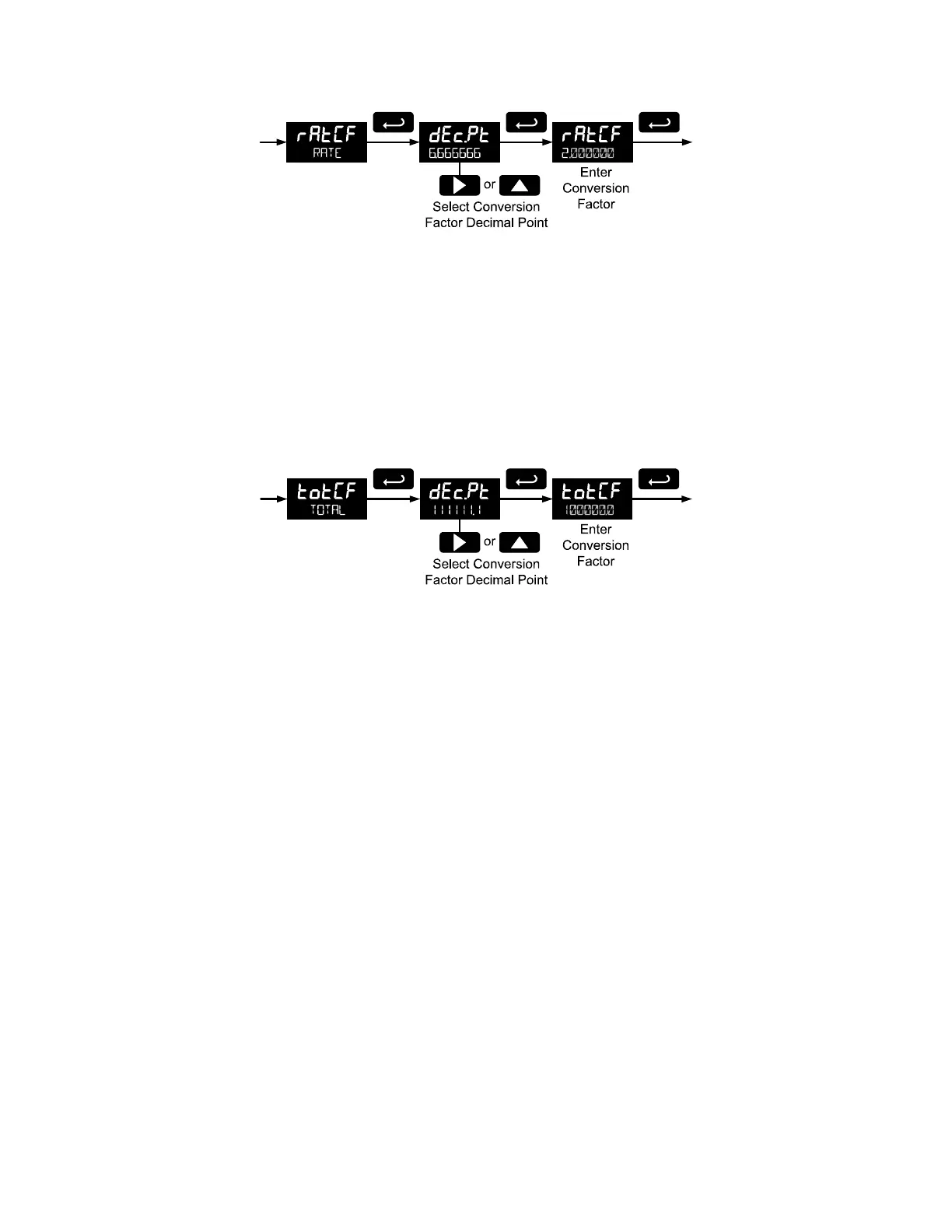
Custom Units Total Conversion Factor (totCF)
The total conversion factor is only used when the Units for total have been set to custom (CUST). This
menu will not appear if standard display units are selected for total.
Total Conversion Factor is used to convert to a custom unit of total display. For example, to display total
as quantity of 2.5 gallon containers when the K-Factor units are set to gallons, enter a conversion factor
of 2.500.
Press the Enter button, at any time, to accept a setting or Menu button to exit without saving changes.
Custom Units Grand Total Conversion Factor (GrtCF)
The grand total conversion factor is only used when the Units for grand total have been set to custom
(CUST). This menu will not appear if standard display units are selected for grand total.
Grand Total Conversion Factor is used to convert to a custom unit of total display. For example, to display
grand total as quantity of 2.5 gallon containers when K-Factor units are set to gallons, enter a conversion
factor of 2.500.
Press the Enter button, at any time, to accept a setting or Menu button to exit without saving changes.
Setting the Decimal Point (dec.PT)
Rate decimal point may be set with up to four decimal places or with no decimal point at all. Total decimal
point may be set with up to six decimal places or with no decimal point at all. Grand total decimal point
may be set with up to six decimal places or with no decimal point at all. Rate decimal, total decimal, and
grand total decimal are programmed individually.
Pressing the Right arrow moves the decimal point one place to the right (including no decimal point).
Pressing the Up arrow moves the decimal point one place to the left.



 To Next Page