Custom (CUSTOM)
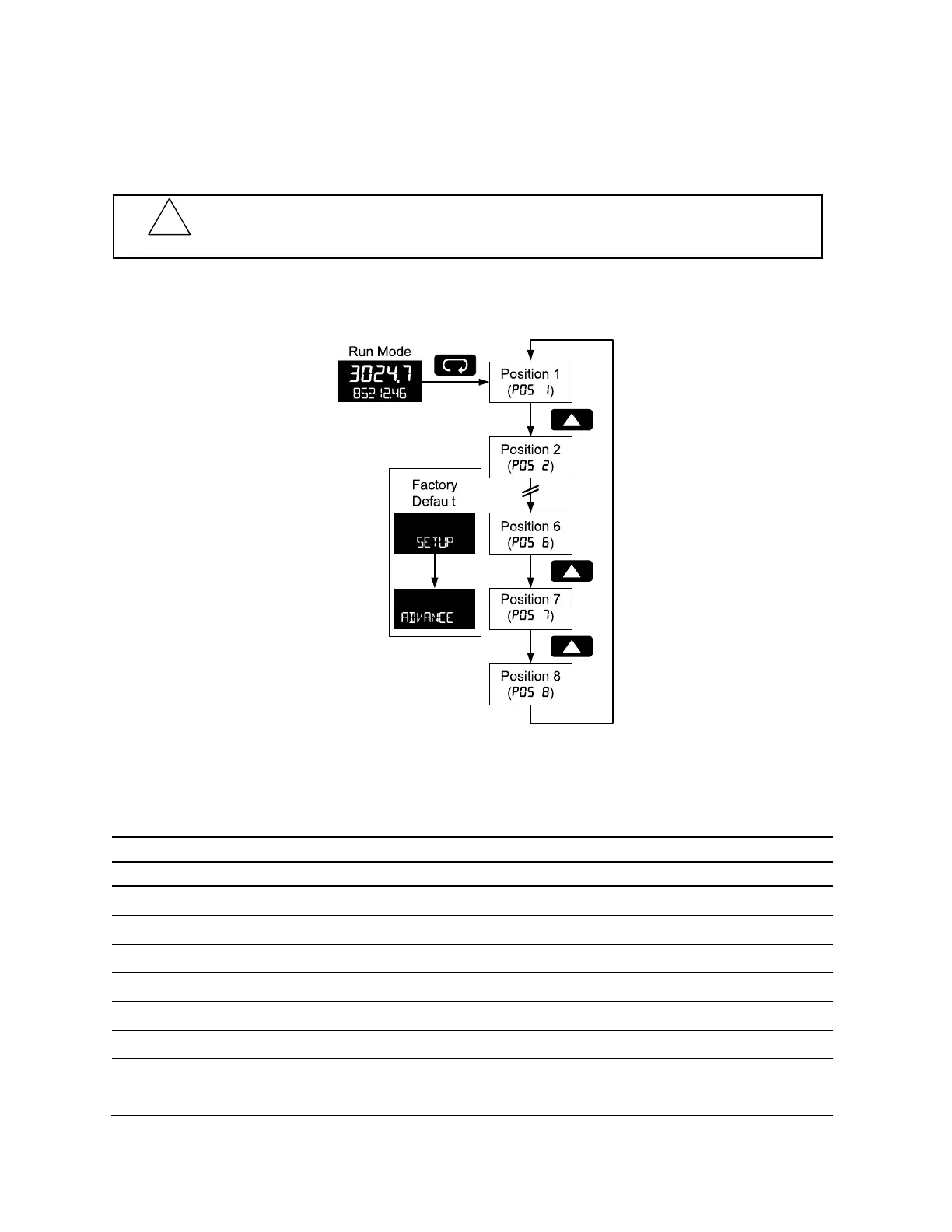
The Custom menu is used to modify the initial programming menus that appear in the Main Menu when
the Menu button is pressed in Run Mode.
Eight menu positions are available. Menu positions 6 and 7 are factory programmed for Setup and
Advanced.
To add a menu or parameter to the menu structure, or change the default menus, press Enter at the
desired menu in the position (POS) to be edited, and use the Up or Right arrows to select the desired
menu item for that position. See page 64 for a complete list of the available menu selections for each
position.
Custom Menu Parameters
Display Parameter/Menu Action
NONE
None
Set no menu position display
INPUT
Input
Set to show Input menu
KFACTOR
K-Factor
Set to show K-Factor menu
UNITs
Units
Select standard units or custom unit/tag
DECIMAL
Decimal
Set to show Decimal menu
DISPLAY
Display
Set to show Display menu
A OUT
Analog out
Set to show Analog Output menu
RATE.DP
Rate decimal Point
Set to show Rate Decimal Point menu
!
CAUTION
Changing the default menu setup with the Custom menu feature may change the setup and operation
procedures described in this manual. Only operators familiar with the programming and operation of this
unit should use this feature.



 To Next Page