Set Real Time Clock (SETTIME)
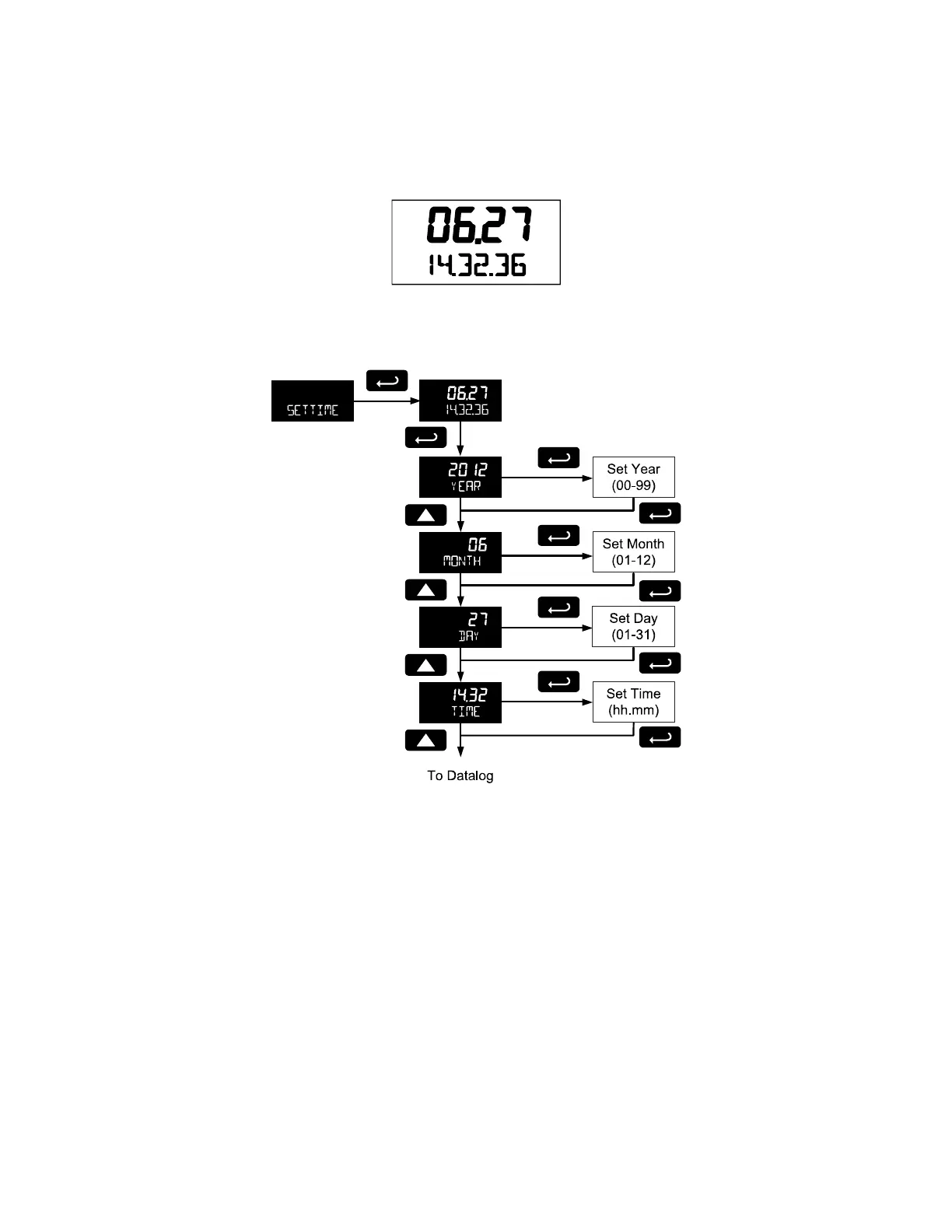
The real time clock is used to trigger data log events, and is recorded at every logged data point. The
menu displays the date and time.
Figure 13. Date Display Example
The above display example shows the date to be June 27, at 14 hours, 32 minutes, and 36 seconds. The
display date will toggle with the year.
The year, month, day, hour, and minute may all be set by the user. The real time clock will need to be
reset if external power and battery power are lost.
Changing the time (hours and minutes) will reset the second’s clock to 0.
Data Log Setup (DATALOG)
The Data Log menu is used to setup and enable the data log functions. The meter may contain up to
1024 records, each containing date, time, rate, total, grand total, and log number.



 To Next Page