EasyManua.ls Logo

Brooks MFM - User Manual

Brooks MFM
52 pages
Print Icon
To Next Page IconTo Next Page
Loading...
Installation and Operation Manual
X-TMF-MfS-MFC-eng
PN 541-C-061-AAG
November, 2008
MF Smart Series
1
Brooks
®
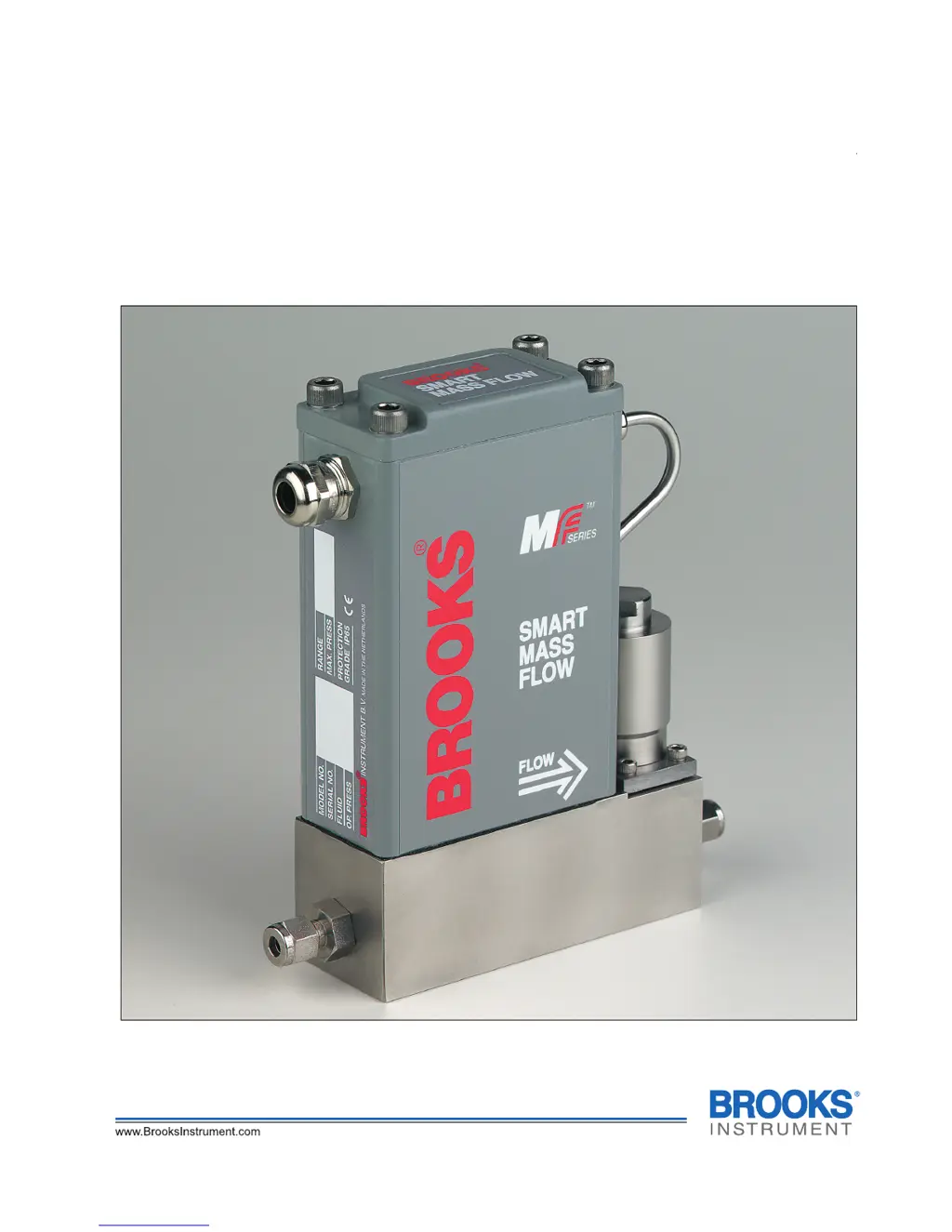
MF Smart Series MFC/MFM
Smart Mass Flow Controller

Table of Contents

Questions and Answers

  • J
    Jennifer MillsAug 2, 2025
    What to do if the Brooks MFM output signal stays at approximately 5.25 Vdc or 21 mA?
    • W
      William WaltersAug 2, 2025
      If the output signal of your Brooks Controller remains around 5.25 Vdc or 21 mA, and there is flow, it could be due to a few reasons: * The valve may be leaking or stuck open. In this case, you should clean and/or adjust the control valve. * +15V might be applied to the valve override input. Check the valve override terminal (pin 5 of 9 row). It may also indicate a defective electronic board.
  • C
    Cynthia SantiagoAug 7, 2025
    Why is my Brooks MFM Controller oscillating?
    • J
      Joseph JohnsonAug 7, 2025
      If your Brooks Controller is oscillating, it could be due to the following reasons: * The pressure drop or inlet pressure may be deviating from calibrated values. Try adjusting the pressures. * The orifice may be oversized; check its size. * The valve may be out of adjustment; in this case, adjust the valve.
  • C
    christinetaylorAug 12, 2025
    What to do if the Brooks Controller output signal follows set point but will not go below 2%?
    • R
      Rachel OlsonAug 12, 2025
      If the output signal of your Brooks Controller follows the set point at higher values but doesn't go below 2%, it's likely that the control valve is leaking or stuck open. You should clean the control valve.
  • M
    Matthew BradleyAug 17, 2025
    What to do if flow cannot be achieved with Brooks MFC Controller?
    • T
      Tiffany KennedyAug 17, 2025
      If you can't achieve flow with your Brooks MFC Controller, consider the following possible causes: * The control valve might be clogged. Clean the control valve or return the device to the factory. * The valve override input could be grounded. Check the valve override input (pin 5 of 9 row). It may also indicate a defective electronic board.
  • L
    Linda VasquezAug 21, 2025
    What to do if Brooks MFM output signal follows set point but does not reach full scale?
    • J
      John StevensAug 22, 2025
      If the output signal of your Brooks Controller follows the set point at lower values but doesn't reach full scale, here are some things to check: * There might be insufficient inlet pressure or pressure drop. Adjust the pressures and inspect in-line filters, cleaning or replacing them as needed. * The sensor may be partially clogged. Clean the sensor. * The valve may be partially clogged. Clean the control valve or return the device to the factory. * The valve might be out of adjustment. Adjust the valve. Valve guide spring failure may also be a cause.
  • K
    Kevin HurleyAug 27, 2025
    Why does the Brooks MFM output stay at zero?
    • W
      William ChristensenAug 27, 2025
      If the output of your Brooks Controller stays at zero, despite the set point and flow, it could be due to a clogged sensor. Clean the sensor. It may also indicate a defective electronic board.

Summary

Brooks MF Smart Series MFC;MFM Manual

Section 1: Introduction

1-1 How to Use This Manual

Guidance on navigating and utilizing the manual for proper product operation and maintenance.

1.2 Product Description

Overview of Brooks MF-series Smart Mass Flow Meters and Controllers, detailing their features and applications.

Section 2: Installation

2.1 General Installation Overview

General procedures and considerations for installing the Brooks MF-series instrument, including receiving and storage.

2.2 Receipt and Storage of Equipment

Procedures for checking equipment upon receipt and recommended practices for safe storage to maintain condition.

2.3 Return Shipment and Gas Connections

Guidelines for returning instruments and connecting gas lines, emphasizing safety and proper handling.

2.6 Mechanical Installation

Recommended procedures for physically mounting the instrument, considering vibration, access, and orientation.

2.8 Electrical Interfacing (Non-Profibus)

Details on connecting the Smart TMF to terminal strips for non-Profibus configurations, including pin assignments.

2.9 Electrical Interfacing Profibus MF

Specific electrical connection requirements for Profibus communication, covering main and Profibus connectors.

2.10 Digital Communication Setup

Instructions for configuring digital communication settings using p.c. boards and dipswitches for RS-232 or RS-485.

2.11 & 2.12 Interconnection

Procedures for interconnecting the device with peripheral equipment and establishing general interconnections.

Section 3: Operation

3.1 Operating Procedure

Step-by-step guide for powering up, stabilizing, and initiating normal operation of the mass flow device.

3.2 Zero Adjustment

How to perform zero adjustment for accurate readings, considering factory settings and environmental conditions.

3.3 Calibration Procedure

Reference to external procedures and equipment required for calibrating the Smart MF devices.

Section 4: Maintenance

4.1 General Maintenance

Overview of required maintenance, noting that routine maintenance is minimal, focusing on occasional cleaning.

4.2 Troubleshooting

Guidance for diagnosing and resolving common issues, including system checks and potential causes of malfunctions.

4.3 Cleaning Procedures

Detailed steps for cleaning the mass flow controller or meter, including purging and handling sensitive components.

4.5 Valve (Dis)Assembly Procedure

Instructions for disassembling and assembling the valve, emphasizing caution and when to return to the factory.

4.6 Housing (Dis)Assembly Procedure

Steps for disassembling the housing to access and adjust hardware settings like jumpers and switches.

Section 5: Specification

Section 6: Modellisting

Appendix A: Gas Conversion Tables

Appendix B: Dimensional Drawings

MF50 and MF60 Drawings

Detailed dimensional drawings for the MF50 Controller and MF60 Meter, showing connections and overall dimensions.

MF51 and MF61 Drawings

Detailed dimensional drawings for the MF51 Controller and MF61 Meter, illustrating connections and physical dimensions.

MF53 and MF63 Drawings

Detailed dimensional drawings for the MF53 Controller and MF63 Meter, including connection details and measurements.

MF64 Controller & Connections

Dimensional drawings for the MF64, including standard execution and Profibus connector configurations.

Appendix C: CE Marking Electrical Installation Instructions

CE Marking Instructions (Dansk)

Translation of CE marking electrical installation requirements into Danish, focusing on cable quality and connectors.

CE Marking Instructions (Deutsch)

German translation of CE marking electrical installation guidelines, emphasizing cable shielding and connector quality.

CE Marking Instructions (English)

English translation of CE marking electrical installation instructions, detailing cable quality, glands, and connectors.

CE Marking Instructions (Español)

Spanish translation of CE marking electrical installation instructions, covering signal cable quality, connectors, and shielding.

Appendix D: Important Safety Instructions

Safety Instructions (English)

Essential safety and operating instructions for using the Thermal Mass Flow Meter/Controller Series.

Safety Instructions (Danish)

Danish translation of critical safety and operating instructions for the thermal mass flow instruments.

Safety Instructions (Deutsch)

German version of important safety and operating instructions for the thermal mass flow meter/controller.

Safety Instructions (Français)

French translation of crucial safety and operating instructions for the thermal mass flow instruments.

Brooks MFM Specifications

General IconGeneral
TypeMass Flow Controller
Flow RangeVarious ranges available (model dependent)
Operating PressureVaries depending on the model; some models are vacuum-compatible, others can handle high pressure. Consult specific model datasheet.
Operating Temperature0°C to 50°C
MaterialsStainless steel, elastomers (model dependent)
Electrical ConnectionsTypically D-sub connectors or terminal blocks. Consult specific model datasheet.
Output Signal0-5 VDC, 0-10 VDC, 4-20 mA
Input SignalAnalog (0-5V, 0-10V, 4-20mA), digital (model dependent)

Related product manuals