Section 3: Operation
3.1 Operating Procedure
1. Apply power to the Mass Flow device and allow approximately 45 minutes
for the instrument to reach a stable temperature.
2. Check the ow reading before turning on the pressurised gas supply.
If the ow reading is >0.2% then the instrument should be re-zeroed (see
section 3.2).
3. Turn on the gas supply.
4. Regulate ow to 0%. Monitor the instrument’s output signal. If the output is
not <0.2%, check for leaks.
5. Commence normal operation.
3.2 Zero Adjustment
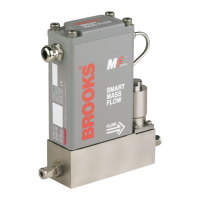
Each Smart Mass Flow device is factory-adjusted to provide a 0 ±10 mVdc
signal at zero ow. The adjustment is carried out in our calibration laboratory,
an ambient the temperature of 20°C is maintained. After initial installation and
warm-up in the gas system, the zero ow indication may differ from the factory
setting. This is primarily caused by differences in temperature between our
calibration laboratory and the nal mounting position.
When checking the zero ow indication, always mount the device in its
nal location and allow a minimum of 45 minutes for it to reach a stable
temperature.
In case Zero adjustment is required, this can be done via Smart Control;
model 0160.
3.3 Calibration Procedure
Calibration of the Smart MF is not described in this manual. Calibration can
only be achieved with use of the accurate Brooks Volumeter equipment and
the Smart Service software model; 0163 (see paragraph 4.4).


 To Next Page