Section 2: Installation
For (dis) assembly of the top cover and or housing refer to section 4.6.
Table 2-4: Dipswitch settings (not for Probus
* not supported by Windows
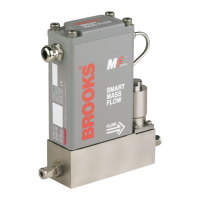
Since Brooks MF-series Smart Mass Flow devices are capable of
communication immediately after start-up, you should set the correct baud
rates prior to power up. Any changes to the baud rate settings or the physical
layer selection made during operation will take effect immediately. The
communication I/O drivers are directly connected to the terminal strip on top of
the device.
The RS-232 is essentially a point-to-point connection, i.e. one host-computer
and one Smart Mass Flow device. Most IBM-compatible PCs are equipped
with one or more RS-232 ports (COM ports) as standard. The RS 232 usage
and denitions are very diverse. On the MF Smart Mass Flow device the
TXD signal is the output signal of the device and the RxD the input signal.
The communication terminals can be directly connected to a serial COM-
port of any PC. The other part of the terminals can be connected to Brooks
model 0152/0154 Microprocessor-based Readout and Control Electronics.
Or power supply only. This model provides the power supply for Smart Mass
Flow devices, as well as providing local readout and displaying the analogue
output signals. Figure 2-7 shows the interconnection diagram of the RS-232
conguration. The pin assignment on an IBM Compatible PC. This is standard
for RS-232.
Physical Baud rate Dipswitch block SW1
Layer selection Switch Switch Switch Switch
selection #1 #2 #3 #4
RS-232 Off / On
RS-485
1200 Off Off Off
2400 On Off Off
3600* Off On Off
4800 On On Off
7200* Off Off On
9600 On Off On
19200 Off On On
38400* On On On


 To Next Page