Home > Set Up Your Printer > Load the RD Roll
Load the RD Roll
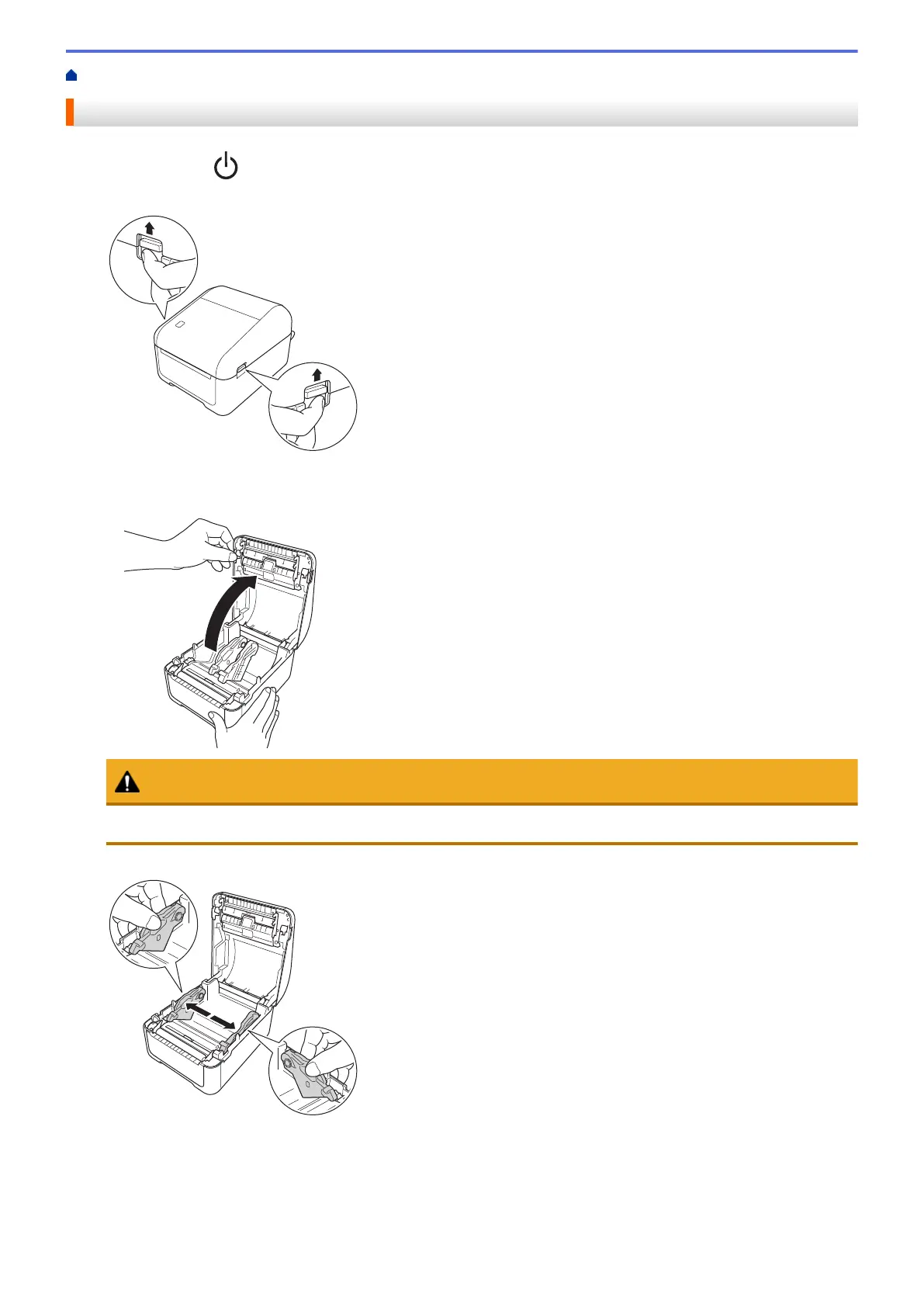
1. Press and hold to turn the printer off.
2. Pull up the release levers on both sides of the printer to unlock the Roll Compartment Cover.
3. Hold the printer by the front, and firmly lift the Roll Compartment Cover to open it.
CAUTION
Do not directly touch the Tear Bar with your hands. Doing so may result in injury.
4. Slide both Roll Guides outwards.
10



 To Next Page
 Loading...





