Rotate the adjuster dial towards you to lock the Roll Guides into place.
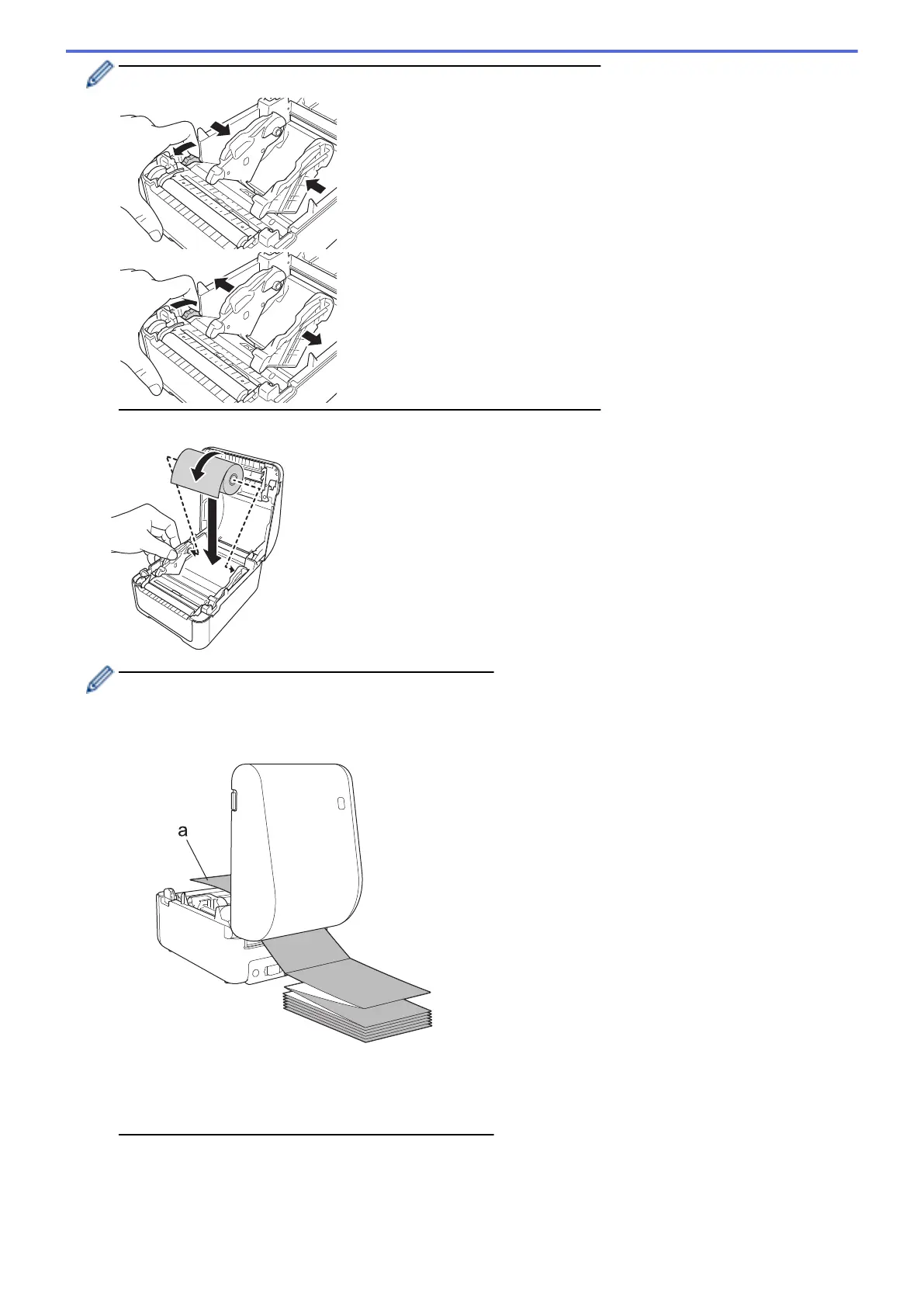
5. Insert the roll so that the label print side is facing up, as shown in the illustration.
• For fanfold paper
Insert the fanfold paper as shown in the illustration.
a. Print side
Adjust the Roll Guides when using fanfold paper.
6. Feed the end of the roll under the Media Guide Tips (1).
Position the end of the paper slightly out of the Label Output Slot.
11



 To Next Page
 Loading...





