1
I
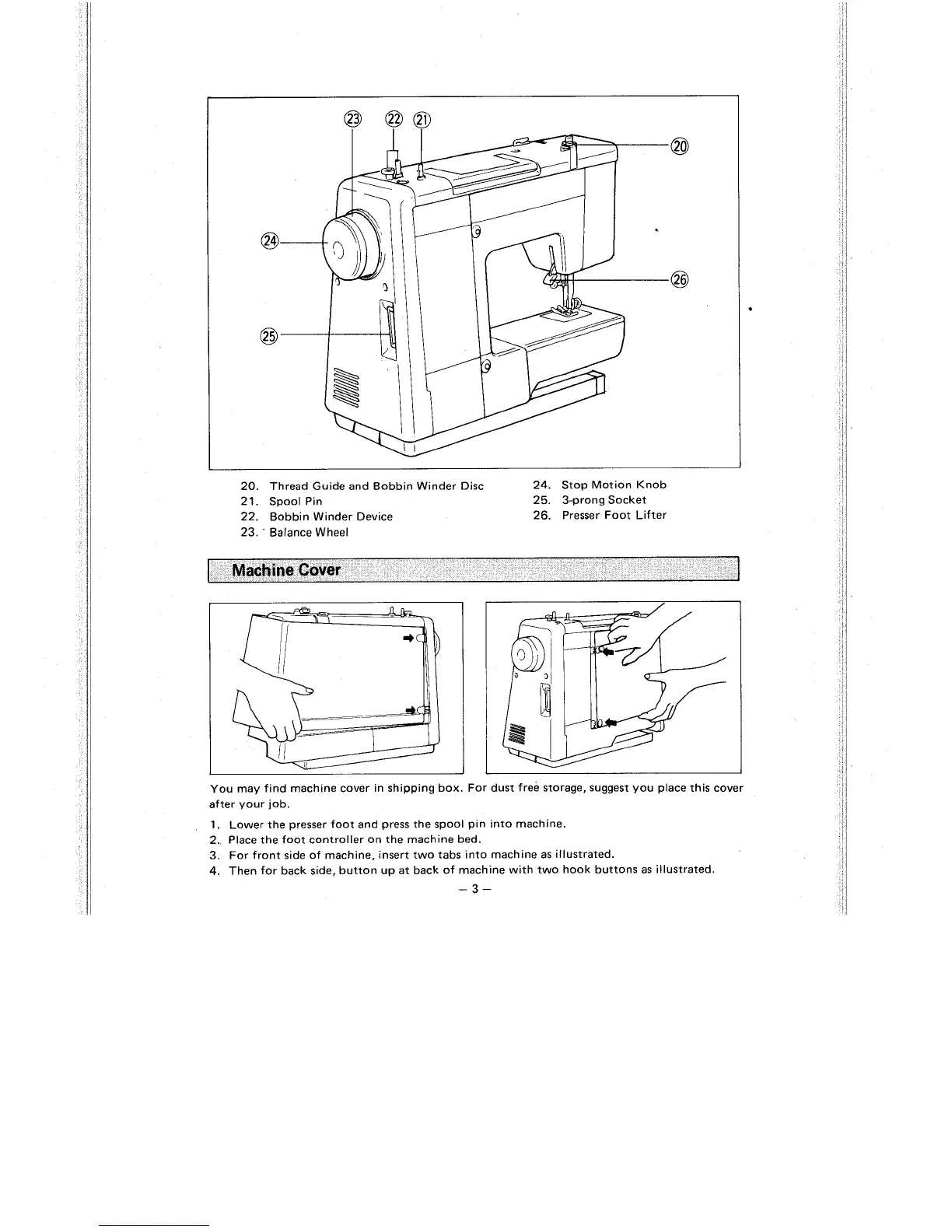
20. Thread Guide and Bobbin Winder Disc 24. Stop Motion Knob
21. Spool Pin 25. 3-prong Socket
22. Bobbin Winder Device 26. Presser Foot Lifter
23,
'
Balance Wheel
I
Machine
Cover
1
You may find machine cover in shipping box. For dust free storage, suggest you place this cover
after your job.
1.
Lower the presser foot and press the spool pin into machine.
2. Place the foot controller on the machine bed.
3. For front side of machine, insert two tabs into machine as illustrated.
4.
Then for back side, button up at back of machine with two hook buttons as illustrated.
-3-



 To Next Page