209
EVINRUDE ICON REMOTE CONTROL SYSTEM
ICON SYSTEM SETTINGS
10
• With the shift link disconnected, rotate the pro-
peller and manually shif t the outbo ard into
reverse gear with the shift lever.
IMPORTANT: Make sure the ge ar is fully
engaged and the lever is all the way to the rear.
• Select REVERSE button under Shift Positoin on
the ICON screen. The actuato r arm will move
backward. Us e t he Nudge bu ttons to align the
shift link.
• When th e link an d pins are exactly align ed,
install th e link a nd click th e Save butto n. The
actuator will move to the neutral position.
After forward and reverse strokes have been cali-
brated, the ESM calculates neutral position.
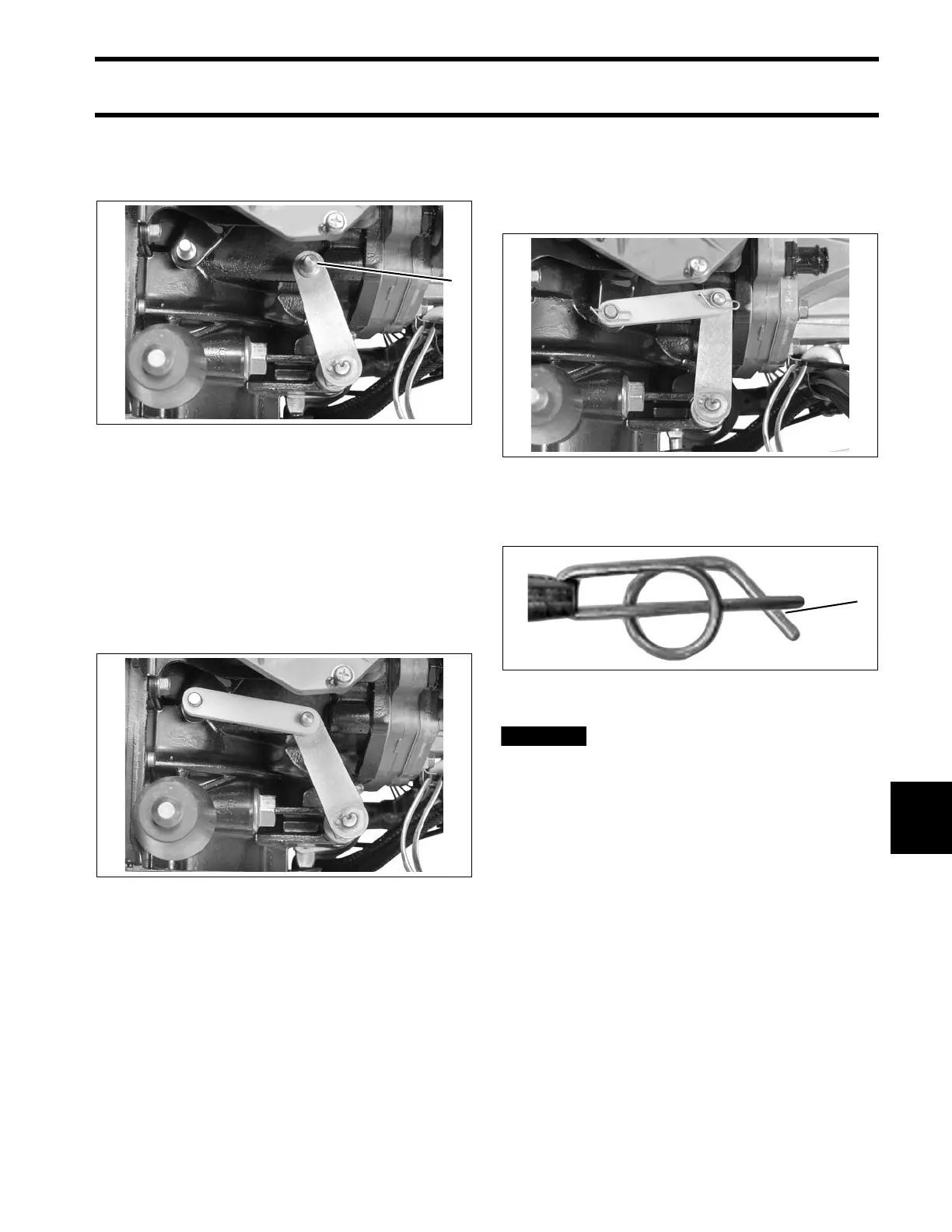
Install the shift link and secure with retainer clips
and washers.
Lock th e ret ainers b y moving the angled se ction
behind the straight section.
When installation is complete, shift
the ou tboard wi th control (while rot ating pro-
peller). Rot ate the propeller s haft b ack a nd
forth to ensure the face of the clutch dog con-
tacts the gear in both forward and reverse.
With the outboard in neutral, make sure the
propeller shaft turns free ly with no cont act
between the clutch dog and gears.
1. Shift lever in reverse 008512
008513
008509
Locked Retainer Clip
1. Angled section behind straight section
DP0817a





 To Next Page