22
.ROUTINE SERVICE
OUTBOARD RIGGING CONNECTIONS
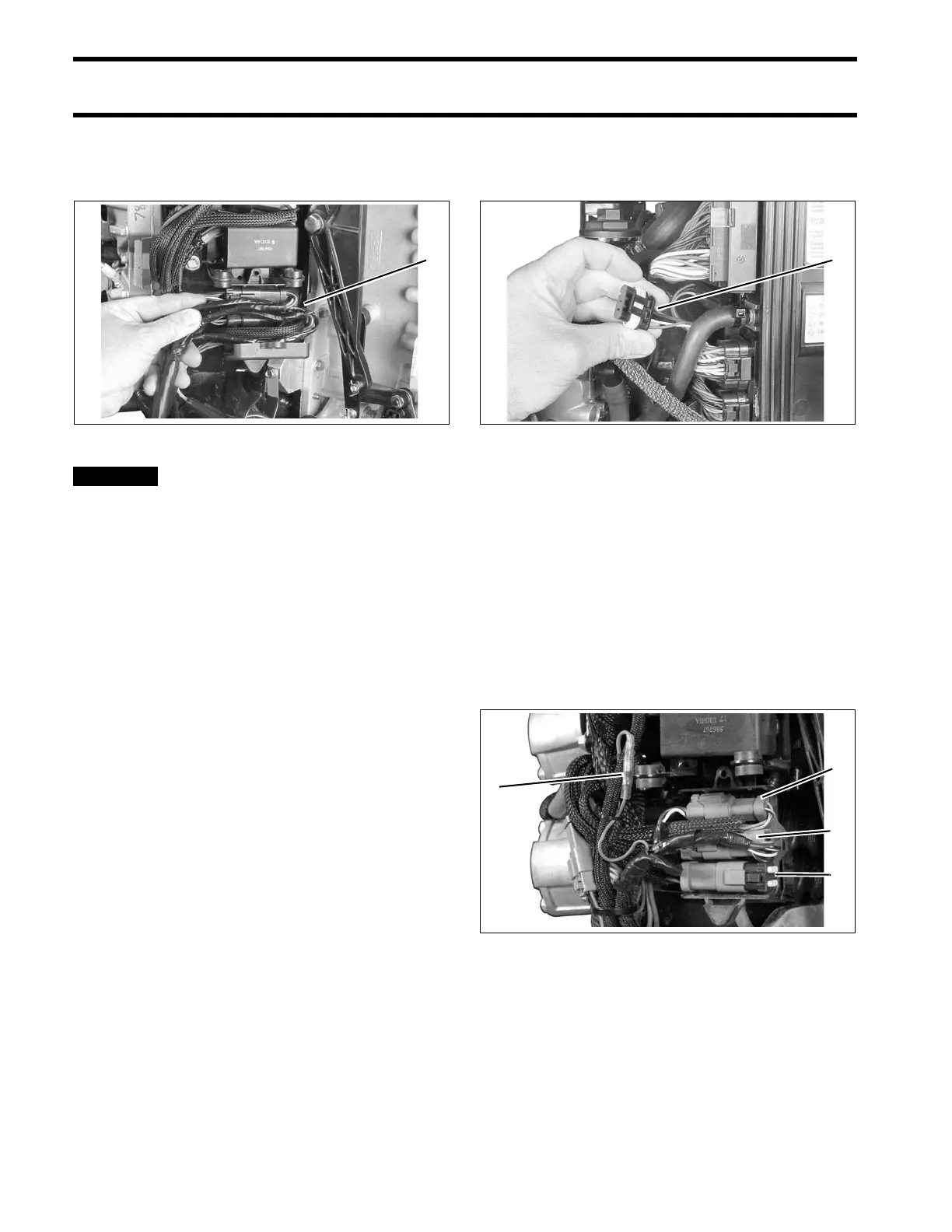
Connect outboard main wire harness to boat wire
harness. Secure connectors in bra cket. Refer to
the diagram inside of the electrical cover.
BE SURE all harness es a nd wires
are not pinche d, cannot cont act flywheel, and
do not interfere with mov ing throttle or shift
linkages.
Replace harness connector cover.
I-Command Network Connections
If the outbo ard will be used with I-Command, or
other NMEA 2000 compliant CANbus instruments,
use the following connections to su pply informa-
tion to the network:
If using an Evinrude ICON control system, the I-
Command Engine Interface Cable, Power Supply
Kit, and Ignition and T rim Ha rness are not
required. Conn ect the I-Command ne twork
directly to the ICON gateway module. Refer to the
ICON Remot e Control Syste m Inst allation
Guide.
If using a mechanical control system, connect the
I-Command En gine Interface Cable to the EMM
CANbus connector.
Use an I-Command Ignition and Trim Harness to
connect the outboard to the key switch and trim/tilt
control. Sea l unused SystemCheck co nnector
with 6-Pin Connector Seal, P/N 586076.
If conne cting to an existing I-Command Classic
network, connect the purple wires bet ween the I-
Command Ig nition and Trim Harn ess an d the I-
Command Engine Interface Cable. T his connec-
tion supplies power to th e network when th e key
switch is on. I-Command Digital networks do not
use this connection.
Route the harnesses around the starboard side of
the powerhead along the same path as the battery
cables.
1. Harness connections 003973
1. EMM CANbus connector 004265
1. I-Command Ignition connector
2. Trim/Tilt connector
3. SystemCheck connector (with seal)
4. Network power supply connector (Deutsch style
networks)
006862





 To Next Page