Operation
- 3.20 - SMART CLEARER
lk-ULK - Enabling/Disabling the Touch Light button operation
SETUP
CONFIG
lk-ULK
This function allows Enabling/Disabling the operations of Touch Light button for
sensor reset in case of alarm.
The Touch Light button, however, is always enabled for the Automatic Sensor
Numbering, independently of the LOCK/UNLOCK condition set with this function.
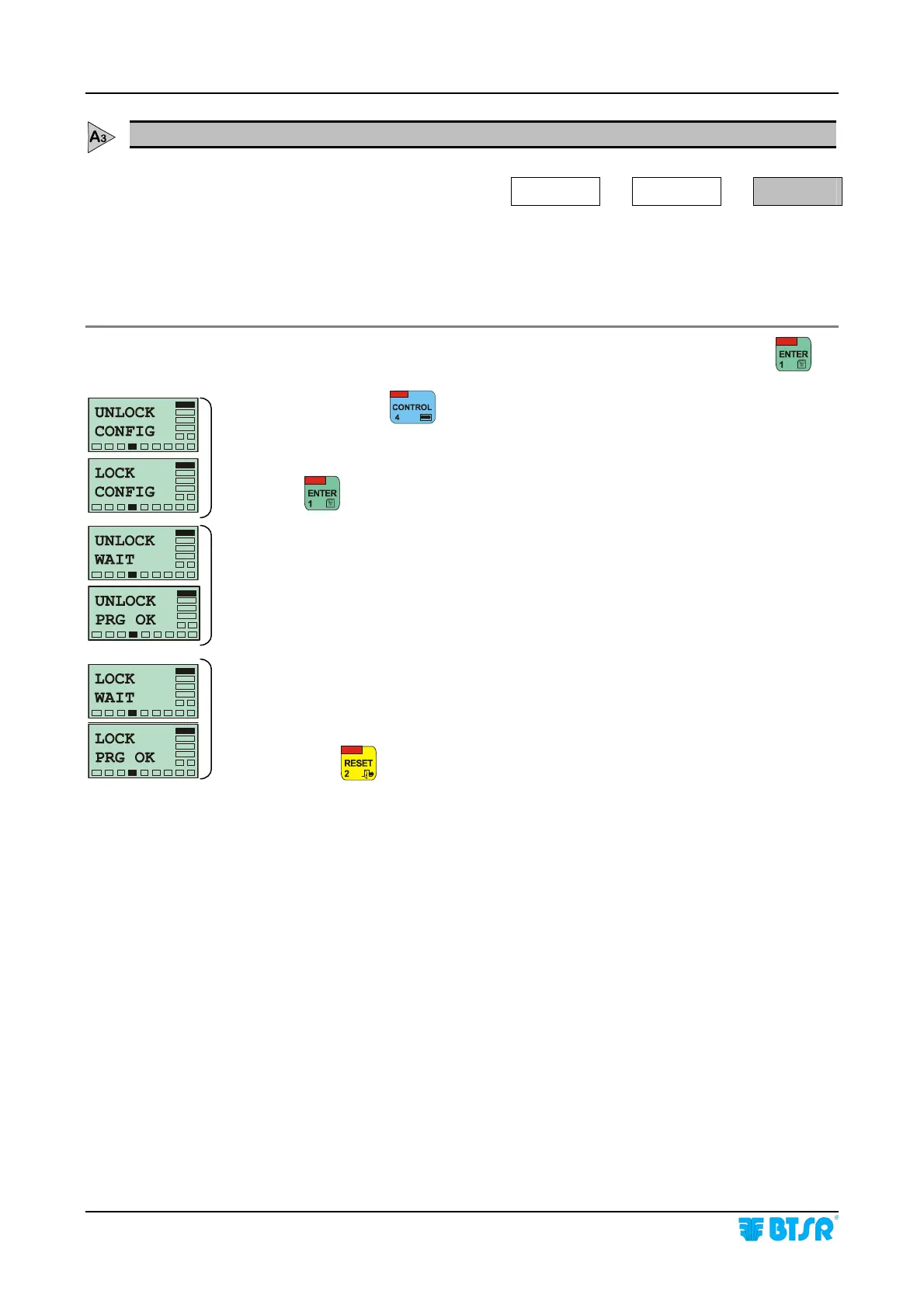
Once you have selected the LK-ULK function from CONFIG menu, press
to
have access to the function.
If necessary press
to select the desired option (either UNLOCK CONFIG to
enable the button currently disabled, or LOCK CONFIG to disable the button
currently enabled).
Press
to confirm.
Either UNLOCK WAIT - UNLOCK PRG OK or
LOCK WAIT - LOCK PRG OK will appear to indicate that the function has been
correctly programmed.
Press once
to return to the CONFIG menu, or twice to return to the Main
Menu.



 To Next Page