Operation
SMART CLEARER -3.23 -
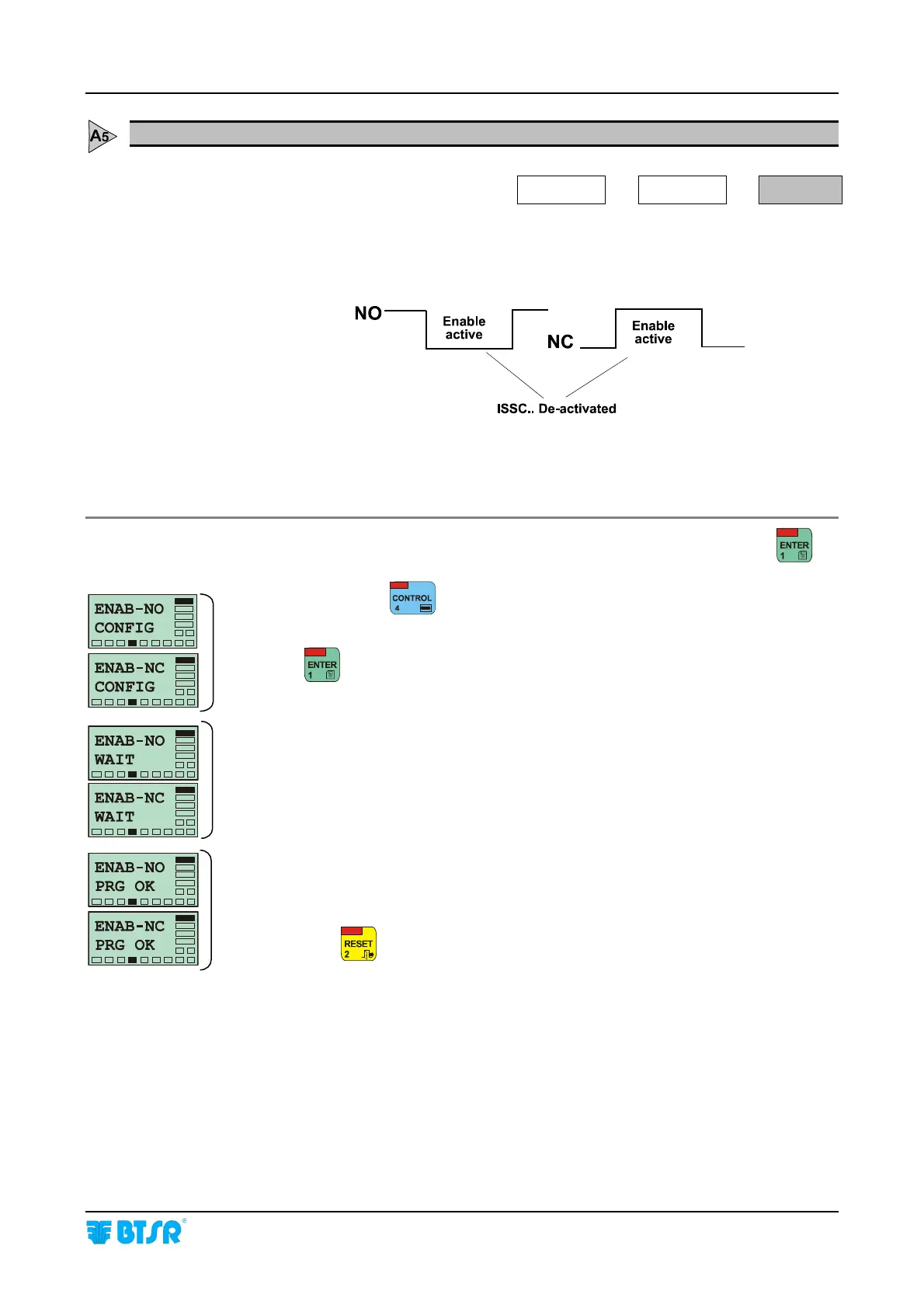
EN-NCO - Configuring the level of ENABLE signal as Normally Closed or Normally Open
SETUP
CONFIG
EN-NCO
This function allows defining the operating mode of the ENABLE input in order to
meet the application needs. The signal may be configured as Normally Open (NO)
or Normally Closed (NC).
For further information on ENABLE signal operation, please refer to the Interface
Specification paragraph.
Once you have selected the EN-NCO function from CONFIG menu, press
to
have access to the function.
If necessary press
to select the desired option (either ENAB - NO CONFIG
or ENAB NC CONFIG).
Press
to confirm the selection.
The display shows for a few seconds the messages ENAB - NO
WAIT and ENAB - NO PRG OK or ENAB - NC WAIT and ENAB
- NC PRG OK to indicate that the function has been programmed correctly.
Press once
to return to the CONFIG menu, or twice to return to the Main
Menu.









 To Next Page