Introduction
- I.2 - SMART CLEARER
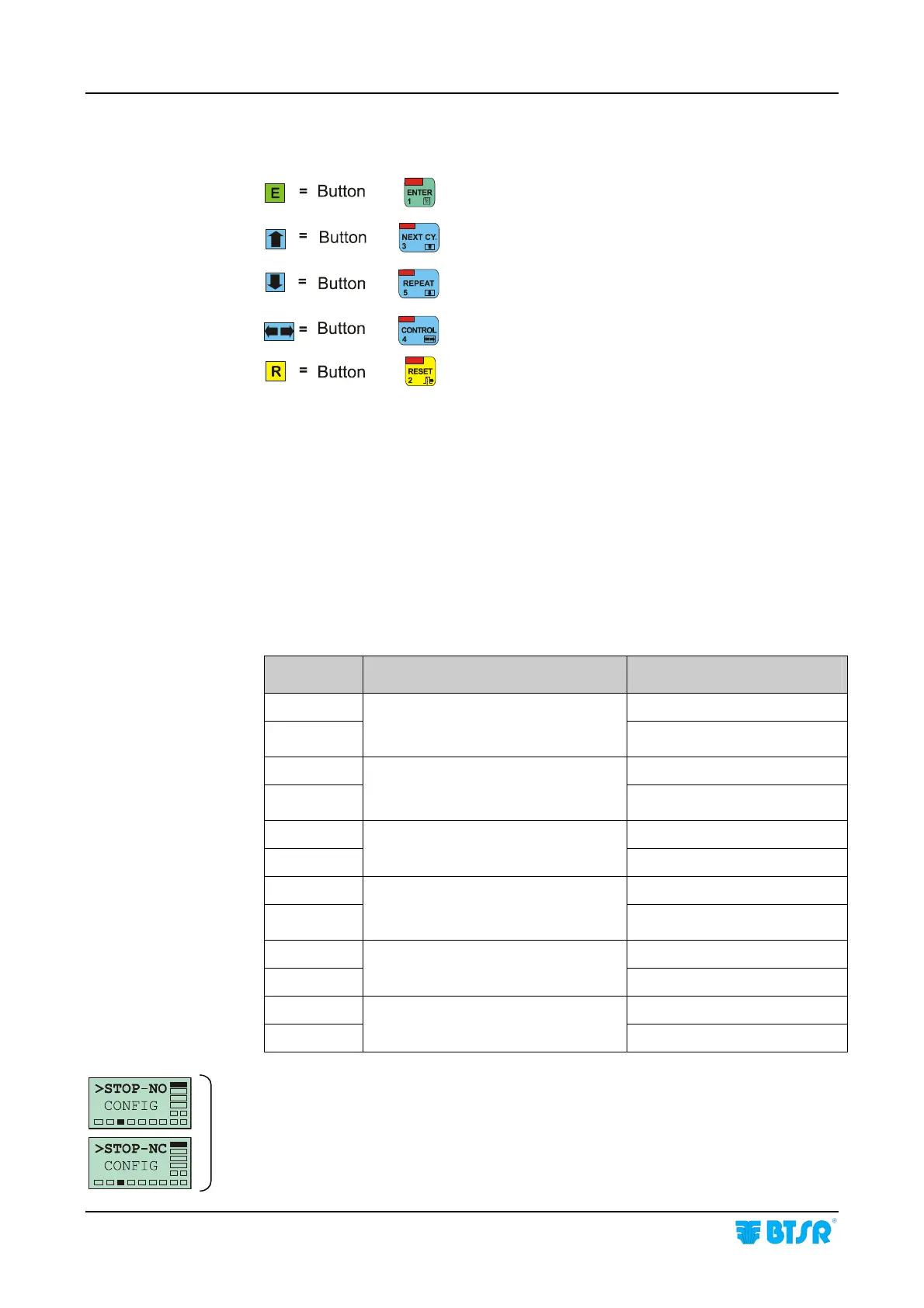
Within the Appendix A “Quick Reference” the push-buttons of SMART control
panel are shown as follows:
Meaning of the Capital/Small Letters on Display
Within the functions that provide two programmable alternative options, i.e.:
Normally Open or Normally Closed Contact
Enabled/Disabled Condition
Pulse/Continuous Signalling, etc.
The letters shown on display as capital letters indicate to the currently active
choice, while the small letters refer to the possible alternative choice.
Example:
Item Function Current Programming
ST-NCo NCo = normally closed
ST-NcO
Stop Output programmable as
Normally Closed (NC) or Normally
Open (NO) contact
NcO = normally open
ST-Cp Cp = continous signal
ST-cP
Stop output programmable as
Continous Signal (C) or Pulse Signal
(P)
cP = pulse signal
LK-ulk LK = “touch light” disabled
lk-UKL
Enabling (ULK) or disabling (LK) the
“touch light” button.
ULK =
“touch light” enabled
EN-NCo NCo = normally closed
EN-NcO
Enable signal programmable as
Normally Closed (NC) or Normally
Open (NO) contact
NcO = normally open
MO-ctr MO = Monitor
mo-CTR
Monitor (MO) or Control (CTR)
CTR = Control
CAL-aM aM = Manual
CAL-Am
Manual (M) or Automatic (A)
calibration mode
Am = Automatic
Alternative items:
Within the description of configuration/programming procedures the alternative
screen shots are shown with this bracket symbol.









 To Next Page