SMART MATRIX WINDINGFEEDER Operation
SMART MATRIX WINDINGFEEDER - 4 -
Navigation throughout the Display Windows
Many configuration/parameter setting functions of SMART MATRIX WINDINGFEEDER system require a
number of parameters distributed among multiple
display windows.
All the “Window Selection”, “Parameter Selection within a Window” and “Parameter Setting” functions on
SMART MATRIX terminal, can be carried out using exclusively the multi-function Rotary Selector, through a
navigation technique based upon “Pointing”, “Selecting” and “Value Setting” actions.
The following example explains this navigation technique.
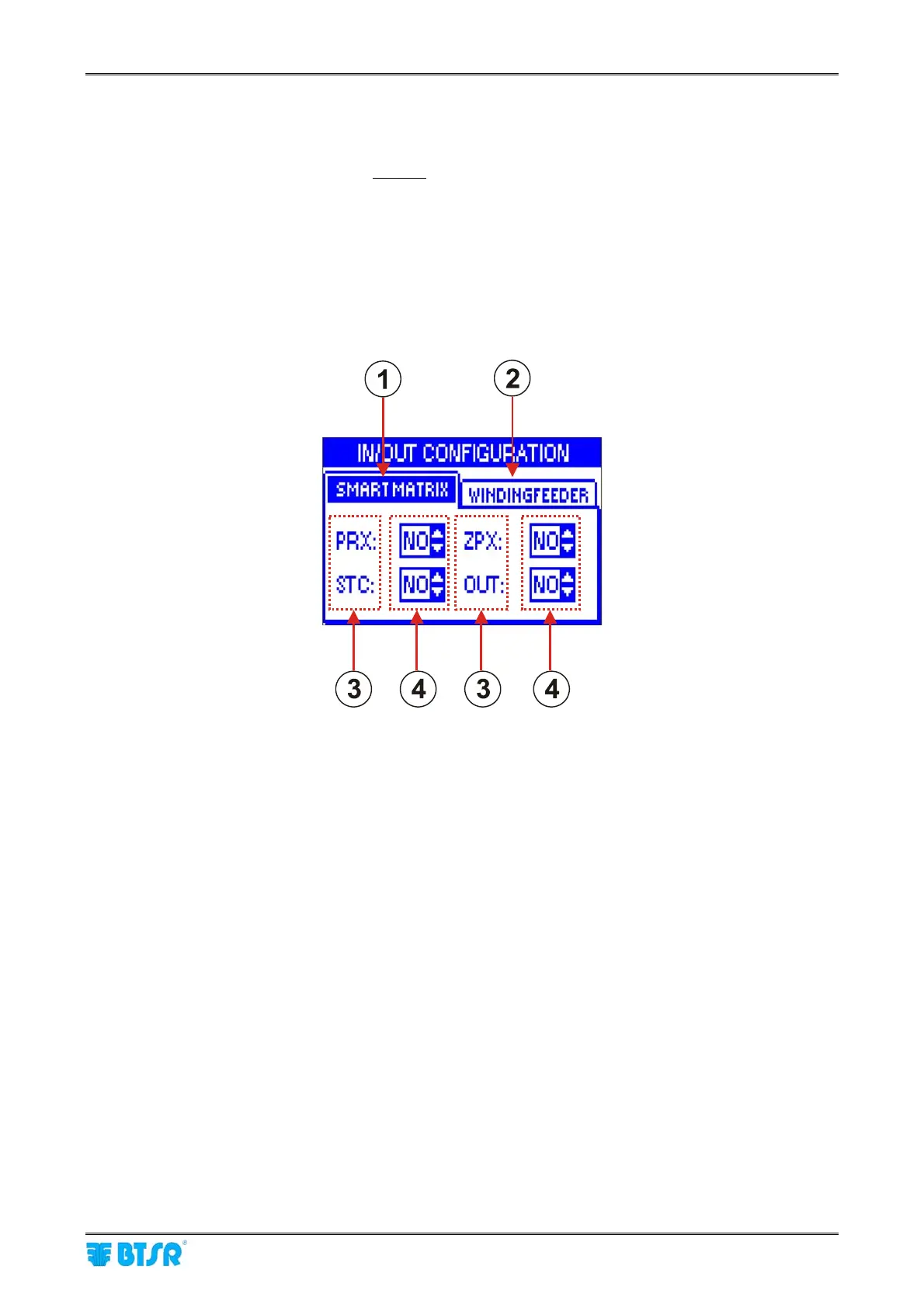
The example refers to the Input/Output configuration function, which consists of 2 windows (SMART MATRIX
and WINDINGFEEDER) and 4 parameters for each window (PRX, ZPX, STC and OUT for SMART MATRIX
window) and (P1/P2, EXC, RESET and ALARM for WINDINGFEEDER window).
1 - Name (label) of currently selected window (foreground)
2 - Name (label) of non-selected window (hidden)
3 - Name of fields within the currently selected window
4 - Field values











 To Next Page