Appendix A
ULTRAFEEDER - A.1 -
APPENDIX A
Firmware upgrade through SD-CARD or USB dongle
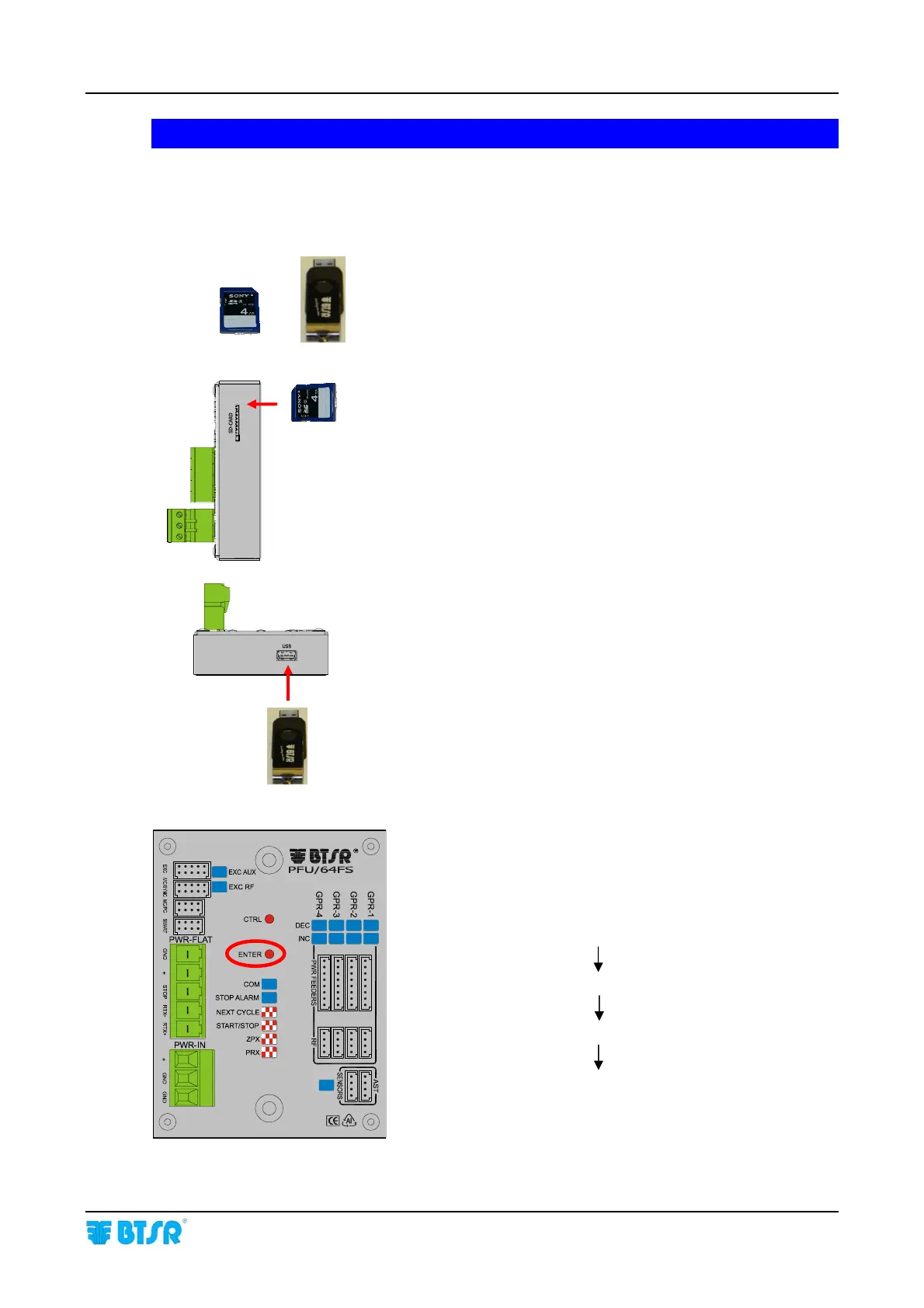
Create a folder with name UPGRADE on SD-CARD or
USB dongle and copy the upgrade file provided by
(extension “.p32”)
Insert the SD-CARD or the USB dongle into the relevant
slot
Once you have inserted the SD-CARD or the USB dongle,
the 4 LEDs start blinking. Press the ENTER button to start
the firmware upgrade. During the upgrading stage, the 4
indicated LEDs start blinking in sequence one at a time
until the procedure is completed:
NEXT CYCLE
START/STOP
ZPX
PRX









 To Next Page