Chapter1 Setup
LinkStation User Manual 9
4
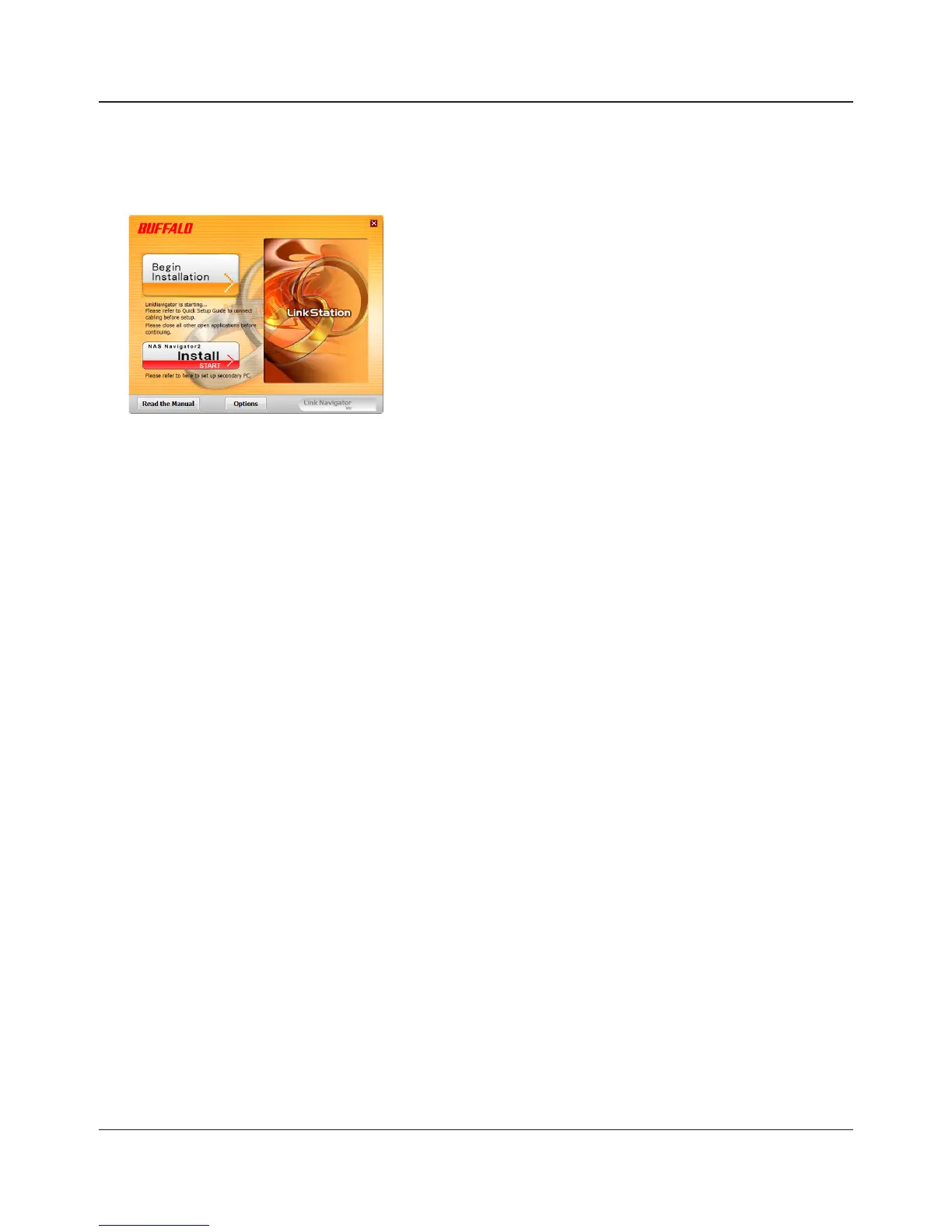
Insert the Utility CD in your computer’s CD drive. LinkNavigator will launch.
Click [Begin Installation]. The wizard will guide you through installation.
Notes: If LinkNavigator does not launch automatically, open the Utility CD and double-click
[LSNavi.exe].
If you are using Windows 7 or Vista, the autoplay screen may appear. Click [Run LSNavi.
exe].
If “Do you want to allow the following program to make changes to this computer ?” is
displayed in Windows 7, please click [Yes].
If “A program needs your permission to continue” is displayed in Windows Vista, please
click [Continue].
For Mac OS, double-click on the LinkNavigator icon in the utility CD.
If you have problems installing, temporarily disable your anti-virus software and software
rewall. After setup is complete, re-enable the software.
If your computer does not have a CD drive, you may download the LinkNavigator
software from www.bualotech.com.
5
Click [Finish] or [Complete]. NAS Navigator2 starts automatically.















 To Next Page