Using your LinkStation
LinkStation User Manual 81
EDP (Easy Data Protection)
With EDP (Easy Data Protection), you can create a RAID 1 array while preserving the data on one of
the hard drives. To use EDP, make sure that the following conditions are met:
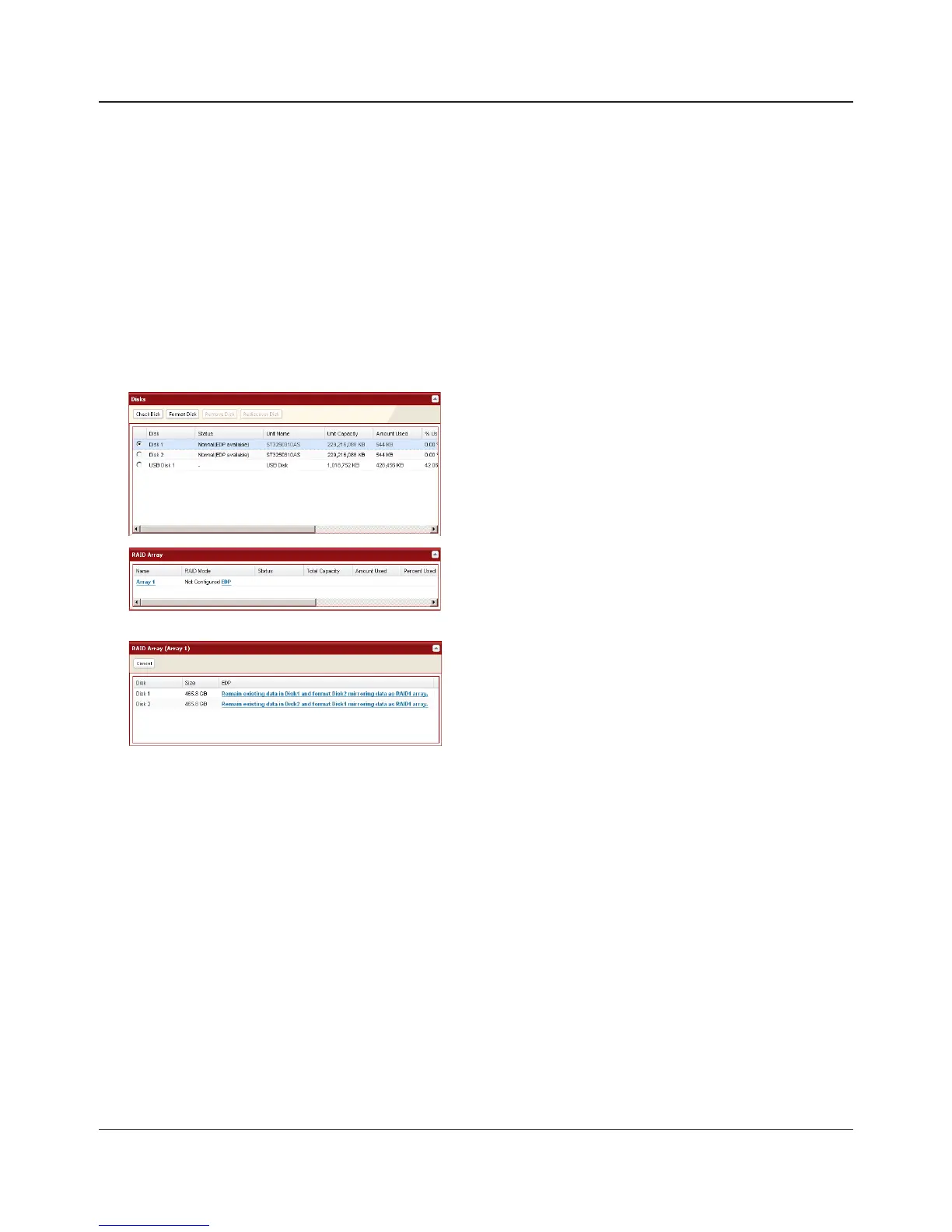
- Your hard drives must display [Normal (EDP available)] as shown in Step 1 below.
- Both hard drives must be the same size.
Caution: If your hard drives show [Normal] instead of [Normal (EDP available)], then you cannot
use EDP. If you create a RAID 1 array, all data on both drives will be lost. Back up any
important data before changing your RAID array.
1
2
3
4
The [Conrm Operation] screen will open. Within 60 seconds, enter the displayed number in the
[Conrmation Number] eld. Click [Apply].
5
While the array is being built, le transfer speeds will be slower than usual. It will take about 6
hours per terabyte to build the array. The Info/Error LED will blink amber while the array is being
built. Do not turn o the LinkStation until the array is nished.
When the build nishes, the Info/Error LED will stop blinking. Your RAID 1 array is now complete and
ready to use.
In the Web Admin interface, navigate to [System]-
[Storage] - [Disks]. In the [Status] column, [Normal
(EDP available)] should be displayed beside both
drives.
Under [RAID Array], click [EDP].
The data on one disk will be preserved; the other
will be erased to create the RAID 1 array. Choose
which disk will have its data preserved and which
will be formatted.















 To Next Page