Using your LinkStation
LinkStation User Manual 106
Media Server Settings
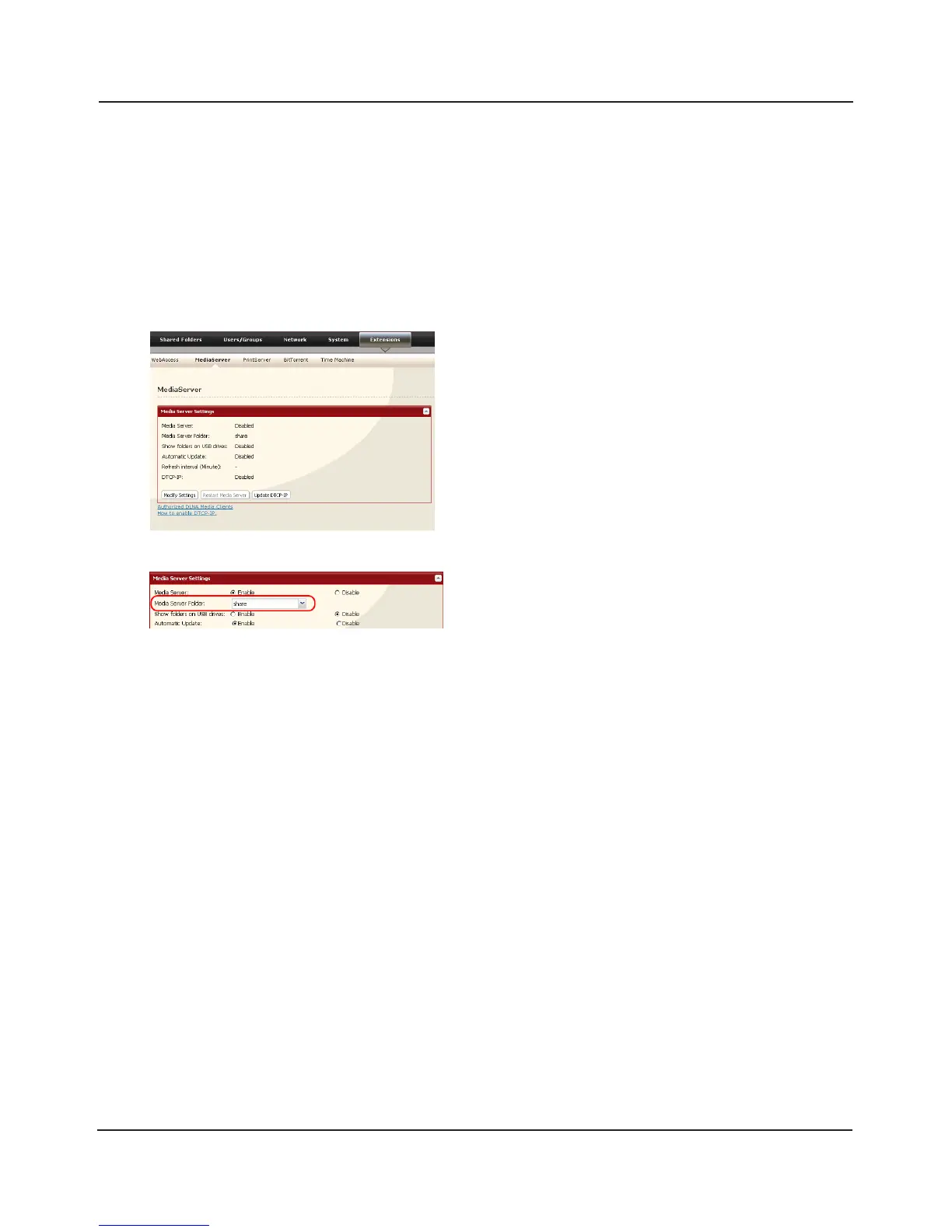
By default, the LinkStation is set to allow all videos, pictures, and music in the shared folder “share“
to be played. You may congure it to only play videos, pictures, and music from a specic folder.
1
2
3
4
Click [Save] at the bottom of the page.
Now, only les saved in the folder you selected in step 2 can be selected or played from DLNA
compatable devices.
Shared folders and subfolders can be pulled down
from [Media Server Folder]. Select a folder to share.
In the Web Admin interface, navigate to [Extensions]
- [MediaServer] and click [Modify Settings].















 To Next Page