Using your LinkStation
LinkStation User Manual 102
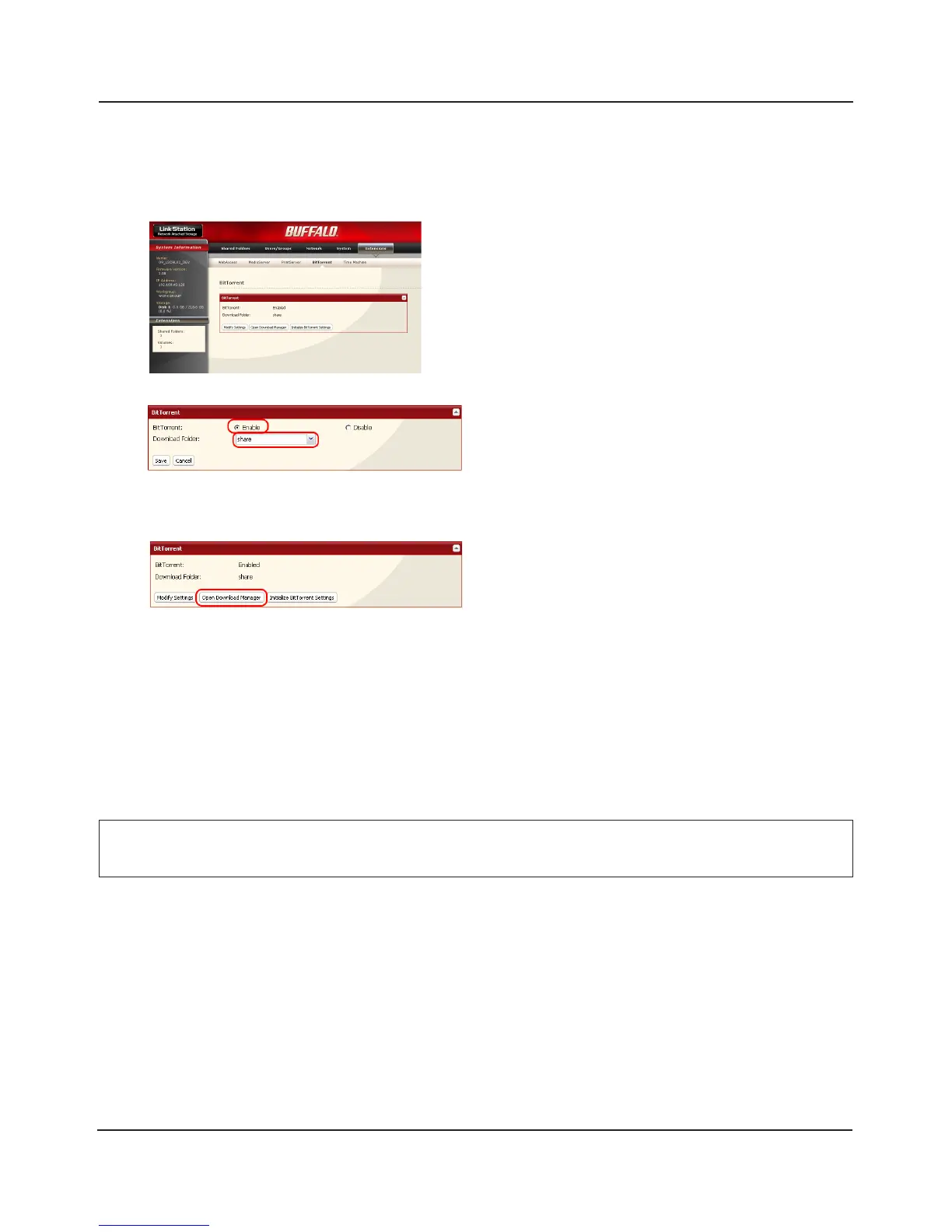
Enabling BitTorrent and selecting folders
1
3
1 Click [Enable].
2 Select a folder for downloads on the
LinkStation from [Download Folder].
3 Click [Save].
Click [Open Download Manager].
Note: If you click [Initialize BitTorrent Settings],
you can initialize BitTorrent settings.
1 In the Web Admin interface, navigate to
[Extensions] - [BitTorrent].
2 Click [Modify Settings].
2
Enter the username and password for Download Manager.
The default username and password are:
Username: admin
Password: (blank; no password)
The Download Manager will open.
The Download Manager is similar to “μTorrent“. For more information on how to use it, do an
Internet search for “μTorrent“.















 To Next Page