Using your LinkStation
LinkStation User Manual 108
DLNA Media List
The LinkStation will maintain a database of videos, pictures, and music saved in its media folder and
distribute a list of available media to DLNA media players on the network. This list is distributed
after each reboot and once every 60 minutes by default. Congure the database as described
below.
2
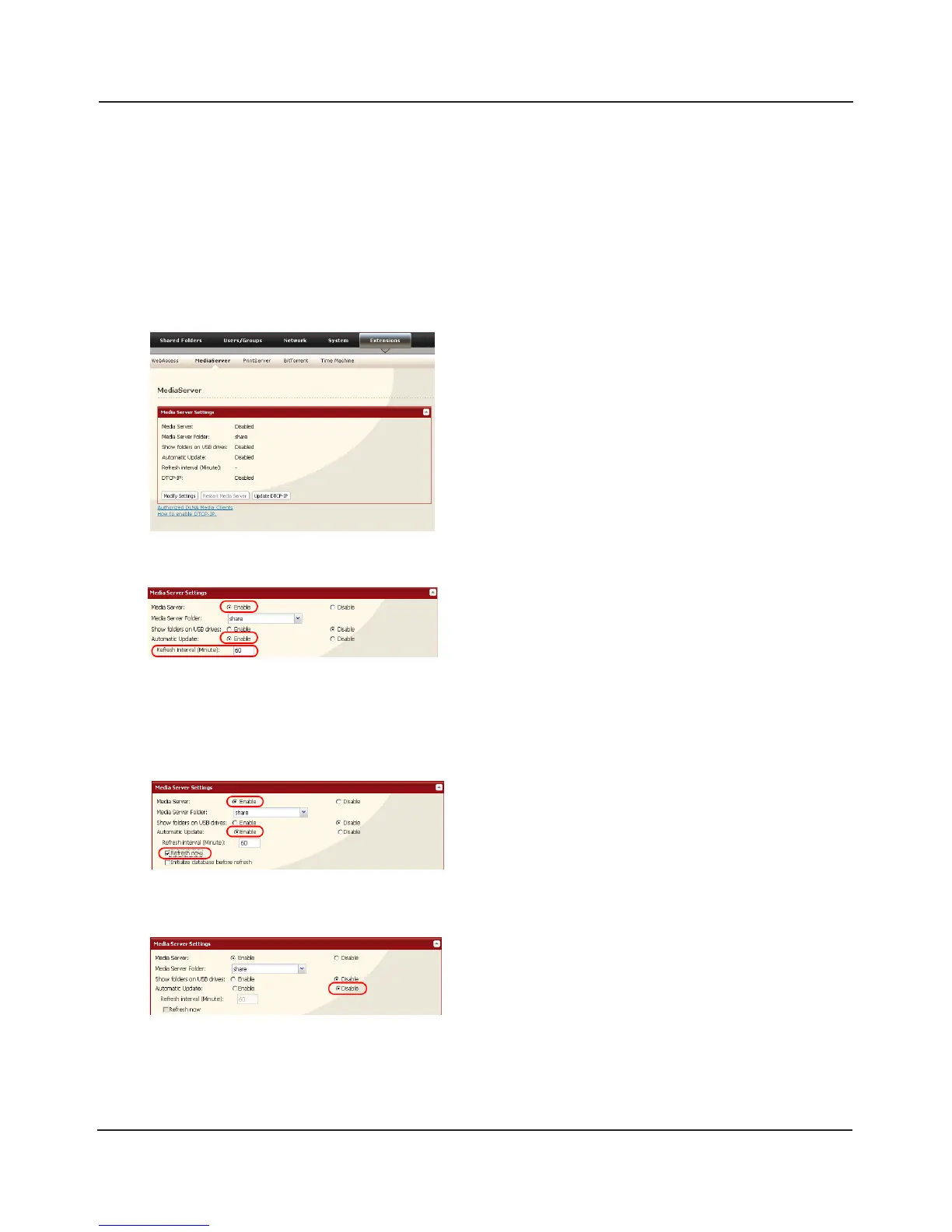
To distribute the list of available media, click [Enable]
in [Automatic Update], then click [Refresh now].
Optionally, you may choose a dierent refresh
interval. To distribute the media list at a dierent
interval, enter the desired interval in minutes in the
[Refresh interval] eld.
To completely disable distribution of the media list,
click [Disable] for [Automatic Update].
3
Click [Save] to save your settings.
1
In the Web Admin interface, navigate to [Extensions]
- [MediaServer] and click on [Modify Settings].















 To Next Page