Using your LinkStation
LinkStation User Manual 25
• When using multi-byte character(such as Japanese), make folder or le names with 80 bytes(UTF-8) or less.
You may not be able to copy a folder or a le whose name length is more than 80 bytes.
• You cannot set hidden or read-only attributes to subfolders or les on the LinkStation.
• If non-Roman alphabetical folder names or workgroup names do not display properly, rename the folder or
workgroup with Roman alphabetical characters.
• Please do not use any of the following words as the name of a shared folder. These words are reserved for
internal use by the LinkStation:
info, spool, usbdisk1, usbdisk2, usbdisk3, usbdisk4, lost+found, global, printers, homes, lp, auth, test, ram,
disk1, disk2, disk3, disk4, array1, array2, msdfs_root, mt-daapd
• The following characters are handled dierently by Mac OS X and Windows. Avoid using these characters when sharing
data between Mac OS X and Windows:
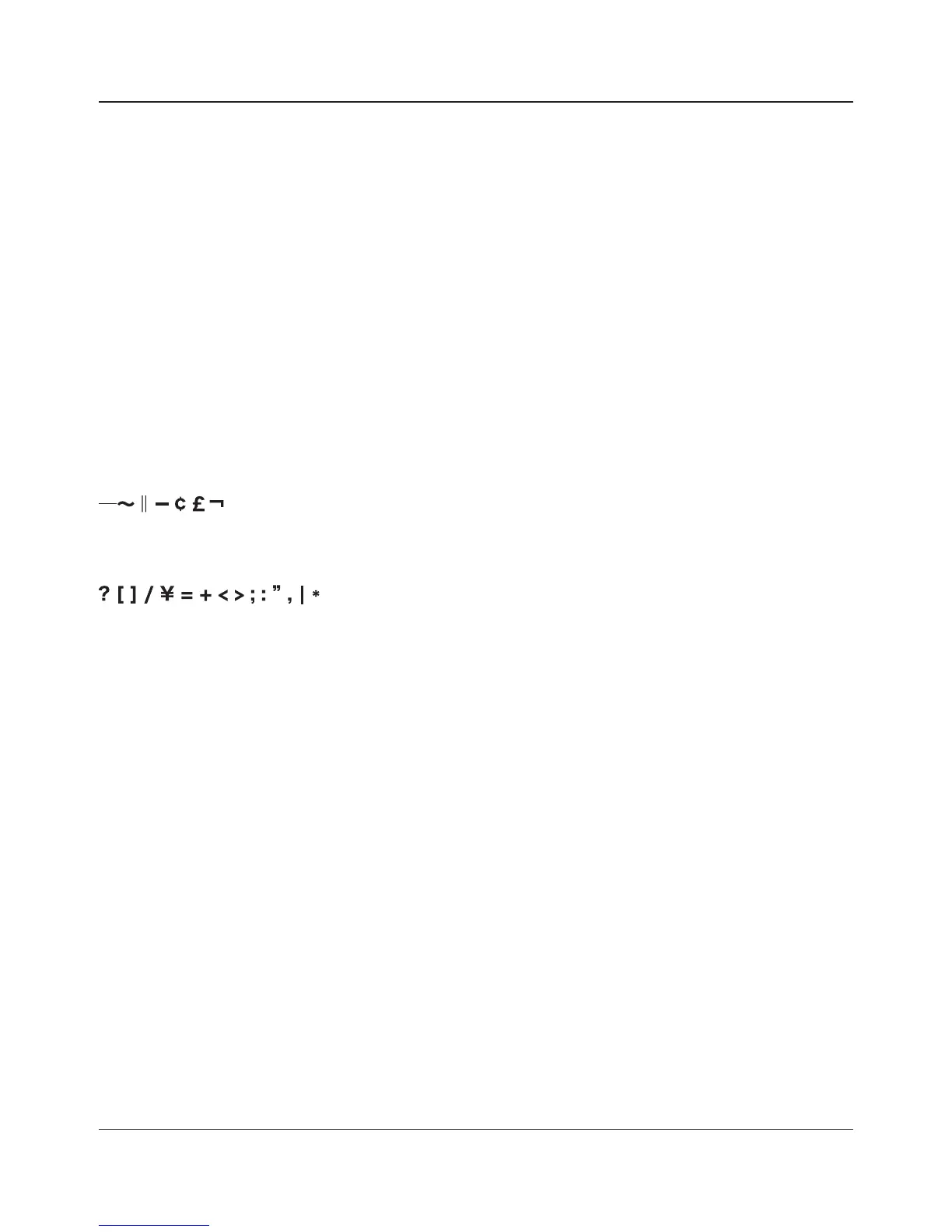
• The following characters are not displayed correctly by Windows, or by a Mac connected to the LinkStation via SMB.
Avoid their use in le names that will be used with the LinkStation.
• Never turn o the LinkStation or unplug its Ethernet cable while data is being written. Doing so may result in an
incomplete le that cannot be opened or deleted. If this happens, restart the LinkStation, delete the le, then retry
copying the le.
• Your OS may update the date and timestamp stored on the LinkStation’s hard drive, or on a USB drive
connected to the LinkStation. This might result in inaccurate information for date-created or date-accessed
data on the LinkStation.
• In the Web Admin interface, or from a Mac OS X 10.6 or later, drive size is displayed in gigabytes, where 1
gigabyte = 1,000,000,000 bytes. This is also how drive capacity is expressed on your LinkStation’s packaging.
However, if you check the drive size from an older Mac, or from a Windows computer, it may display the size
of the drive in gibibytes, where 1 gibibyte = 1,073,741,824 bytes. Since a gibibyte is larger than a gigabyte,
the displayed drive capacity will be a smaller number than the actual drive size.
Notes:















 To Next Page