Using your LinkStation
LinkStation User Manual 76
4
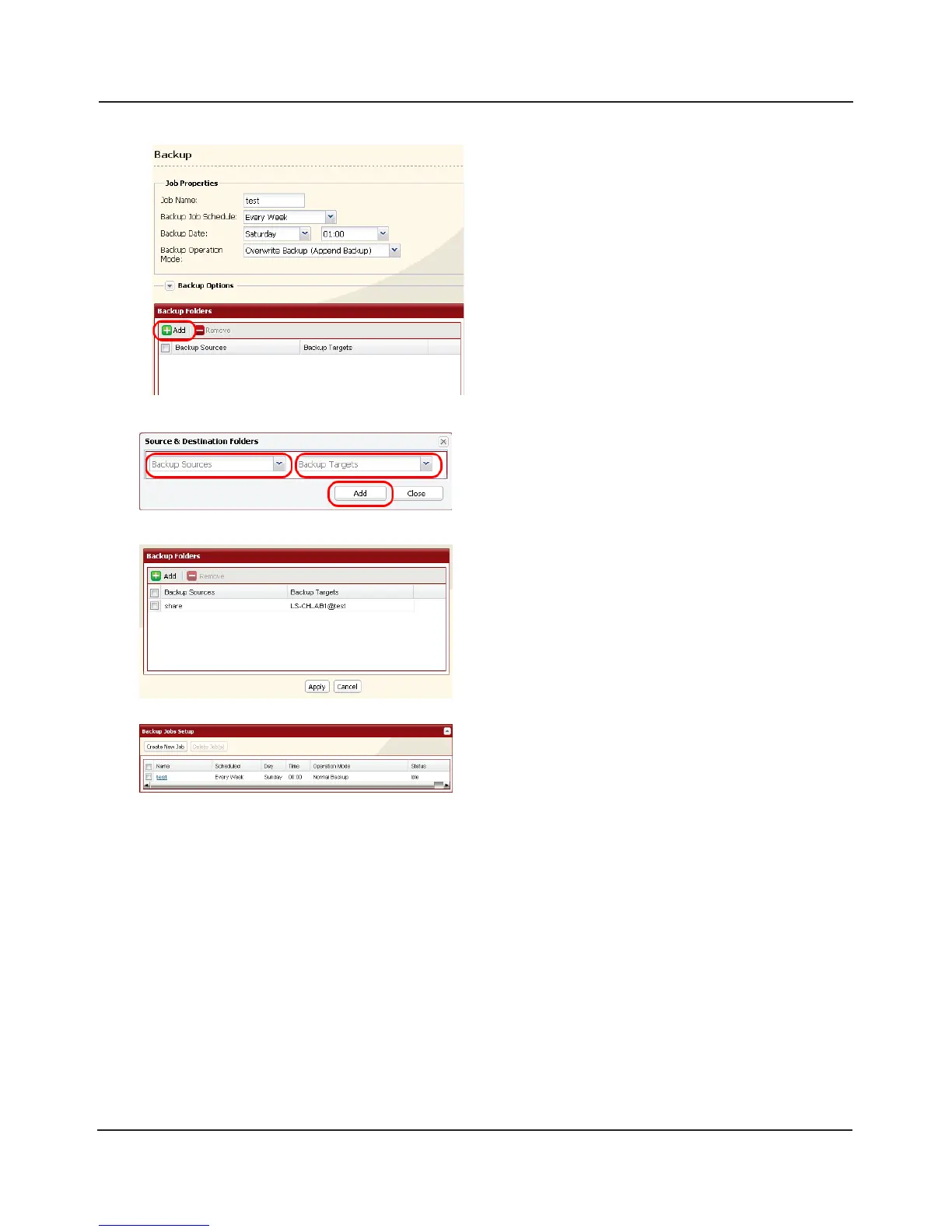
Click [Add] in the [Backup Folders].
5
6
Select the [Backup Source] and [Backup Targets]
folders, then click [Add].
Click [Apply].
The task added is displayed to the backup list.
You’ve now congured a backup job.















 To Next Page