Using your LinkStation
LinkStation User Manual 79
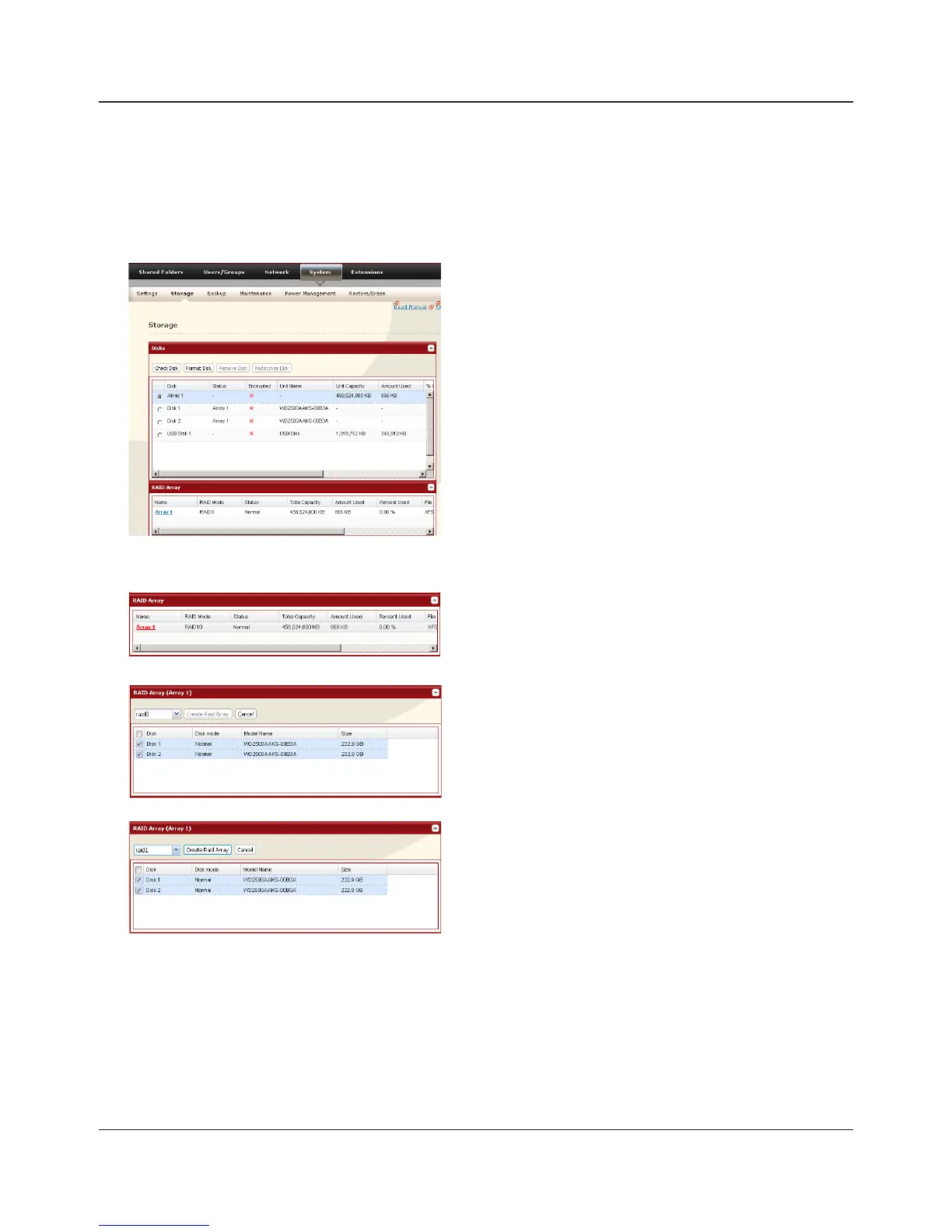
• Using in RAID 1 mode
1
Change system to normal mode (page 83).
2
3
4
5
6
The [Confirm Operation] screen will appear. Enter the number shown in the [Confirmation
Number] eld within 60 seconds, and click [Apply].
7
Follow the instructions displayed on the screen.
You have set up a RAID 1 array. Turn to page 24 to create a shared folder.
Click [System] - [Storage] - [RAID Array] in the Web
Admin interface.
Click the array you want to set.
Select all available hard drives.
1 Select [raid 1].
2 Click [Create Raid Array].















 To Next Page