23
CARE AND CLEANING
continued >
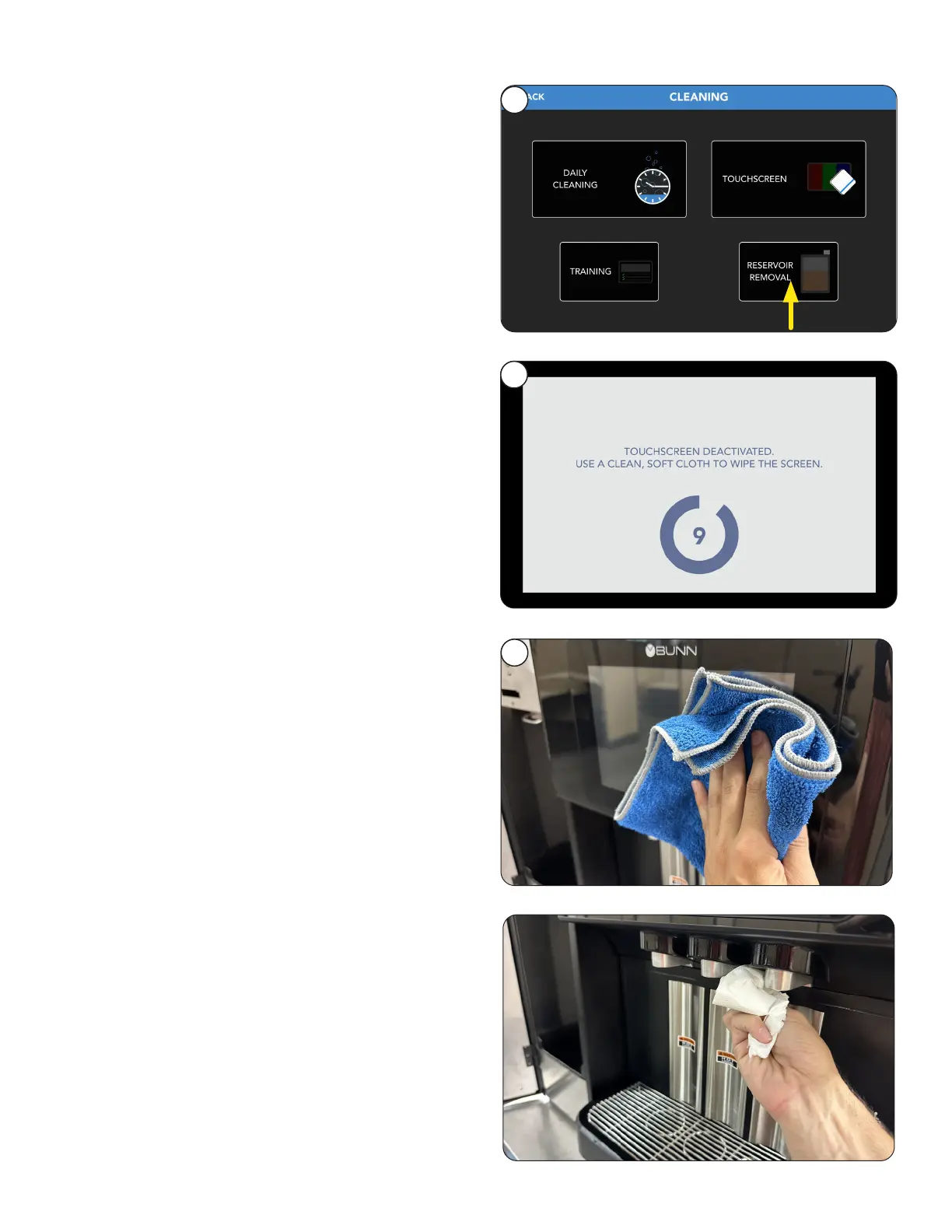
1. Select the Touchscreen tab to start a countdown
screen to temporarily shut off the sensitivity of
the screen so that it can be cleaned.
2. The screen will stay inactive for 10 seconds.
3. Clean the touchscreen using cloth provided
in the cleaning products. The surface should
be free of debris and dry to the touch once
completed.
Touch Screen
1
– As Needed
2
3
Front Panel
Clean the dispense area using a soft, dry cloth.
– As Needed



 To Next Page