42
PRODUCT AND RECIPE SETUP
Grinder Calibration
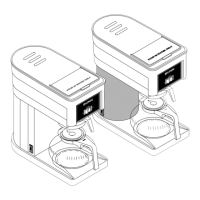
21. The INPUT screen will appear.
Type Average Weight.
22. Press ENTER.
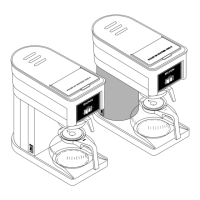
20. a. Press APPLY TO LEFT button to
automatically input average.
OR
b. Manually press on the AVERAGE COFFEE
WEIGHT field to fill in this amount.
b
a
NOTE: Repeat calibration steps for the
Center and Right grinders to complete
grinder calibration.
continued >
21
20
22
Filling Reservoirs
You can check the status of each reservoir using
the Service Access screen.
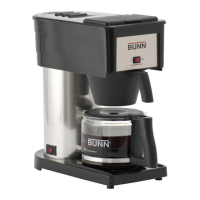
1. Touch and hold the BUNN logo for a few
seconds until SERVICE ACCESS appears
on the display.
1
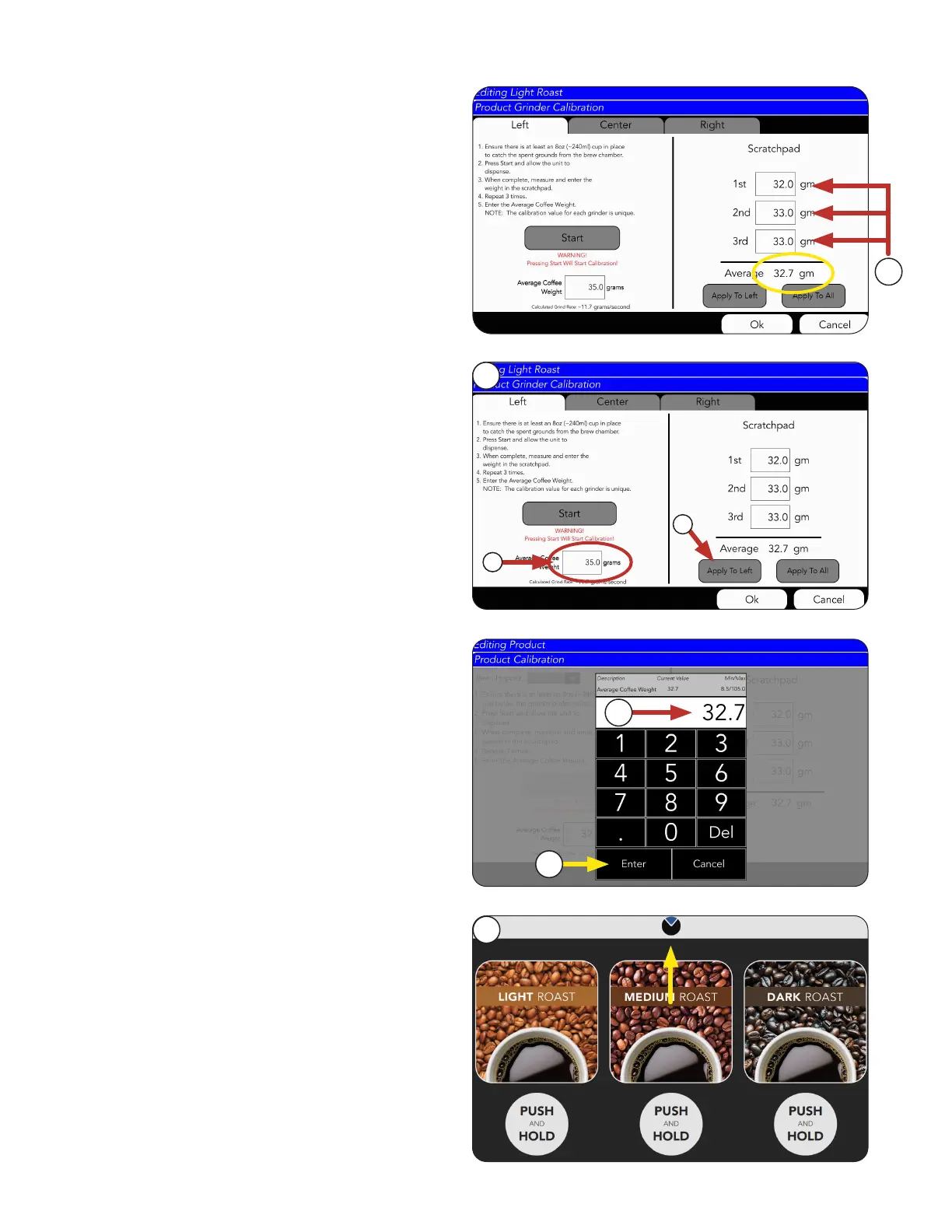
Empty the cup, then repeat STEPS 1 - 10 TWO
MORE TIMES to fill in all 3 weight fields.
19. Note the Average Weight of the
three tests.
For this example it’s 32.7 grams.
19



 To Next Page