34
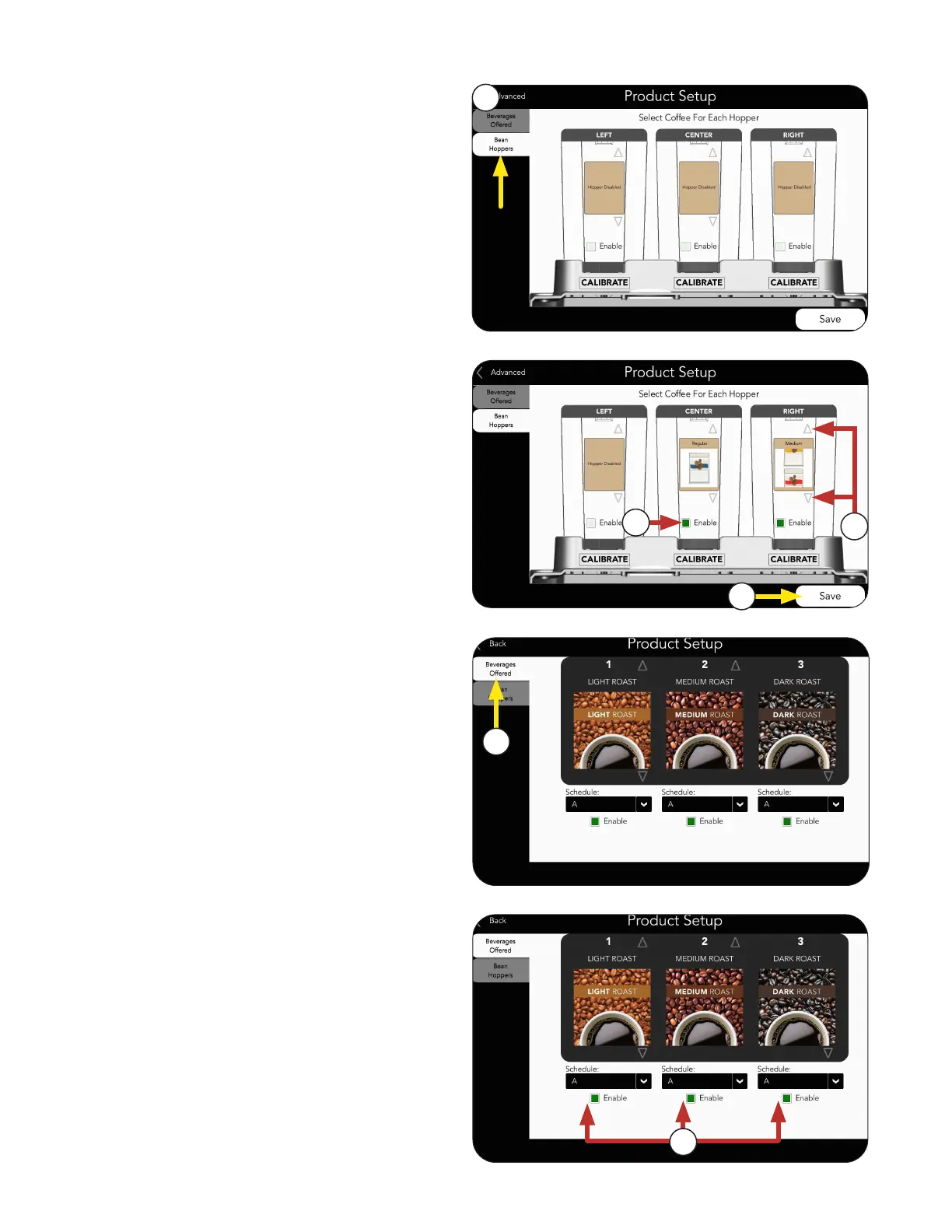
1. Select the BEAN HOPPERS tab to assign
which Product goes in which hopper.
2. Press the Enable box to select which hopper
to use.
Bean Hoppers Setup
5. Select BEVERAGES OFFERED tab.
7. Select SAVE if any changes were made.
6. Enable the drink options available for
dispensing.
NOTE: You can also enable drink sizes for
each beverage.
4. Press SAVE when finished.
3. After enabling a Hopper, you can use the UP
and DOWN arrows to select an icon for the
Product in that hopper.
1
3
2
5
6
4
RECIPE AND PRODUCT SETUP



 To Next Page