43
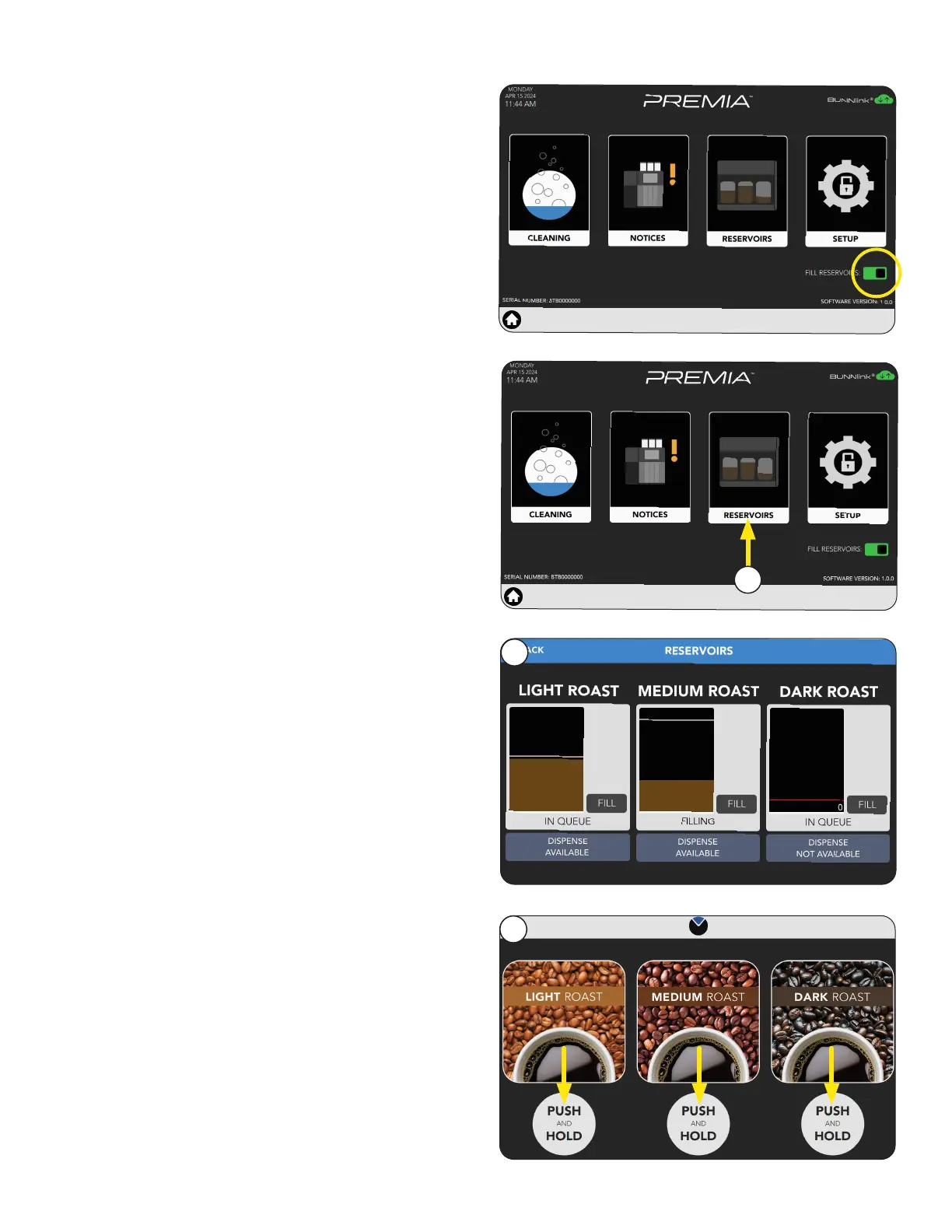
Filling Reservoirs
2. Select the Fill RESERVOIRS button.
PRODUCT AND RECIPE SETUP
3. This screen will display the volume level for each
reservoir.
3
The first screen to appear is the CUSTOMER
INTERFACE screen, also known as the Home
Screen.
Customer Interface
1. After placing a cup under the dispense nozzle,
available drinks are dispensed by pushing and
holding the onscreen button below the beverage
of choice.
1
2. Select the RESERVOIRS icon.
2
continued >



 To Next Page