28
RECIPE AND PRODUCT SETUP
Product Setup
Recipe Setup
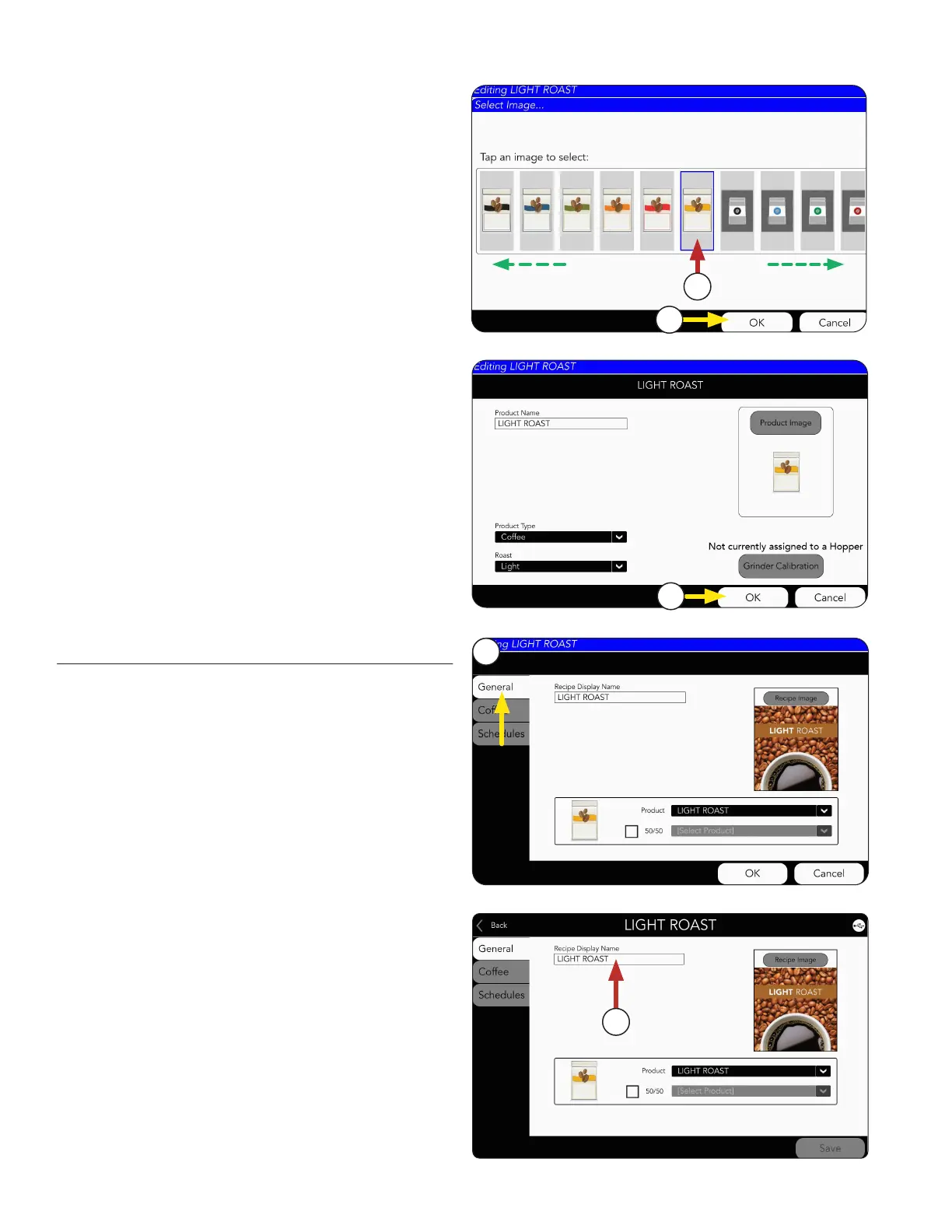
8. Next, scroll side-to-side to see available images.
Select the chosen Product Image.
11. Press OK to complete this Product creation.
NOTE: The product will need to be calibrated
before brewing. See next page for Product
Calibration.
8
9
10
9. If a new image is chosen, press OK.
1. Choose the GENERAL tab.
2. The coffee product name can be edited by
pressing on the text field.
1
2



 To Next Page