29
RECIPE AND PRODUCT SETUP
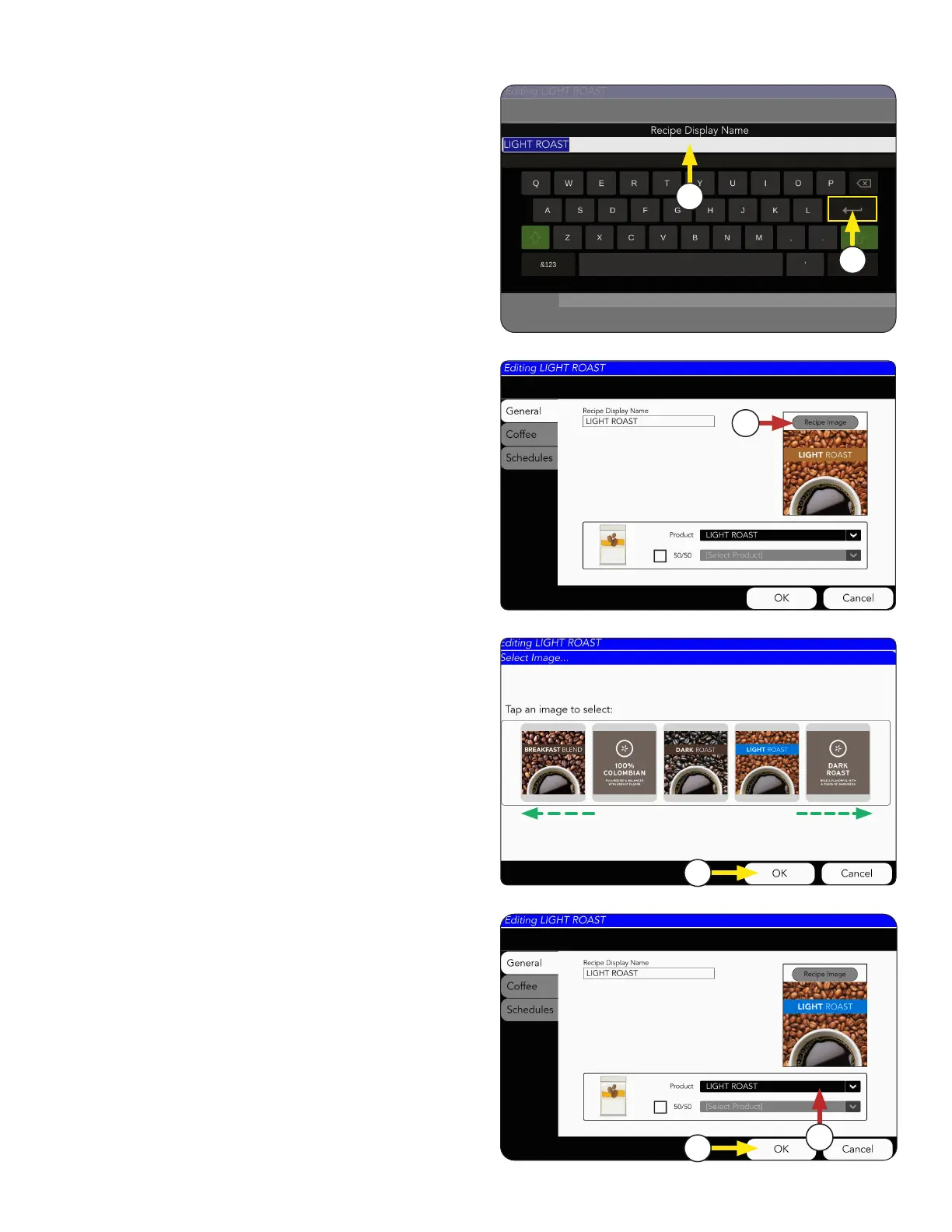
6. By swiping side-to-side, you can view the
icon library.
5. Next, the Recipe Image can be changed,
if preferred.
3. The Recipe Display Name screen will appear
Click in the text field and type a new
recipe name, if preferred.
3
4
5
4. Press the Return key to complete.
7
Recipe Setup
8. Use the drop down menu to select the
preferred coffee Product. This will be the
coffee bean that is used for this recipe.
8
9
7. Select the image, and press OK.
9. Select OK button when complete.
continued >



 To Next Page